EasyManua.ls Logo

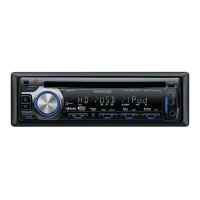
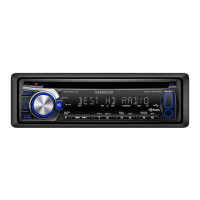
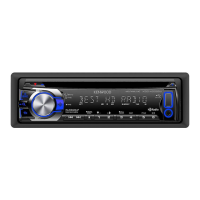
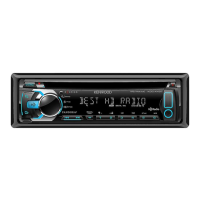
Kenwood KDC-HD545U - User Manual

Kenwood KDC-HD545U
46 pages
Print Icon
To Next Page IconTo Next Page
Loading...
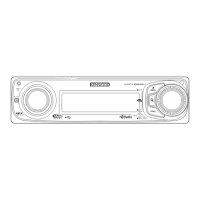
KDC-BT645U
KDC-HD545U
CD-RECEIVER
INSTRUCTION MANUAL
AMPLI-TUNER
LECTEUR
DE
CD
MODE D'EMPLOI
REPRODUCTOR
DE
DISCOS
COMPACTOS
RECEPTOR
DE
FM/AM
MANUAL
DE
INSTRUCCIONES
Kenwood Corporation
€D
H»Radio®
H»RR
a
E
Ad!Oy®
REA
0 Y
_.
Designed for
'
...
Windows
_1M
Media'"
ren
Made for
@J
iPod
«t
AAC
o
Bluetooth®
Take the
time
to
read through this instruction manual.
Familiarity with installation and operation procedures will help you obtain
the
best
performance from your new CD-receiver.
For
your
records
Record
the
serial number, found
on
the back
of
the unit, in the spaces designated on the
warranty card, and
in
the space provided below.
Refer
to
the model and serial numbers
whenever you call upon your Kenwood dealer for information or service on the product.
Model KDC-BT645U/ KDC-HD545U
Serial
number
_
US
Residents
Only
Register
Online
.1~~~gj~t~r~y:o,l'r,
K~*~oij~.:P'~O~~Cf~t!)NW~~~.I1~~~ij~.,.tO!?
~;~;:;~
© 864-4534-00/00 (KW/KO)

Table of Contents

Question and Answer IconNeed help?

Do you have a question about the Kenwood KDC-HD545U and is the answer not in the manual?

Summary

Before Use and Initial Setup

General Operation and Settings

Navigating Function Settings

Procedure for accessing and configuring unit functions and settings.

Media Playback Operations

Basic Playback Control

How to play discs, USB devices, iPods, pause, skip, eject, and remove media.

Music Search and iPod Functions

Searching Music Files and iPod Content

How to search for audio files and iPod music by title, folder, or alphabet.

iPod Music Management

Creating and Managing Playlists

Registering, playing, and deleting songs from the unit's playlist.

Tuner Operation and Settings

Basic Tuner Functions and Preset Memory

Selecting tuner source, bands, stations, and storing presets.

Direct Access Tuning

HD Radio Operation and Settings

Basic HD Radio Tuning and Presets

Selecting HD Radio, bands, stations, and storing presets.

HD Radio Configuration

Adjusting HD Radio settings like seek mode, receive mode, and tagging.

Bluetooth Hands-Free Phoning

Connecting and Pairing Bluetooth Devices

Steps for connecting and pairing a Bluetooth device like a phone.

Making and Receiving Calls

How to initiate calls, use the phone book, and handle incoming calls.

Advanced Phoning Functions

Voice Dialing and Command Setup

How to set up and use voice dialing commands for calls.

Audio Adjustments and Control

Configuring Audio Settings

Adjusting subwoofer, bass, treble, balance, fader, and other audio parameters.

Display Settings and Customization

Unit Maintenance and Reset

System Reset and Call Muting

How to reset the unit and manage audio muting during calls.

Bluetooth Setup and Configuration

Core Bluetooth Device Management

Pairing devices, selecting audio sources, and managing SMS/voice tags.

Bluetooth Device Management

Bluetooth System Configuration

Bluetooth Connectivity Management

SMS and Voice Dialing Features

Satellite Radio Tuner Operation

Remote Control Operations

Installation and Accessories

Installation Procedure and Safety

Step-by-step guide for installing the unit and important safety precautions.

Wiring and Connections

Connecting Unit Terminals and Harness

Diagrams and instructions for connecting wires to terminals and the wiring harness.

Unit Installation and Removal

Troubleshooting Common Issues

Resolving Playback and Connection Problems

Solutions for issues with audio files, hands-free, tuning, and disc playback.

Troubleshooting Error Messages

Bluetooth and Media Playback Error Codes

Explains error messages related to Bluetooth audio and media playback issues.

Troubleshooting Connectivity and Performance

Resolving Bluetooth, USB, and iPod Errors

Solutions for connectivity issues, device errors, and voice recognition problems.

Technical Specifications

Tuner, CD Player, and USB Specifications

Detailed technical specifications for tuner sections, CD player, and USB interface.

Device Specifications and Features

Bluetooth, Audio, and Auxiliary Specifications

Technical details for Bluetooth, audio output, and auxiliary inputs.

Kenwood KDC-HD545U Specifications

General IconGeneral
DIN Size1 DIN
Faceplate SecurityDetachable
Preamp Outputs3 (front, rear, subwoofer)
Subwoofer Preamp OutputYes
Display TypeLCD
CEA-2006 CompliantYes
HD RadioYes
MP3 PlaybackYes
WMA PlaybackYes
AAC PlaybackYes
USB InputYes
AUX InputYes
iPod ConnectionYes
Bluetooth CompatibilityNo
Satellite Radio ReadyYes
Steering Wheel Control CompatibleYes
Channels4
CD PlayerYes
USB PortYes
iPhone ControlYes
Detachable FaceplateYes
Remote ControlYes
TypeCar Receiver
Peak Power Output50 Watts x 4
RMS Power Output22 watts x 4

Related product manuals