
 To Next Page

Z
Zachary BensonSep 6, 2025
What does “COPY PRO” mean on Kenwood Car Stereo System?
- LLaura SharpSep 7, 2025
If “COPY PRO” appears on your Kenwood Car Stereo System, it indicates that a copy-protected file is being played.

What does “COPY PRO” mean on Kenwood Car Stereo System?
If “COPY PRO” appears on your Kenwood Car Stereo System, it indicates that a copy-protected file is being played.
What to do if Kenwood Car Stereo System does not work?
If your Kenwood Car Stereo System is not working, try resetting the unit.
Why does “PROTECT” appear on my Kenwood Car Stereo System?
If “PROTECT” is displayed and no operations are possible on your Kenwood Car Stereo System, ensure the terminals of the speaker leads are properly covered with insulating tape. Then, reset the unit. If the issue persists, it may require professional attention.
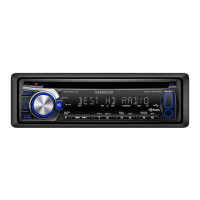
What does “NA FILE” mean on Kenwood KDC-HD548U?
If your Kenwood Car Receiver displays “NA FILE”, the unit is currently playing an audio file that is not supported.
Why the number of songs is different on Kenwood KDC-HD548U?
The number of songs contained in the “SONGS” category of the Kenwood Car Receiver might differ from that contained in the “SONGS” category of iPod because podcast files are not counted by the unit, as it does not support podcast playback.
How to fix sound if it cannot be heard on Kenwood KDC-HD548U Car Receiver?
If your Kenwood Car Receiver isn't producing any sound, first, adjust the volume. If that doesn't work, check all cords and connections to ensure they are properly connected.
How to fix “iPod ERROR” on Kenwood Car Stereo System?
If “iPod ERROR” appears on your Kenwood Car Stereo System, try reconnecting the iPod. Also, verify that the iPod's software is up to date.
What does “NA DEVICE” mean on my Kenwood Car Stereo System?
If “NA DEVICE” appears on your Kenwood Car Stereo System, connect a supported USB device and check the connections.
Why is noise generated on Kenwood KDC-HD548U Car Receiver?
If you are experiencing noise generation with your Kenwood Car Receiver, skip to another track or try changing the disc.
How to fix no sound on my Kenwood Car Stereo System?
If you cannot hear any sound from your Kenwood Car Stereo System, try these solutions: First, adjust the volume to the desired level. If that doesn't work, check the cords and connections to ensure they are properly connected.
Instructions for removing and installing the front panel of the unit.
Steps to restore the unit to its factory default settings.
Preparing and using the remote control for the first time.
Identification of main controls, ports, and indicator lights on the unit and remote.
Explanation of the various indicator lights and their meanings during operation.
How to turn off the unit's introductory display mode.
Instructions for enabling or disabling the unit's display demonstration.
Step-by-step guide to setting the correct time on the unit.
Configuration of basic unit settings before regular use.
How to tune into HD Radio stations using the unit's controls.
Method to directly enter frequency or channel numbers for tuning.
Tagging songs for later purchase via iTunes.
Customizing reception modes and tag memory for HD Radio.
Steps to insert and play CDs, including unusable disc types.
How to connect and play audio from a USB storage device.
Guide for connecting and playing music from an iPod or iPhone.
Options for Repeat, Random, and Scan playback modes.
How to search for tracks by folder, file, or alphabet.
Registering, playing, and deleting songs on the iPod playlist.
Switching between unit and iPod control for an iPod/iPhone.
How to connect and play audio from external sources via AUX.
Adjusting subwoofer level, bass boost, and sound modes.
Customizing AUX name, clock, display, and text scrolling.
How the audio system mutes during incoming phone calls.
Solutions for common issues like no sound or unit malfunction.
Remedies for USB, iPod, and CD playback errors.
Guidance on cleaning the unit, connectors, and handling discs properly.
 General
| DIN Size | Single DIN |
|---|---|
| Faceplate Security | Detachable |
| Max Power Output | 50 watts x 4 channels |
| RMS Power Output | 22 watts x 4 channels |
| Subwoofer Preamp Output | Yes |
| Display Type | LCD |
| CD Signal-to-Noise | 105 dB |
| CEA-2006 Compliant | Yes |
| HD Radio | Yes |
| MP3 Playback | Yes |
| WMA Playback | Yes |
| AAC Playback | Yes |
| USB Input | Front |
| AUX Input | Front |
| iPod Compatibility | Yes |
| Android Compatibility | Yes |
| Bluetooth Compatibility | No |
| Radio Tuner | AM/FM |
| RDS Tuner | Yes |
| CD Playback | Yes |
| Equalizer | 3-Band Parametric |
| Remote Control | Yes |
| Button Color | Variable |
| Preamp Outputs | 3 Pairs |