
 To Next Page
B
Bruce CollinsSep 5, 2025
What does “NO SKIPS” mean on Kenwood Car Receiver?
- Mmatthew23Sep 5, 2025
If your Kenwood Car Receiver displays “NO SKIPS”, the skip limit has been reached. Try again later.

What does “NO SKIPS” mean on Kenwood Car Receiver?
If your Kenwood Car Receiver displays “NO SKIPS”, the skip limit has been reached. Try again later.
Why is the radio reception poor on my Kenwood Car Receiver?
If you are getting poor radio reception on your Kenwood Car Receiver, ensure the antenna is firmly connected.
What does “iPod FULL” mean on Kenwood KDC-X498?
If your Kenwood Car Receiver displays “iPod FULL”, it means the connected iPod/iPhone memory is full.
Why does my Kenwood Car Receiver say “COPY PRO”?
If your Kenwood Car Receiver displays 'COPY PRO', it means a copy-protected file is being played.
What does “STREAM ERROR” mean on my Kenwood KDC-X498 Car Receiver?
If your Kenwood Car Receiver displays “STREAM ERROR”, broadcast data is interrupted.
Why station cannot be selected on Kenwood KDC-X498?
If a station cannot be selected on your Kenwood Car Receiver, and “Explicit Content” in [Account Settings] is checked in the web version of iHeartRADIO, custom stations become unavailable.
Why do tracks not play back as intended on my Kenwood KDC-X498 Car Receiver?
If tracks do not play back as intended on your Kenwood Car Receiver, be aware that the playback order is determined when the files are recorded.
What does “CONNECT ERROR” mean on my Kenwood Car Receiver?
If your Kenwood Car Receiver displays “CONNECT ERROR”, communication is unstable.
What does “CANNOT CREATE” mean on my Kenwood Car Receiver?
If your Kenwood Car Receiver displays “CANNOT CREATE”, custom station name creation is unsuccessful.
Why is there no sound from my Kenwood KDC-X498 Car Receiver?
If you cannot hear any sound from your Kenwood Car Receiver, adjust the volume to the optimal level and check the cords and connections.
Key safety warnings and precautions for operating the unit to ensure user safety and prevent damage.
Instructions for cleaning the unit, connectors, and handling discs for optimal performance and longevity.
Steps to cancel demonstration mode and perform initial setup, including setting the clock and system preferences.
Detailed instructions for setting the clock format and configuring various system settings like audio and display.
Methods for searching and selecting HD Radio stations, including direct access, auto-tuning, and manual tuning.
Instructions for starting playback and controlling core functions like pause, resume, track/file selection, and seeking.
Customizing sound with preset EQs, bass boost, loudness, and detailed adjustments for subwoofer and tone levels.
Fine-tuning audio with equalizer pro, fader, balance, volume offset, and sound reconstruction settings for optimal output.
Solutions for common problems such as no sound, 'PROTECT' error, unit not turning on, or poor radio reception.
Essential safety warnings and the fundamental procedure for installing the unit into a vehicle.
Detailed illustration of speaker and power wire connections, including antenna and remote control hookups.
 General
| Category | Car Receiver |
|---|---|
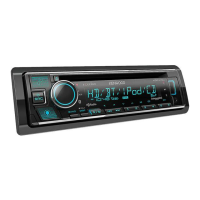
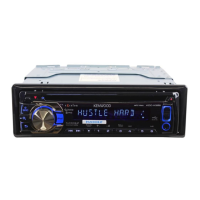
| Model | KDC-X498 |
| Brand | Kenwood |
| DIN Size | Single DIN |
| Built-in Amplifier | Yes |
| CD Player | Yes |
| MP3 Playback | Yes |
| WMA Playback | Yes |
| AAC Playback | Yes |
| USB Input | Yes |
| Auxiliary Input | Yes |
| Bluetooth | Yes |
| Bluetooth Profiles | A2DP, AVRCP, HFP |
| Remote Control | Yes |
| Display Type | LCD |
| Preamp Outputs | 3 (Front, Rear, Subwoofer) |
| Subwoofer Preamp RCA Output | Yes |
| Clock | Yes |
| Detachable Face | Yes |
| Radio Data System (RDS) | Yes |
| iPod Compatibility | Yes |
| Android Compatibility | Yes |
| Max Power Output | 50 Watts |
| RMS Power Output | 22 Watts |
| Display Colors | Variable |
| Preamp Voltage | 2.5 Volts |
| EQ Settings | 13-Band |