EasyManua.ls Logo

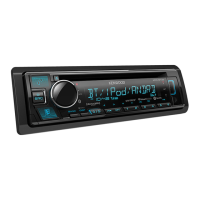
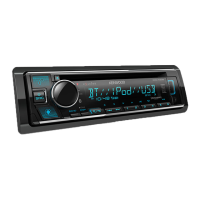
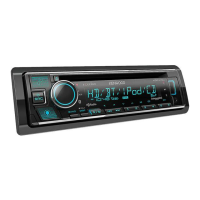
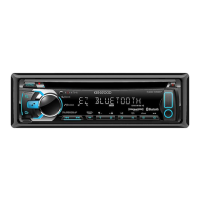
Kenwood KDC-X396 - User Manual

Kenwood KDC-X396
62 pages
Print Icon
To Next Page IconTo Next Page
Loading...
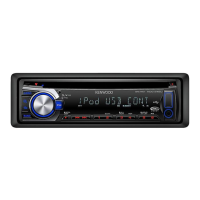
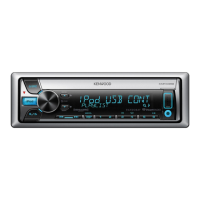
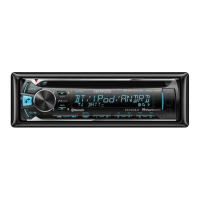
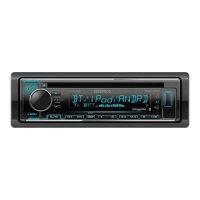
KDC-X396
KDC-352U
KDC-252U
KDC-202U
KDC-MP252U
KDC-MP152U
KMR-350U
CD-RECEIVER
INSTRUCTION MANUAL
AMPLI-TUNER LECTEUR DE CD
MODE D’EMPLOI
REPRODUCTOR DE DISCOS COMPACTOS RECEPTOR DE FM/AM
MANUAL DE INSTRUCCIONES
Take the time to read through this instruction manual.
Familiarity with installation and operation procedures will help you obtain the best performance from
your new CD-receiver.
For your records
Record the serial number, found on the back of the unit, in the spaces designated on the warranty card, and in the
space provided below. Refer to the model and serial numbers whenever you call upon your Kenwood dealer for
information or service on the product.
Model
KDC-X396/ KDC-352U/ KDC-252U/ KDC-202U/ KDC-MP252U/ KDC-MP152U/ KMR-350U
Serial number
US Residents Only
Register Online
Register your Kenwood product at www.Kenwoodusa.com
GET0743-001A (KW/K0)© 2011 JVC KENWOOD Corporation
Cover_KDC-X396[K]f.indd 1Cover_KDC-X396[K]f.indd 1 8/19/11 2:20:23 PM8/19/11 2:20:23 PM

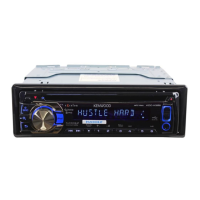
Table of Contents

Questions and Answers

  • J
    Jessica GriffinSep 10, 2025
    What does “IN” flashing mean on Kenwood Car Receiver?
    • M
      Miss Teresa Davis MDSep 10, 2025
      If your Kenwood Car Receiver displays “IN” flashes, the CD player is not operating properly. Reinsert the disc properly. If the condition does not improve, turn off the unit and consult your nearest service center.
  • C
    Courtney RichardsonAug 23, 2025
    How to fix Kenwood Car Receiver when no sound?
    • S
      stephensonashleyAug 23, 2025
      If your Kenwood Car Receiver is not producing sound, make sure the volume is at an audible level. Also, inspect the cords and connections to ensure they are properly connected.
  • V
    vegatracyAug 25, 2025
    What does “ERROR 99” mean on Kenwood Car Receiver?
    • L
      Laurie HarrisAug 25, 2025
      If your Kenwood Car Receiver displays “ERROR 99”, this indicates a malfunction. Try pressing the reset button on the unit. If the error persists, it is recommended to consult your nearest service center.
  • R
    rtaylorAug 27, 2025
    What to do if Kenwood Car Receiver says “NO DISC”?
    • C
      Christopher PetersonAug 27, 2025
      If your Kenwood Car Receiver displays “NO DISC”, insert a playable disc into the loading slot.
  • J
    Joshua HillAug 28, 2025
    How to fix “USB ERROR” on Kenwood Car Receiver?
    • W
      waltonwilliamAug 28, 2025
      If your Kenwood Car Receiver displays “USB ERROR”, remove the USB device, turn the unit off, and then turn it back on. If the problem continues, try connecting a different USB device.
  • A
    Andrew FloresAug 29, 2025
    How to troubleshoot “iPod ERROR” on Kenwood Car Receiver?
    • B
      barberstephanieAug 29, 2025
      If your Kenwood Car Receiver displays “iPod ERROR”, try reconnecting the iPod. If that doesn't work, reset the iPod.
  • T
    Todd ClarkSep 18, 2025
    Why are characters not displayed correctly on my Kenwood Car Receiver?
    • E
      ecoffeySep 18, 2025
      If correct characters are not displayed (e.g. album name) on your Kenwood Car Receiver, the unit can only display uppercase letters, numbers, and a limited number of symbols.
  • D
    dawnwatsonSep 12, 2025
    What does “COPY PRO” mean on Kenwood Car Receiver?
    • C
      Christina BellSep 12, 2025
      If your Kenwood Car Receiver displays “COPY PRO”, a copy-protected file is being played.
  • E
    Eric DavidsonSep 8, 2025
    Why is my Kenwood Car Receiver not working properly?
    • S
      shelia66Sep 8, 2025
      If the sound cannot be heard, the unit does not turn on, or the display shows incorrect information on your Kenwood Car Receiver, the connectors may be dirty. Clean the connectors.
  • B
    brett52Sep 5, 2025
    How to fix “TOC ERROR” on Kenwood Car Receiver?
    • D
      David CarterSep 5, 2025
      If your Kenwood Car Receiver displays “TOC ERROR”, the CD might be dirty, upside-down, or scratched. Try using another disc instead.

Summary

Safety

Preparation

How to Attach;Detach the Faceplate

Instructions for removing and attaching the detachable faceplate to the unit.

How to Reset Your Unit

Steps to reset the unit to factory settings if it fails to operate properly.

How to Prepare the Remote Controller

Guide on preparing the remote controller for first-time use, including battery insertion.

Basic Operations

Getting Started

Canceling the Display Demonstration

Procedure to turn off the automatic display demonstration mode on the unit.

Setting the Demonstration Mode

Steps to enable or disable the unit's display demonstration mode and its settings.

Listening to the Radio

Adjust [SETTINGS] Mode Settings

Guide to configuring radio settings like seek mode, auto memory, and mono setting.

Direct Access Tuning

How to tune into radio stations directly by entering the frequency.

Listening to a Disc; USB Device; iPod

Start Playing a Disc

Instructions on how to insert and play audio discs on the unit.

Connecting a USB Device

Steps for connecting a USB storage device for audio playback.

Connecting an iPod

Guide on how to connect an Apple iPod or iPhone for audio playback.

Listening to Pandora Internet Radio

Station Search Mode

How to search for and select Pandora stations based on criteria like alphabetical order or date.

About Pandora Internet Radio

Requirements and information regarding Pandora service compatibility and usage.

Listening to the Other External Components

Function Settings

Audio Control Settings

Adjusts audio parameters like subwoofer, bass, mid, and treble levels for optimal sound.

Detailed Settings

Configuration options for equalizer, loudness, balance, fader, subwoofer, and sound processing.

Troubleshooting

Installation;Connection

Part List and Basic Procedure

Lists included parts and outlines the basic steps for installing the unit.

Wiring Connection

Diagram and guide for connecting the unit's wiring harness to the vehicle and speakers.

Installing and Removing the Unit

Detailed steps for mounting the unit in the dashboard and detaching it.

Specifications

Kenwood KDC-X396 Specifications

General IconGeneral
CategoryCar Receiver
DIN SizeSingle DIN
Number of Channels4
Display TypeLCD
Display ColorWhite
AM/FM TunerYes
USB InputYes
AUX InputYes
BluetoothYes
SiriusXMNo
PandoraYes
SpotifyYes
iHeartRadioYes
Android Music PlaybackYes
iPhone Music PlaybackYes
CD PlayerYes
Detachable FaceplateYes
Preamp Voltage2.5V
RMS Power Output22W
Peak Output50W
PlaybackMP3, WMA, AAC
Button ColorVariable Color

Related product manuals