
 To Next Page

A
Alexander HicksSep 5, 2025
What does “NOT SUPPORT” mean on Kenwood KDC-X597?
- BBrandon ReyesSep 5, 2025
If “NOT SUPPORT” appears on your Kenwood Car Receiver, the connected phone does not support Voice Recognition feature.

What does “NOT SUPPORT” mean on Kenwood KDC-X597?
If “NOT SUPPORT” appears on your Kenwood Car Receiver, the connected phone does not support Voice Recognition feature.
Why is the radio reception poor on my Kenwood Car Receiver?
If you are experiencing poor radio reception on your Kenwood Car Receiver, make sure the antenna is firmly connected.
Why is my Kenwood KDC-X597 Car Receiver not detecting Bluetooth devices?
If your Kenwood Car Receiver is not detecting any Bluetooth devices, try searching from the Bluetooth device again. If that doesn't work, reset the unit.
What does “CHECK ANTENNA” mean on Kenwood KDC-X597 Car Receiver?
Check the antenna and its connection are in good condition.
What does 'CH LOCKED' mean on my Kenwood Car Receiver?
If your Kenwood Car Receiver displays 'CH LOCKED', it means the selected channel is locked. Enter the correct pass code to unlock it.
What does “CHECK DEVICE” mean on Kenwood KDC-X597?
Check the Pandora application on your device.
What does “iPod ERROR” mean on Kenwood Car Receiver?
If “iPod ERROR” appears on your Kenwood Car Receiver, try reconnecting the iPod. If that doesn't work, reset the iPod.
What does 'NOT SUPPORT' mean on my Kenwood Car Receiver?
If your Kenwood Car Receiver displays 'NOT SUPPORT', the connected phone does not support the Voice Recognition feature.
What to do if my Kenwood KDC-X597 Car Receiver says 'USB ERROR'?
If your Kenwood Car Receiver displays 'USB ERROR', remove the USB device, turn the unit off, and then turn it back on. If the error persists, try connecting a different USB device.
Why is the phone sound quality poor on my Kenwood KDC-X597 Car Receiver?
If the phone sound quality is poor when using your Kenwood Car Receiver, try reducing the distance between the unit and the Bluetooth device. Moving the car to a place where you can get better signal reception can also help.
Essential safety precautions for operating the unit and avoiding hazards while driving.
Guidelines for cleaning the unit, connectors, and proper handling of audio discs.
Overview of buttons and controls located on the front panel of the CD receiver.
Explanation of buttons and features available on the included remote control (RC-406).
Instructions for turning the unit on/off and adjusting the audio volume.
Guide on how to switch between different audio sources like Radio, CD, USB, iPod, AUX.
How to change or cycle through the information displayed on the unit's screen.
Steps to disable the 'DEMO OFF' mode for normal operation.
Procedure for setting the current time on the unit's display.
Configuration of core settings like Preset Type, Key Beep, Pandora, AUX, and more.
Methods for searching and storing radio stations using Seek Mode and Direct Access Tuning.
Adjusting settings such as Memory, Mono Set, PTY Search, and Time Sync for radio reception.
Instructions for initiating playback from CD, USB storage, or iPod/iPhone devices.
Managing playback: pause, resume, skip tracks, fast-forward, and rewind.
Selecting tracks, folders, and files from lists for USB and iPod sources.
Activating and deactivating repeat play and random shuffle for various media.
Methods for quickly finding specific songs or artists from connected media.
How the audio system mutes during incoming or ongoing phone calls.
Connecting and configuring an external portable audio player via the AUX input.
Renaming the AUX source for easier identification in the source list.
Connecting your device and starting music playback through the Pandora application.
Creating, saving, and searching for registered Pandora radio stations.
Steps for connecting the optional SiriusXM Connect Vehicle Tuner and activating subscription.
How to tune into channels, select categories, and manually search for content.
Managing channels with lock/unlock, direct access tuning, and replay buffer functionality.
Configuring channel lock, PIN codes, mature channel settings, and signal status.
Connecting the external microphone and understanding supported Bluetooth profiles.
Step-by-step guide to pair a Bluetooth-enabled phone or audio device with the unit.
Procedure to check the connectivity and compatibility of paired Bluetooth devices.
Managing incoming and outgoing calls, switching modes, and adjusting call volume.
Accessing contacts, call history, and dialing numbers via Bluetooth.
Settings for pairing, selecting, deleting, and auto-connecting Bluetooth devices.
Efficiently searching your phone's contact list by name using alphabetical order.
Using voice commands for calls and storing contacts for quick dialing.
Controlling music playback from a connected Bluetooth audio device.
Listening to Pandora music from your smartphone through the unit's Bluetooth connection.
Configuring preset EQs, bass boost, loudness, balance, and fader settings.
Adjusting subwoofer output level, HPF, LPF, and phase settings.
Setting volume offsets for sources and enabling Supreme sound enhancement.
Accessing advanced EQ Pro settings specific to certain models like KDC-X597.
Customizing screen brightness, scrolling text, and key illumination colors.
Understanding indicators for Bluetooth connection, audio status, battery level, and signal strength.
Details on playable discs, files, USB device requirements, and unplayable media.
Information regarding compatibility with iPod/iPhone, Bluetooth devices, and software.
Information on PC and Android applications for managing music libraries.
Resolving issues related to no sound, protect mode, power not turning on, or incorrect display.
Addressing general unit malfunctions, file errors, disc errors, and USB/iPod related issues.
Solutions for poor radio reception and static noise during radio playback.
Resolving errors related to Pandora application and SiriusXM™ subscription or connection.
Troubleshooting Bluetooth pairing, device detection, sound quality, and call issues.
Detailed technical data for FM/AM tuner sensitivity, frequency response, and CD playback.
Technical details for USB standard, file systems, and Bluetooth version and profiles.
Data on audio output power, impedance, input voltage, operating voltage, and dimensions.
Step-by-step guide for installing the unit into a vehicle dashboard.
Instructions for installing the unit without a mounting sleeve and removing the unit.
Fundamental procedures for safely connecting the unit, including battery disconnection.
Visual guide illustrating all necessary wire connections for the unit.
Inventory of all components included in the installation kit.
Notices regarding FCC and Industry Canada regulations for radio frequency devices.
Guidelines on radiation exposure limits and safe installation practices.
Listing of registered trademarks and licensing information for supported technologies.
Specific warranty conditions applicable to products purchased through U.S. military exchanges.
Details on the warranty card, required proof of purchase, and customer responsibilities.
Warranty terms specific to USA, Canada, and Brazil, including service locations.
Conditions not covered by warranty, such as misuse, accidents, and unauthorized repairs.
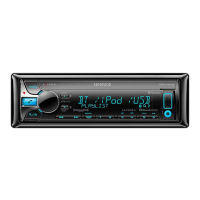
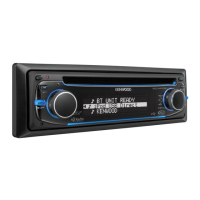
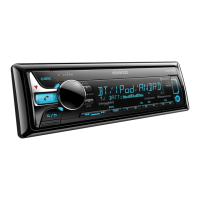
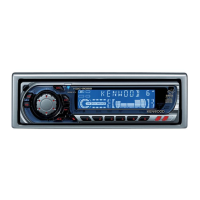
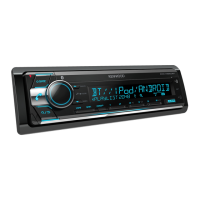
This document describes the Kenwood KDC-X597, KDC-BT555U, and KDC-BT355U CD-Receivers, providing comprehensive instructions for their operation, settings, and maintenance. These devices are car audio systems designed to play CDs, connect to USB devices, iPods/iPhones, and offer AM/FM radio, Pandora, SiriusXM, and Bluetooth connectivity.
The Kenwood CD-Receivers serve as a central audio hub for your vehicle. They are capable of playing standard audio CDs, as well as AAC, MP3, and WMA files from CDs, USB devices, and iPods/iPhones. The built-in AM/FM tuner allows for radio reception, with features like preset station storage and direct access tuning.
For users with compatible smartphones, the receivers offer Pandora integration (for KDC-X597/KDC-BT555U), allowing control of the Pandora application directly from the unit. SiriusXM™ readiness (for KDC-X597/KDC-BT555U) means that with an optional SiriusXM Connect Vehicle Tuner and subscription, you can access a wide array of satellite radio channels, including features like channel locking, replay, and buffer usage display.
Bluetooth® connectivity is a core feature, enabling hands-free calling and audio streaming from compatible devices. The units support various Bluetooth profiles, including Hands-Free Profile (HFP), Serial Port Profile (SPP), Phonebook Access Profile (PBAP), Advanced Audio Distribution Profile (A2DP), and Audio/Video Remote Control Profile (AVRCP). This allows for receiving and making calls, adjusting phone volume, switching between connected phones, and playing audio from a Bluetooth-enabled device. Voice Recognition is also supported, allowing users to make calls or control phone functions using voice commands.
An AUX input is provided for connecting portable audio players or other external audio sources via a 3.5mm stereo mini plug. The AUX input can be enabled or disabled in the initial settings, and its name can be customized.
The receivers also include a range of audio settings to tailor the sound to your preference. These include preset equalizers (Natural, User, Rock, Pops, Easy, Top40, Jazz, Powerful), Bass Boost, Loudness control, Balance, Fader, and Subwoofer settings (LPF, Phase, Level). For the KDC-X597, more advanced EQ PRO settings are available, including Bass Center Frequency, Bass Q Factor, Bass Extend, Mid Center Frequency, Mid Q Factor, Treble Center Frequency, and Treble Level. The Supreme Set feature aims to create realistic sound by interpolating high-frequency components lost in MP3/WMA compression. Volume offset can be adjusted for different sources to ensure consistent listening levels.
Display settings allow customization of the unit's appearance. Users can select various key illumination colors, dim the display, and control text scrolling behavior. For the KDC-X597/KDC-BT555U, detailed color adjustment is possible, allowing users to create their own custom colors. Key dimmer settings are also available to adjust the brightness of the key illumination. Bluetooth device status, including connection status, battery level, and signal strength, can be displayed.
Basic Operation: The units feature a volume knob that can be turned to adjust volume and pressed to enter functions. A SRC button is used to turn the unit on/off and select sources. Detachable faceplates enhance security.
Initial Setup: Upon first use or after a reset, a demonstration mode can be canceled, and initial settings configured. These include preset type (Normal/Mix), key beep activation, Pandora source enablement, AUX input enablement, CD read mode (automatic or forced music CD), and preout switch settings (Rear/Sub-W for KDC-BT355U). Speaker size selection (SP Select) is available for optimizing performance. Firmware updates can also be initiated from the settings menu. The clock can be set manually or synchronized with RDS station time.
Radio: Searching for stations can be done automatically or manually. Stations can be stored as presets using number buttons. Direct Access Tuning allows for entering frequencies directly using the remote control. Additional radio settings include seek mode (Auto1, Auto2, Manual), auto memory for storing stations, mono set for improving FM reception, PTY search for program types (News, Sports, Music, etc.), and Traffic Information (TI) activation.
CD/USB/iPod: Playback of CDs, USB devices, and iPods/iPhones is straightforward, with controls for pause/resume, track/file selection, folder selection, reverse/fast-forward, repeat play (track, folder, disc), and random play (file, folder, disc). Direct Music Search (using the remote) and searching songs by name (for iPod) are available. A skip ratio can be set for quick navigation through songs. The unit can also mute audio upon receiving a phone call.
Pandora® (for KDC-X597/KDC-BT555U): After installing the Pandora app on a connected iPhone/iPod touch and enabling Pandora as a source, users can control Pandora directly from the receiver. Features include thumbs up/down, skipping tracks, creating new stations (from track or artist), and saving/selecting registered stations.
SiriusXM™ (for KDC-X597/KDC-BT555U): Once the optional SiriusXM Connect Vehicle Tuner is connected and activated, users can select SiriusXM as a source, browse categories, and select channels. Channel locking with a passcode, channel editing, and displaying signal level and buffer usage are also available. The Replay function allows pausing, rewinding, and fast-forwarding live SiriusXM content.
Bluetooth®: Pairing a Bluetooth device is a simple process, often initiated automatically when an iPhone/iPod touch is connected via USB. The unit supports Secure Simple Pairing (SSP). Once paired, up to five devices can be registered, with a maximum of two phones and one audio device connected simultaneously. A Bluetooth test mode allows checking profile compatibility. Hands-free calling features include receiving/rejecting/ending calls, switching between hands-free and private talk modes, and adjusting phone volume. Phonebook access, call history, and number dialing are also supported. Text message notifications are displayed on the unit. Detailed Bluetooth settings allow customization of PIN code, auto answer time, auto reconnect, auto pairing, audio output (front/all speakers), call beep, microphone gain, and echo cancellation level.
Cleaning: The unit's faceplate can be cleaned with a dry silicon or soft cloth. The connector on the reverse side of the faceplate should be cleaned gently with a cotton swab to prevent damage.
Disc Handling: Users are advised not to touch the recording surface of discs, stick tape on them, or use disc accessories. Discs should be cleaned from the center outwards with a dry silicon or soft cloth, avoiding solvents. When removing discs, pull them out horizontally. Burrs on the center hole and disc edge should be removed before insertion.
Troubleshooting: The manual provides a comprehensive troubleshooting guide for common issues such as no sound, "PROTECT" error, poor radio reception, disc errors ("NO DISC," "TOC ERROR," "READ ERROR"), USB device issues ("NA FILE," "USB ERROR"), iPod errors ("iPod ERROR"), Bluetooth connectivity problems ("NO DEVICE," "PAIRING CANNOT BE MADE," "HF ERROR"), and sound quality issues (noise, interruptions). Remedies often involve checking connections, resetting the unit, verifying media compatibility, or adjusting settings.
 General
| DIN Size | Single DIN |
|---|---|
| Channels | 4 |
| Built-in Amplifier | Yes |
| Tuner | AM/FM |
| Built-in Bluetooth | Yes |
| USB Port | Yes |
| AUX Input | Yes |
| CD Player | Yes |
| MP3 Playback | Yes |
| WMA Playback | Yes |
| AAC Playback | Yes |
| Display Type | LCD |
| Remote Control | Yes |
| Steering Wheel Control | Yes |
| High-Pass Filter | Yes |
| Low-Pass Filter | Yes |
| Subwoofer Level Control | Yes |
| iPod Compatibility | Yes |
| Satellite Radio Ready | Yes |
| HD Radio | No |
| Type | Car Receiver |
| Faceplate Security | Detachable |
| RMS Power Output | 22 watts |
| Peak Power Output | 50W x 4 |
| Preamp Voltage | 2V |
| Equalizer | 13-band |