EasyManua.ls Logo

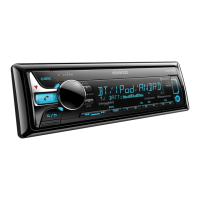
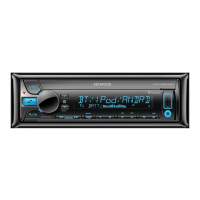
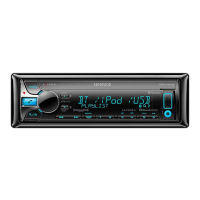
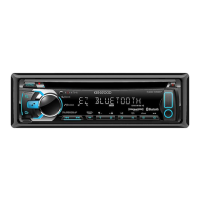
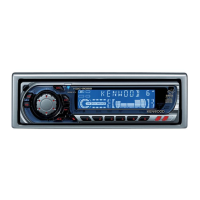
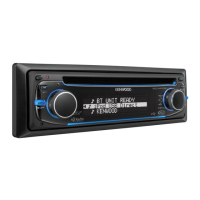
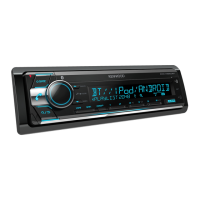
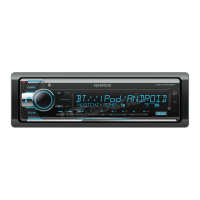
Kenwood KDC-X501 - User Manual

Kenwood KDC-X501
116 pages
Print Icon
To Next Page IconTo Next Page
Loading...
Data Size: B6L (182 mm x 128 mm)
Book Size: B6L (182 mm x 128 mm)
KDC-X701
KDC-BT768HD
KMR-D768BT
CD-RECEIVER
INSTRUCTION MANUAL
AMPLI-TUNER LECTEUR DE CD
MODE D’EMPLOI
REPRODUCTOR DE DISCOS COMPACTOS RECEPTOR DE FM/AM
MANUAL DE INSTRUCCIONES
For your records
Record the serial number, found on the back of the unit, in the spaces designated on the warranty card, and in the space provided below.
Refer to the model and serial numbers whenever you call upon your Kenwood dealer for information or service on the product.
Model KDC-X701/KDC-BT768HD/KMR-D768BT/KDC-X501/KDC-BT568U
Serial number
US Residents Only
Register Online
Register your Kenwood product at http://www.kenwood.com/usa/
B5A-1368-10 (KN)© 2016 JVC KENWOOD Corporation
KDC-X501
KDC-BT568U
JS_KWD_KDC_X701_KN_C_ff.indd 1JS_KWD_KDC_X701_KN_C_ff.indd 1 5/12/2016 3:46:09 PM5/12/2016 3:46:09 PM


Questions and Answers

  • X
    xnavarroAug 7, 2025
    How to fix no sound on my Kenwood KDC-X501?
    • C
      Carlos PatelAug 7, 2025
      If you cannot hear any sound from your Kenwood Car Receiver, try the following: First, adjust the volume to make sure it is at an audible level. Second, check all cords and connections to ensure they are properly connected. Third, clean the connectors. Finally, try resetting the unit.
  • J
    Jacob PorterAug 12, 2025
    Why is Bluetooth pairing failing on my Kenwood KDC-X501 Car Receiver?
    • S
      Steven HernandezAug 12, 2025
      If you're having trouble pairing your Bluetooth device with your Kenwood Car Receiver, ensure that you've entered the same PIN code on both devices. If the problem persists, delete the existing pairing information from both the receiver and your Bluetooth device, and then attempt the pairing process again.
  • R
    Regina ThompsonAug 16, 2025
    Why does “COPY PROTECTED” appear on my Kenwood KDC-X501?
    • M
      Michael RichardsonAug 16, 2025
      The message “COPY PROTECTED” appears on your Kenwood Car Receiver because you are trying to play a copy-protected file.
  • M
    Michael JohnsonAug 22, 2025
    What to do if the disc cannot be ejected from my Kenwood Car Receiver?
    • S
      Sherry VazquezAug 22, 2025
      If your Kenwood Car Receiver won't eject the disc, try pressing and holding the M button to forcibly eject it. If that doesn't work, reset the unit.
  • A
    Adam BennettAug 27, 2025
    What does “SUBSCRIPTION UPDATED – PRESS ENTER TO CONTINUE.” mean on Kenwood KDC-X501 Car Receiver?
    • T
      Tyler BuchananAug 27, 2025
      The message “SUBSCRIPTION UPDATED – PRESS ENTER TO CONTINUE.” on your Kenwood Car Receiver indicates that your subscription has been updated.
  • C
    codyfordAug 31, 2025
    What to do if “CHAN LOCKED ENTER CODE:” appears on my Kenwood KDC-X501 Car Receiver?
    • W
      William DrakeSep 1, 2025
      If “CHAN LOCKED ENTER CODE:” appears on your Kenwood Car Receiver, it means the selected channel is locked. Enter the correct pass code to unlock it.

Summary

Instruction Manual

Software License Agreement

License Terms and Restrictions

Defines the rights and restrictions for using the Licensed Software, including duplication and distribution.

Before Use

Important Safety Information

Essential information and warnings before operating the product, including battery hazards.

Basics of Operation

Unit Faceplate Overview

Identifies and describes the main controls and indicators on the unit's front panel.

Remote Control Functions

Details the functions and components of the supplied remote control.

Getting Started: Initial Setup

HD Radio Tuner Operation

Finding and Tuning HD Radio Stations

Steps to find and store HD Radio stations using various search methods.

Radio Tuning and Operations

CD, USB, iPod, ANDROID Media Playback

Playback Controls and Navigation

Details on controlling playback functions like pause, skip, repeat, and random.

AUX Input Setup and Use

Pandora App Integration

Preparing and Using Pandora

Steps to set up and begin listening to Pandora, create stations.

iHeartRadio App Integration

Preparing and Using iHeartRadio

Steps to set up and begin listening to iHeartRadio.

SiriusXM Radio Setup and Operation

Connecting and Activating SiriusXM

Instructions for connecting the tuner and activating a subscription.

Bluetooth Connectivity and Pairing

Bluetooth Device Pairing Process

Step-by-step guide to pair a Bluetooth device with the unit.

Auto Pairing and NFC Connection

Automatic pairing via USB and NFC for quick Bluetooth setup.

Handling Mobile Phone Calls via Bluetooth

Making Calls via Bluetooth

Audio Settings and Controls

Adjusting Audio Output Levels

Detailed settings for subwoofer, manual EQ, and preset equalizers.

Digital Time Alignment (DTA) Setup

DTA: Position, Distance, and Gain Settings

Setting reference point, speaker distance, and gain levels for DTA.

Display Settings and Dimming

Troubleshooting Common Issues

General Troubleshooting Steps

Common issues and remedies applicable to most functions.

Troubleshooting CD, USB, iPod, and Android

Troubleshooting Pandora, iHeartRadio, and SiriusXM

Bluetooth Connectivity and Call Quality Troubleshooting

Solutions for call quality, voice calling, and sound issues.

References: Maintenance and Disc Handling

Technical Specifications: Tuner, CD, and USB

Installation and Connection Guide

Installation Safety and Procedures

Safety precautions and step-by-step guide for installing the unit.

Detailed Wiring Connections for Installation

Kenwood KDC-X501 Specifications

General IconGeneral
BrandKenwood
ModelKDC-X501
CategoryCar Receiver
LanguageEnglish

Related product manuals