EasyManua.ls Logo

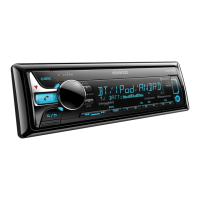
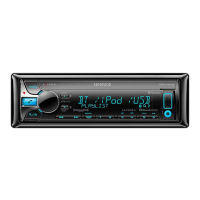
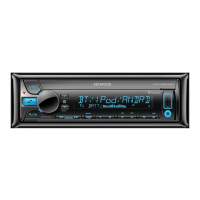
Kenwood KDC-X5000BT - User Manual

Kenwood KDC-X5000BT
76 pages
Print Icon
To Next Page IconTo Next Page
Loading...
Data Size: B6L (182 mm x 128 mm)
Book Size: B6L (182 mm x 128 mm)
B5A-0886-10 (EW)© 2015 JVC KENWOOD Corporation
KDC-X5000BT
CD-RECEIVER
INSTRUCTION MANUAL
CD-RECEIVER
BEDIENUNGSANLEITUNG
CD-PECИBEP
ИHCTPУKЦИЯ ПO ЭKCПЛУATAЦИИ
JS_KWD_KDC_X5000BT_EW_C10_FF.indd 1JS_KWD_KDC_X5000BT_EW_C10_FF.indd 1 12/10/2015 10:56:09 AM12/10/2015 10:56:09 AM

Table of Contents

Questions and Answers

  • M
    matthew04Aug 19, 2025
    How to fix no sound on Kenwood Car Receiver?
    • C
      Cheyenne DodsonAug 19, 2025
      If you cannot hear any sound from your Kenwood Car Receiver, first, adjust the volume to the desired level. If the problem persists, check the cords and connections to ensure they are properly connected.
  • M
    Mr. David EllisAug 21, 2025
    Why my Kenwood Car Receiver doesn't detect Bluetooth device?
    • A
      Anthony LawrenceAug 21, 2025
      If your Kenwood Car Receiver isn't detecting your Bluetooth device, try searching for the device again from the Bluetooth device itself. If that doesn't work, reset the receiver unit and try the search again.
  • F
    Frederick JohnsonAug 23, 2025
    What to do if Bluetooth pairing cannot be made on Kenwood Car Receiver?
    • J
      Jessica GibsonAug 23, 2025
      If you're having trouble pairing your Kenwood Car Receiver with a Bluetooth device, ensure that you've entered the same PIN code on both devices. If the issue persists, delete the pairing information from both the receiver and the Bluetooth device, and then try pairing them again.
  • J
    Jordan WilsonAug 26, 2025
    What does “DEVICE FULL” mean on Kenwood Car Receiver?
    • J
      James TorresAug 27, 2025
      If your Kenwood Car Receiver displays “DEVICE FULL”, the number of registered devices has reached its limit. Retry after deleting an unnecessary device.
  • A
    Andrew MartinAug 28, 2025
    Why is phone sound quality poor on Kenwood Car Receiver?
    • R
      Raymond HoffmanAug 28, 2025
      If the phone sound quality is poor on your Kenwood Car Receiver, try reducing the distance between the unit and the Bluetooth device. Additionally, move the car to a location with better signal reception.
  • Q
    qcookAug 30, 2025
    What to do if Kenwood Car Receiver says “NO DISC”?
    • A
      anthony50Aug 31, 2025
      If your Kenwood Car Receiver displays “NO DISC”, insert a playable disc into the loading slot.
  • J
    John PattersonSep 1, 2025
    How to fix “READ ERROR” on Kenwood Car Receiver?
    • C
      Christian RodriguezSep 1, 2025
      If your Kenwood Car Receiver displays “READ ERROR”, copy the files and folders onto the USB device again. If the problem persists, reset the USB device or try using another USB device.
  • N
    nelsonmarcusSep 4, 2025
    Why is voice calling method not successful on Kenwood Car Receiver?
    • J
      Julia JohnsonSep 4, 2025
      To improve voice calling with your Kenwood Car Receiver, use the voice calling method in a quieter environment. Also, reduce the distance from the microphone when speaking the name.
  • B
    Brian CooperSep 6, 2025
    How to stop echo during phone conversation on Kenwood Car Receiver?
    • J
      jonathanthompsonSep 6, 2025
      To address echo or noise during phone conversations with your Kenwood Car Receiver, adjust the microphone unit’s position. Also, check the [ECHO CANCEL] setting.
  • D
    Daniel StephensonSep 8, 2025
    What does “COPY PRO” mean on Kenwood Car Receiver?
    • G
      gregory23Sep 8, 2025
      If your Kenwood Car Receiver displays “COPY PRO”, it indicates that a copy-protected file is being played.

Kenwood KDC-X5000BT Specifications

General IconGeneral
DIN SizeSingle DIN
BrandKenwood
ModelKDC-X5000BT
BluetoothYes
USB InputYes
AUX InputYes
RMS Power Bandwidth20 Hz - 20 kHz
CEA-2006 CompliantYes
Display TypeLCD
Display ColorVariable
Button ColorVariable
CD Signal-to-Noise105 dB
iPod CompatibilityYes
Android CompatibilityYes
HD RadioNo
Satellite Radio ReadyYes
Remote ControlOptional
CD PlaybackYes
Radio TunerAM/FM
MP3 PlaybackYes
WMA PlaybackYes
AAC PlaybackYes
Steering Wheel ControlYes
Faceplate SecurityDetachable
RMS Power Output22 Watts RMS
Peak Power Output50 watts
EQ13-Band
Preamp Outputs3 (Front, Rear, Subwoofer)

Related product manuals