EasyManua.ls Logo

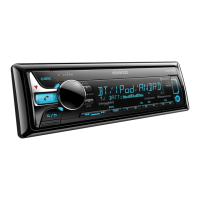
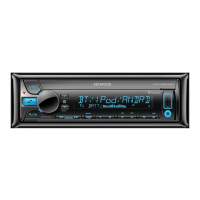
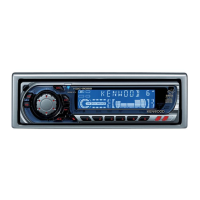
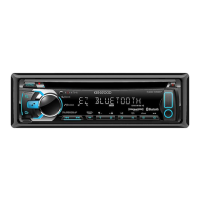
Kenwood KDC-X500 - User Manual

Kenwood KDC-X500
39 pages
Print Icon
To Next Page IconTo Next Page
Loading...
For your records
Record the serial number, found on the back of the unit, in the spaces designated on the warranty card, and in the space provided below.
Refer to the model and serial numbers whenever you call upon your Kenwood dealer for information or service on the product.
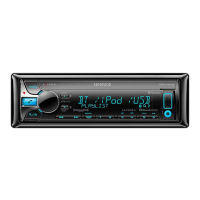
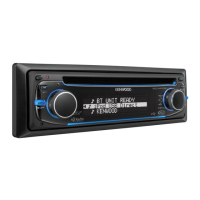
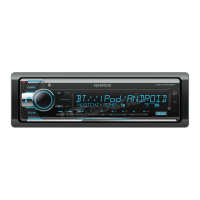
Model KDC-X500/ KDC-BT565U/ KMR-D765BT
Serial number
US Residents Only
Register Online
Register your Kenwood product at www.Kenwoodusa.com
B5A-0887-10 (KW)© 2015 JVC KENWOOD Corporation
KDC-X500
KDC-BT565U
KMR-D765BT
CD-RECEIVER
INSTRUCTION MANUAL
AMPLI-TUNER LECTEUR DE CD
MODE D’EMPLOI
REPRODUCTOR DE DISCOS COMPACTOS RECEPTOR DE FM/AM
MANUAL DE INSTRUCCIONES

JS_KWD_KDC_X500_KW_C10_FF.indd 1 12/10/2015 10:18:11 AM

Questions and Answers

  • E
    Edward MolinaSep 9, 2025
    What does 'SUBSCRIPTION UPDATED – PRESS ENTER TO CONTINUE.' mean on my Kenwood Car Receiver?
    • C
      Caroline CamposSep 9, 2025
      If your Kenwood Car Receiver displays 'SUBSCRIPTION UPDATED – PRESS ENTER TO CONTINUE.', your subscription is updated. Press the volume knob to continue.
  • J
    Jessica WatkinsAug 25, 2025
    What does 'PROTECTING SEND SERVICE' mean on my Kenwood KDC-X500 Car Receiver?
    • E
      Emily BaldwinAug 25, 2025
      If the Kenwood Car Receiver displays 'PROTECTING SEND SERVICE', it indicates an issue that requires professional attention. Send the unit to the nearest service center for assistance.
  • J
    joliverAug 25, 2025
    Why is radio reception poor on my Kenwood KDC-X500?
    • J
      jsmithAug 26, 2025
      If the radio reception on your Kenwood Car Receiver is poor, make sure the antenna is firmly connected.
  • H
    heather70Sep 23, 2025
    What does 'RATING ERROR' mean on my Kenwood KDC-X500?
    • S
      Sydney ChungSep 23, 2025
      If your Kenwood Car Receiver displays 'RATING ERROR', registration of thumbs up/thumbs down has failed due to insufficient network connectivity.
  • T
    Travis CoffeySep 10, 2025
    What does 'CODE ERROR' mean on my Kenwood Car Receiver?
    • M
      Margaret JonesSep 10, 2025
      If your Kenwood Car Receiver displays 'CODE ERROR', make sure you have entered the correct pass code.
  • D
    Daniel NguyenSep 14, 2025
    Why is playback intermittent on my Kenwood Car Receiver?
    • S
      Steven JacobsonSep 15, 2025
      If the playback is intermittent or the sound skips on your Kenwood Car Receiver, turn off the power saving mode on the Android device.
  • A
    Andrew FoxSep 4, 2025
    What does 'NA DEVICE' mean on my Kenwood KDC-X500 Car Receiver?
    • J
      Jonathan WatkinsSep 4, 2025
      If your Kenwood Car Receiver displays 'NA DEVICE', connect a supported USB device, and check the connections.
  • S
    shelbyharringtonSep 4, 2025
    What does 'NO MUSIC' mean on my Kenwood Car Receiver?
    • E
      Erica KingSep 5, 2025
      If your Kenwood Car Receiver displays 'NO MUSIC', connect a USB device that contains playable audio files.
  • S
    sarahjohnsonSep 23, 2025
    How to fix unsuccessful setting/deleting of the remote control ID on Kenwood Car Receiver?
    • G
      gmcdonaldSep 23, 2025
      If setting or deleting the remote control ID is unsuccessful on your Kenwood Car Receiver, turn the power off, then turn it back on and perform the operation again.
  • G
    garciaallisonAug 29, 2025
    Why does 'LOADING' appear when entering search mode on my Kenwood Car Receiver?
    • J
      Jade OliverAug 29, 2025
      If 'LOADING' appears on your Kenwood Car Receiver when you enter search mode, the unit is still preparing the iPod/iPhone music list. It may take some time to load, so try again later.

Summary

Safety and Compliance Information

Operational Cautions

General safety warnings and precautions for using the unit.

Software License Agreement

License Grant and Usage Restrictions

Terms for using the software and its limitations.

Conditions, Rights, and Liabilities

Rules for transfer, intellectual property, and user responsibility.

Before Use

Important Usage Guidelines and Warnings

Key precautions and safety advice for proper operation.

Unit Basics and Controls

Basic Operation Procedures

Steps for powering on/off, volume, source selection, and display.

Getting Started

Initial Setup: Language and Demo Mode

Setting display language and disabling the demonstration mode.

Clock and Date Configuration

Instructions for setting the time and date.

Radio Operations

Station Search and Tuning Methods

Procedures for finding and selecting radio stations.

Media Playback: CD, USB, iPod, Android

Starting Playback and Basic Controls

How to play media and control playback functions.

Media Control and Search Functions

Device Control and Music Drive Selection

Managing connected devices and selecting storage media.

Pandora Operation

Radio Services: iHeartRadio & SiriusXM

SiriusXM Radio Preparation and Activation

Connecting the tuner and activating the subscription.

Bluetooth Connectivity

Pairing and Auto-Connection Procedures

Steps for connecting Bluetooth devices.

Bluetooth Phone Features

Receiving and Handling Phone Calls

Managing incoming and active calls during Bluetooth connection.

Bluetooth Call Management

Bluetooth Calling Features

Initiating Calls via Various Methods

Making calls from history, phonebook, or direct dial.

Bluetooth Device Management

Audio Settings and Internet Radio

Core Audio Adjustments

Setting subwoofer, EQ, and bass levels for sound.

Advanced Audio Customization

Troubleshooting Common Issues

General, Radio, and Media Playback Problems

Solutions for common operational errors and media issues.

Troubleshooting Connectivity and Services

Bluetooth Connectivity Troubleshooting

Solutions for Bluetooth pairing and connection errors.

Troubleshooting and Specifications

Comprehensive Product Specifications

Installation and Connection Guide

Installation Safety Precautions

Warnings and cautions before installing the unit.

Unit Installation Procedures

Step-by-step guide for mounting the unit in the vehicle.

Wiring Connections

KDC-X500;KDC-BT565 U Wiring Diagram

Visual guide for connecting the specific models.

Wiring Connections (KMR-D765 BT)

KMR-D765 BT Wiring Diagram

Visual guide for connecting the KMR-D765BT model.

Kenwood KDC-X500 Specifications

General IconGeneral
DIN SizeSingle DIN
Channels4
RMS Power Output22 watts
Peak Power Output50 watts
CD PlayerYes
MP3 PlaybackYes
WMA PlaybackYes
AAC PlaybackYes
WAV PlaybackYes
USB PortYes
Auxiliary InputYes
BluetoothYes
Detachable FaceYes
Display TypeLCD
Subwoofer Preamp RCA OutputYes
CEA-2006 CompliantYes
ID3 Tag DisplayYes
Android Music PlaybackYes
TunerFM/AM
Bluetooth Profiles SupportedA2DP, AVRCP
Steering Wheel Control CompatibleYes
Preamp Outputs3 (front, rear, subwoofer)

Related product manuals