EasyManua.ls Logo

Kenwood KDC-X896 - User Manual

Kenwood KDC-X896
65 pages
Print Icon
To Next Page IconTo Next Page
Loading...
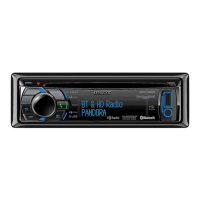
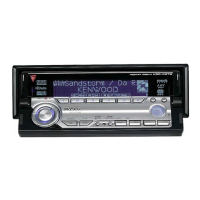
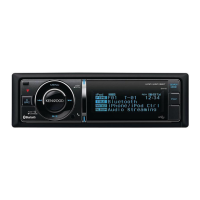
KENWOOD
KDC-X896
KDC-BT852HD
KDC-X496
KDC-452U
KMR-SSOU
CD-RECEIVER
Quick Start Guide
AMPLI-TUNER
LECTEUR
DE
CD
Guide
de
demarrage rapide
REPRODUCTOR
DE
DISCOS
COMPACTOS
RECEPTOR
DE
FM/
AM
Guia
de
inicio rapido
JVC
KENWOOD
Corporation
Take
the
time
to
read through this instruction manual.
Familiarity with installation
and operation procedures
will help
you obtain the best
performance from your new CO-Receiver.
For
your
records
Record
the
serial
number, found on
the
back
of
the unit, in the spaces designated on the
warranty card, and in
the
space provided
below.
Refer
to
the
model
and
serial
numbers
whenever you
call
upon your Kenwood dealer
for information or service on
the
product.
Model KDC-X896/
KDC-BT852HD/
KDC-X496/ KDC-452U/
KMR-SSOU
Serial
number
___
_
©
2012
JVC
KENWOOD
Corporation
659-2127-00/01
(KW)
Question and Answer IconNeed help?

Do you have a question about the Kenwood KDC-X896 and is the answer not in the manual?

Summary

Before Use and Safety

▲WARNING

Crucial safety warnings to prevent injury or fire during operation.

▲CAUTION

Important cautions regarding volume and cleaning to prevent accidents or damage.

How to Reset Your Unit

Instructions on how to reset the unit to factory settings.

Preparations and Initial Setup

Exiting the Demonstration Mode

Steps to disable the unit's demonstration mode upon first use.

Basic Operations

Source Selection

How to switch between different audio sources.

Music Playback (CD;USB;iPod)

Playing a USB Device;iPod

How to connect and play music from USB devices or iPods.

Pandora Internet Radio

Station Search

How to search for stations within the Pandora application.

Radio & Tuner Operations

Station Preset Memory

How to save and recall favorite radio stations.

Hands-Free Phoning

Registering a Bluetooth Device

Steps to pair a Bluetooth-enabled phone with the unit.

Installation Guide

Before Installation

Important warnings and cautions before starting the installation process.

Connecting Wires to Terminals

Installing;Removing the Unit

Removing the Unit

Detailed steps for safely removing the main unit from its mounting.

Appendix: Audio File & Compatibility

About the Audio File

Lists supported audio file formats and media types.

Safety & Regulatory Information

ACAUTION (Laser Safety)

Laser product safety warnings and compliance information.

FCC;IC Notices

Compliance information for radio frequency devices.

How to Read This Manual

Function Setting Procedure

General procedure for navigating and changing unit settings.

Component Identification

Audio Adjustments

Audio Control

Adjusting bass, treble, middle, and other audio parameters.

iPod Control Operation

Music Search

How to find songs on your iPod.

HD Radio Tuner Control

General Operations

Adjusting the Clock

How to set the unit's clock.

Initial Settings

Bluetooth Device Management

Registering a Bluetooth Device

Steps to pair a Bluetooth-enabled phone with the unit.

SMS (Short Message Service)

Displaying the SMS

Viewing received SMS messages on the unit display.

SiriusXM Tuner Control

Channel Preset Memory

Storing and recalling favorite SiriusXM channels.

Troubleshooting Guide

General Troubleshooting

Helps diagnose and resolve common unit malfunctions.

Tuner Source Issues

Troubleshooting radio reception problems.

SiriusXM Advisory Messages

Kenwood KDC-X896 Specifications

General IconGeneral
BrandKenwood
ModelKDC-X896
CategoryCar Receiver
LanguageEnglish

Related product manuals