EasyManua.ls Logo

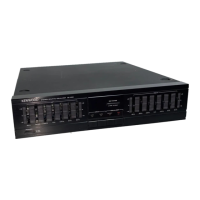
Kenwood KE-2060 - User Manual

Kenwood KE-2060
15 pages
Print Icon
To Next Page IconTo Next Page
Loading...
CGOO/AN>DI
GRAPHIC
EQUALIZER
KE-894
KE-2060
INSTRUCTION
MANUAL
KENWOOD
CORPORATION
|
This
manual
contains
instructions
for
two
models.
Question and Answer IconNeed help?

Do you have a question about the Kenwood KE-2060 and is the answer not in the manual?

Summary

Introduction

Accessories

Lists audio and system control cords for the equalizer unit.

Before applying power

Safety precautions

Essential warnings for safe operation and avoiding electrical hazards.

IMPORTANT SAFEGUARDS

System connections

Connecting to amplifier or receiver

Guide for connecting the equalizer to an amplifier using ADAPTOR or TAPE MONITOR jacks.

Connecting to cassette deck

Instructions for connecting the equalizer to a cassette deck for system control.

System control connection

Details on connecting system control cords for remote operation.

Controls and indicators

Operating instructions

Using the equalizer effect

Step-by-step guide to activate and use the graphic equalizer functions.

Equalizer pattern list

Reference list of pre-set and user-definable equalizer sound patterns.

Functions of graphic equalizer

Explains how frequency ranges affect sound and room compensation.

Storing your own patterns

Guide on how to create and save custom equalizer settings (M1-M5).

How to play tape with equalizer effect

Procedure for playing cassette tapes with an active equalizer effect.

In case of difficulty

Specifications

Overview

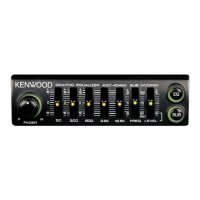
This document describes the Kenwood Graphic Equalizer models KE-894 and KE-2060, providing an instruction manual for their operation and maintenance.

Function Description:

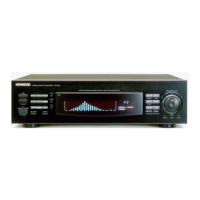
The Kenwood Graphic Equalizer is designed to enhance sound reproduction by allowing users to adjust the frequency response of their audio system. It functions as both a graphic equalizer and a spectrum analyzer, displaying the frequency distribution of the music source being played back and showing how each frequency is compensated. The equalizer can be used to:

  • Compensate for listening room characteristics: Adjust the frequency response to achieve a flat sound from low to high frequencies, counteracting the effects of objects in the room that reflect or absorb sound.
  • Adjust sound to individual taste: Enhance or attenuate specific instruments or voices within a musical piece.
  • Store custom equalizer patterns: Users can create and save up to five custom equalizer patterns (M1-M5) in addition to five pre-set reference patterns (R1-R5).
  • Play tape with equalizer effect: Integrate with a cassette deck to apply equalizer effects during tape playback.

Important Technical Specifications:

  • Equalizer characteristics variable range: ±10 dB / ±2 dB
  • Individual channel adjust (Hz): 60, 150, 400, 1k, 2.4k, 6k, 15k
  • Total harmonic distortion (at 1 kHz, Flat): 0.01%
  • Gain: 0 dB
  • Frequency response (at flat): 20 Hz - 20 kHz, +1.5 dB
  • Signal to noise ratio (IHF'66): 92 dB
  • Input impedance: 47 kΩ
  • Maximum output voltage (at 0.01% T.H.D.): 4.5 V
  • Output impedance: 2 kΩ
  • Power consumption: 15 W
  • AC outlet (UNSWITCHED):
    • KE-894: 1(30W 0.25A MAX.) for U.S.A. and Mexico only; 1(30W MAX.) for other countries.
    • KE-2060: 1(200W 1.6A MAX.) for U.S.A. and Mexico only; 1(200W MAX.) for other countries.
  • Dimensions (W x H x D): 440 mm (17-5/16") x 89 mm (3-1/2") x 250 mm (9-13/16")
  • Weight (Net): 2.9 kg (6.4 lb)

Usage Features:

  • Easy Setup: The manual provides clear instructions for connecting the equalizer to an amplifier or receiver, including diagrams for both ADAPTOR jacks and TAPE MONITOR switch configurations. It also details connections to a cassette deck and system control terminals for remote operation.
  • AC Voltage Selection: For units shipped to countries other than the U.S.A., Mexico, Canada, Australia, Europe, and the U.K., an AC voltage selector switch on the rear panel allows users to select between 110-120 volts AC or 220-240 volts AC, ensuring compatibility with local power supplies.
  • Equalizer Effect Activation: Users can easily activate the equalizer effect by pressing the POWER switch, setting the INPUT SELECTOR to LINE, and then pressing the EFFECT key.
  • Pattern Recall: Pre-set (R1-R5) and user-stored (M1-M5) equalizer patterns can be recalled using numeric keys.
  • Custom Pattern Creation: The device allows users to create and store their own equalizer patterns by selecting MANUAL mode, adjusting frequency bands (60 Hz, 150 Hz, 400 Hz, 1 kHz, 2.4 kHz, 6 kHz, 15 kHz) using EQ. CONTROL keys, and saving them to numeric keys (1-5) in MANUAL MEMO.
  • Spectrum Analyzer Display: The unit normally displays a spectrum analyzer, showing the frequency distribution of the music source. A graphic equalizer display, showing compensated frequencies, appears for approximately 5 seconds when the power is switched on or an equalizer-related key is pressed.
  • System Control: When connected to a Kenwood amplifier or receiver with SYSTEM CONTROL terminals, remote control and other system functions are enabled.
  • Troubleshooting Guide: A "In case of difficulty" section provides common symptoms, causes, and remedies for issues like no sound or no equalizer effect, guiding users to resolve problems before seeking professional help.

Maintenance Features:

  • General Care: The manual emphasizes the importance of keeping the unit away from heat sources, magnetic fields, and moisture. It advises against exposing the appliance to rain or moisture to prevent fire or electric shock.
  • Cleaning: Users are instructed to unplug the appliance from the wall outlet before cleaning and to use a clean, dry cloth. Volatile solvents like alcohol, paint thinner, gasoline, or benzine should not be used.
  • Power Cord Protection: Power-supply cords should be routed to prevent damage from being walked on or pinched.
  • Fuse Replacement: For units with factory-fitted molded mains plugs, instructions are provided for replacing the 3-Amp ASTA-approved (BS1362) fuse.
  • Ventilation: Proper ventilation is crucial; the appliance should be placed at least 10 cm away from walls and not on surfaces that block ventilation openings.
  • Safety Precautions: The manual includes "IMPORTANT SAFEGUARDS" covering various aspects like power sources, temperature, electric shock prevention, enclosure removal, and accessory usage, all aimed at ensuring safe operation and longevity of the device.
  • Service Information: Users are advised not to attempt servicing beyond what is described in the manual and to refer all other servicing to qualified service personnel. In case of abnormal smell or smoke, the unit should be immediately powered off and unplugged, and a service center contacted.
  • Microprocessor Control Note: The manual mentions that the system is microprocessor-controlled, and in case of malfunction due to external noise or interference, unplugging and re-plugging the power cord may resolve the issue.
  • Contact Cleaner Warning: Users are warned against using contact cleaners, as they may cause malfunctions or deform plastic components.

Kenwood KE-2060 Specifications

General IconGeneral
BrandKenwood
ModelKE-2060
CategoryRecording Equipment
LanguageEnglish

Related product manuals