EasyManua.ls Logo

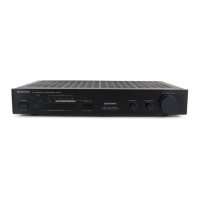
Kenwood SS-992 - User Manual

Kenwood SS-992
16 pages
Print Icon
To Next Page IconTo Next Page
Loading...
AV
SURROUND
PROCESSOR
99-992
INSTRUCTION
MANUAL
KENWOOD
CORPORATION
B60-0800-10
GD
(K,P,M,X,
¥)
GOOMNA»
Question and Answer IconNeed help?

Do you have a question about the Kenwood SS-992 and is the answer not in the manual?

Summary

Introduction and Setup

Getting Started

Unpacking the unit, recording serial number, and initial checks for shipping damage.

Powering Up Safely

Guidelines for safe power connection, including region-specific voltage requirements and AC voltage selector switch.

Safety Guidelines

Important Safeguards

Critical safety instructions covering power sources, ventilation, heat, electric shock, water, and cleaning.

System Connections

Connecting Components

Detailed instructions for connecting the unit to KA/KC series amplifiers, other amplifiers, and speakers.

Unit Operation

Controls and Indicators Overview

Identification and function of the main unit's controls, buttons, and display elements.

Operating Modes Explained

Explanation of DOLBY PRO LOGIC, 3 STEREO, and HALL/THEATER surround sound modes.

Sound Field Adjustments

Guides for Dolby Surround field adjustment, speaker arrangements, and delay time settings.

Troubleshooting and Specifications

Troubleshooting Common Issues

Lists common symptoms, their causes, and remedies for unit malfunctions.

Technical Specifications

Detailed performance data, power output, consumption, dimensions, and regulatory information.

Overview

This document is an instruction manual for the Kenwood SS-992 AV Surround Processor, a device designed to enhance audio experiences by providing various surround sound effects. The manual covers setup, operation, and maintenance, ensuring users can maximize their listening pleasure.

The Kenwood SS-992 AV Surround Processor integrates several surround functions to create immersive audio environments, whether for music or movies. Its primary function is to process audio signals to simulate the acoustics of different spaces, such as concert halls or movie theaters, and to enhance the spatial positioning of sounds.

Function Description

The SS-992 offers three main surround modes:

  • DOLBY PRO LOGIC: This mode is specifically designed for video software carrying the "DOLBY SURROUND" mark. When playing such content, the SS-992 replicates the Dolby Surround effect found in movie theaters, providing a cinematic audio experience. This involves processing the audio to create distinct channels for front left, center, front right, and rear speakers, enhancing dialogue clarity and overall sound immersion.

  • DOLBY 3 STEREO: This mode is particularly useful for improving the positioning of words and dialogue when playing video software at home. It utilizes an additional center speaker to anchor dialogue, making it clearer and more localized, which is beneficial for understanding speech in movies or TV shows. This mode helps to prevent dialogue from being "wandering" or unclear, especially in complex soundscapes.

  • HALL/THEATER: This mode offers two distinct reverberation effects:

    • HALL: This setting creates a powerful sound effect, simulating the acoustics of a concert hall. It adds a rich, expansive reverberation that makes music sound grander and more enveloping, as if the listener is present in a large performance venue.
    • THEATER: This setting provides a natural reverberation effect, similar to what one would experience when viewing a movie in a movie theater. It adds depth and spaciousness to the audio, enhancing the realism of film soundtracks and effects. This mode is suitable for sources not specifically recorded with Dolby Surround.

The system achieves these effects by manipulating the "DELAY TIME" and "PRESENCE LEVEL" of indirect sounds. Delay time refers to the interval between direct sound from the source and indirect sounds reflected off surfaces. Presence level refers to the intensity of these indirect or reverberated sounds. By adjusting these parameters, the SS-992 can simulate different acoustic environments and provide a sense of depth and spaciousness.

Usage Features

Setting up and operating the SS-992 involves several steps to optimize the surround sound experience:

  • System Connections: The manual provides detailed instructions for connecting the SS-992 to various audio systems. It outlines connections with specific Kenwood amplifiers/receivers (KA-892, KA-893, KC-992, KC-993) using system control cords and audio cables, as well as connections to ordinary amplifiers or receivers. Proper connection of speaker cords (front, center, rear) is emphasized, including instructions for stripping insulation, twisting wires, and inserting them into terminals to ensure correct polarity and prevent unnatural sound. The manual also highlights the use of PRE OUT jacks for connecting to speakers with built-in amplifiers or exclusive amplifiers, allowing for larger volumes or different tonal characteristics.

  • Preparations for Operation: Depending on the amplifier/receiver used, specific preparatory steps are required. For Kenwood integrated systems, users must set the amplifier's rear panel switch to ADAPTOR and press the TAPE 2/ADAPTOR key on the amplifier's front panel. For ordinary amplifiers, users need to turn on components, set the TAPE MONITOR switch to ON, and adjust the amplifier's volume control to a center position.

  • Dolby Surround Field Adjustment (DOLBY PRO LOGIC): This crucial step involves calibrating the surround sound field.

    1. Set Dolby Surround Mode: Select the DOLBY PRO LOGIC mode.
    2. Select Center Mode: Choose between NORMAL, WIDEBAND, or PHANTOM based on the size and presence of the center speaker. NORMAL is for compact center speakers, WIDEBAND for medium to large, and PHANTOM if no center speaker is used (the signal is processed to simulate a center image).
    3. Turn on Test Tone: Activate a test tone to aid in balancing speaker levels.
    4. Adjust Volume Balance: Use the test tone to adjust the volume levels of the center and rear speakers relative to the front speakers, ensuring a balanced sound field. The test tone cycles through speakers, allowing for precise adjustment.
    5. Stop Test Tone: Deactivate the test tone once adjustments are complete.
    6. Set Delay Time: Calculate and set the appropriate delay time for Dolby Surround based on the distances of the front and rear speakers from the listening position. This adjustment is critical for creating a realistic acoustic image. The delay time can be adjusted from 15 to 30 ms.
  • Operation of Dolby Surround Playback (DOLBY PRO LOGIC): After adjustment, playing Dolby Surround encoded software involves:

    1. Setting the Dolby Surround mode to DOLBY PRO LOGIC.
    2. Checking the center mode to ensure it matches the previous adjustment.
    3. Playing the software program.
    4. Adjusting the overall volume using the SS-992's volume control.
  • DOLBY 3 STEREO Adjustment and Playback:

    1. Set DOLBY 3 STEREO Mode: Select this mode.
    2. Select Center Mode: Choose NORMAL or WIDEBAND based on the center speaker size.
    3. Turn on Test Tone: Activate the test tone.
    4. Adjust Center Speaker Volume: Balance the center speaker's volume with the left and right speakers using the test tone.
    5. Stop Test Tone: Deactivate the test tone.
    6. Play Stereo/Dolby Surround Program: Play the desired content.
    7. Adjust Volume: Control the overall volume.
  • HALL/THEATER Surround Play:

    1. Select Surround Mode: Choose HALL or THEATER. For monaural sources, HALL is recommended.
    2. Set Delay Time: Adjust the delay time (from 2 to 30 ms) to achieve the desired acoustic effect, ranging from a small jazz club (decreased delay) to a large concert hall (increased delay).
    3. Play Music Source: Begin playback.
    4. Adjust Listening Volume: Control the overall volume.
    5. Adjust Rear Speaker Volume: Balance the rear speaker volume.
  • Returning to Normal Stereo Playback: To revert to standard stereo sound, users simply press the BYPASS key on the SS-992.

Maintenance Features

The manual provides essential safety precautions and troubleshooting tips to ensure the longevity and proper functioning of the SS-992:

  • Safety Precautions:

    • Power Sources: Connect the unit only to the specified power supply type.
    • Power-cord Protection: Route power cords carefully to prevent damage from walking on or pinching. Never pull or stretch the cord.
    • Grounding/Polarization: Ensure proper grounding or polarization.
    • Ventilation: Place the unit in a location that allows for proper ventilation, at least 10 cm from walls, and avoid placing objects on top that could block vents. Do not operate on soft surfaces like beds or rugs.
    • Water and Moisture: Do not use near water sources.
    • Temperature: Operate within an ambient temperature above +5°C (41°F).
    • Heat: Keep away from heat sources like radiators or other heat-producing units.
    • Electric Shock: Prevent objects and liquids from falling into the enclosure. Do not allow children to insert metal objects.
    • Enclosure Removal: Never remove the enclosure to avoid electric shock.
    • Magnetic Fields: Keep away from sources of magnetic fields (TVs, speakers, radios).
    • Cleaning: Use a clean, dry cloth for cleaning; avoid volatile solvents like alcohol, paint thinner, or gasoline.
    • Carts and Stands: Move appliance and cart combinations with care to prevent overturning.
    • Nonuse Periods: Unplug the power cord if the unit will be unused for a long time.
    • Abnormal Smell/Smoke: Immediately turn off power and unplug if an abnormal smell or smoke is detected, and contact service.
    • Damage Requiring Service: Refer servicing to qualified personnel if the power cord is damaged, objects/liquids enter the unit, it's exposed to rain, operates abnormally, or is dropped.
    • Servicing: Do not attempt user servicing beyond what's described in the manual.
    • Outdoor Antenna Grounding: If applicable, ensure the antenna system is properly grounded according to the National Electrical Code.
    • Power Lines: Locate outdoor antennas away from power lines.
    • AC Outlets: Do not connect other high-power audio equipment to the rear panel's AC outlet to prevent fire or shock.
  • Troubleshooting: The manual includes a "In case of difficulty" section that lists common symptoms, their causes, and remedies.

    • No Sound Output: Check speaker and audio cord connections, and ensure the volume is not at minimum.
    • No/Small Sound from Surround Rear Speaker: Check rear speaker connections, rear level settings, and ensure BYPASS mode is not active or an inappropriate surround mode is selected for monaural sources. For Kenwood integrated systems, verify the TAPE 2/ADAPTOR key is pressed and the switch is set to ADAPTOR.
    • Remote Control Unit Not Usable: Ensure the TAPE 2/ADAPTOR switch on the amplifier rear panel is set to ADAPTOR and system control cords are connected.
    • Microprocessor Malfunction: If external noise causes malfunction, unplug and replug the power cord to reset the system.
    • Contact Cleaners: Avoid using contact cleaners, especially those containing oil, as they can damage plastic components.

By following these instructions, users can effectively set up, operate, and maintain their Kenwood SS-992 AV Surround Processor, enjoying a rich and customized audio experience.

Kenwood SS-992 Specifications

General IconGeneral
Power output2 x 45W (8 ohms, 20Hz-20kHz, 0.09% THD)
Frequency response10Hz-50kHz (±1dB)
Total harmonic distortion0.09% (20Hz-20kHz, 8 ohms)
Input sensitivity2.5mV (MM), 200mV (line)
Dimensions440 x 123 x 371mm
Weight10.2kg
TypeStereo receiver
Speaker load impedance8Ω to 16Ω
Signal to noise ratio78dB (MM)
Signal-to-Noise Ratio78dB (MM)

Related product manuals