EasyManua.ls Logo

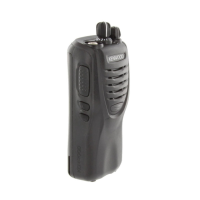
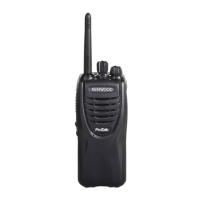
Kenwood TK-3300 - User Manual

Kenwood TK-3300
36 pages
Print Icon
To Next Page IconTo Next Page
Loading...
INSTRUCTION MANUAL
© B62-2159-00 (K, K2)
09 08 07 06 05 04 03 02 01 00
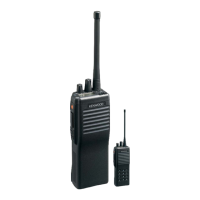
VHF FM TRANSCEIVER
TK-2300
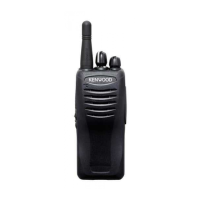
UHF FM TRANSCEIVER
TK-3300

Other manuals for Kenwood TK-3300

Questions and Answers

  • J
    James SpencerAug 8, 2025
    How to fix Kenwood Transceiver that cannot turn on?
    • D
      Dana ElliottAug 8, 2025
      If your Kenwood Transceiver won't turn on, the battery pack may be dead. Try to recharge or replace the battery pack. Also, the battery pack may not be installed correctly. Remove the battery pack and install it again.
  • A
    Alicia WaltersAug 15, 2025
    Why can't I talk to or hear other members in my group on my Kenwood TK-3300?
    • M
      Maria ReynoldsAug 15, 2025
      If you can't communicate with other members of your group on the Kenwood Transceiver, first ensure that you are using the same frequency and QT/DQT settings. If that doesn't work, other group members may be using the Scrambler function, so turn on your transceiver’s Scrambler. Finally, other group members may be too far away, so make sure you are within range of the other transceivers.
  • D
    Danielle JacksonAug 23, 2025
    What to do if I hear other voices on the channel of my Kenwood Transceiver?
    • T
      Troy MaxwellAug 23, 2025
      If you are hearing voices besides those of your group members on the channel of your Kenwood Transceiver, change the QT/DQT settings. Make sure all group members change the settings on their transceivers to match the new QT/DQT setting.
  • G
    gene46Aug 30, 2025
    Why does my Kenwood TK-3300 battery die quickly after charging?
    • R
      rodriguezsusanAug 30, 2025
      If the battery power of your Kenwood Transceiver dies shortly after charging, the battery pack life is finished. Replace the battery pack with a new one.

Kenwood TK-3300 Specifications

General IconGeneral
BrandKenwood
ModelTK-3300
CategoryTransceiver
LanguageEnglish

Related product manuals