EasyManua.ls Logo

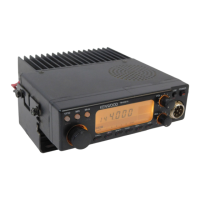
Kenwood TM-271 - User Manual

Kenwood TM-271
80 pages
Print Icon
To Next Page IconTo Next Page
Loading...
© B62-1804-00 (K,E,M2,M3,M4)
09 08 07 06 05 04 03 02 01 00
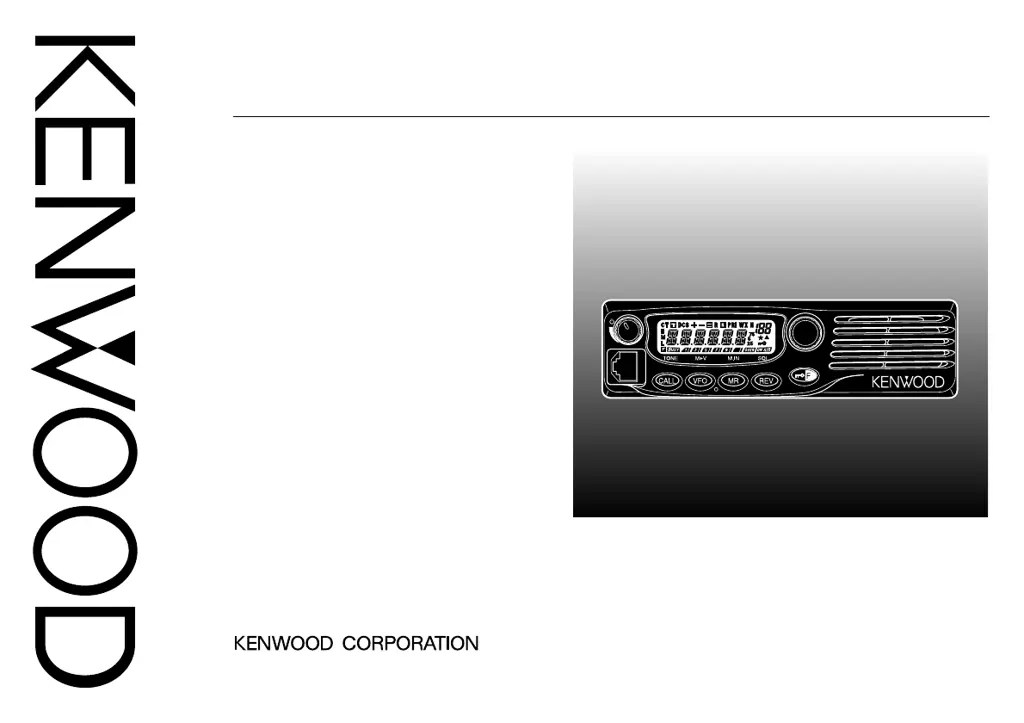
INSTRUCTION MANUAL
144 MHz FM TRANSCEIVER
VHF FM TRANSCEIVER
TM-271A
144 MHz FM TRANSCEIVER
TM-271E
TM-271
MENU

Table of Contents

Questions and Answers

  • V
    vbryanJul 26, 2025
    What to do if my Kenwood TM-271 Transceiver won't transmit when I press Mic [PTT]?
    • M
      Michelle GrahamJul 26, 2025
      If your Kenwood Transceiver won't transmit when you press the Mic [PTT] button, there might be a few reasons: * Ensure the microphone plug is fully inserted into the front panel connector until you hear the locking tab click. Always switch off the power before doing this. * Check if you've selected a transmit offset that's placing your transmit frequency outside the allowed range. To fix this, press [F], then [MENU], and use the Tuning control to go to Menu No. 5 (SFT). Press [MENU] again and use the Tuning control to select “OFF”. Store this setting by pressing [MENU], and then press any key (except [MENU]) to leave Menu Mode. * If you're using an external TNC, make sure it has finished transmitting before you press the Mic[PTT] button.
  • D
    Dennis HessJul 30, 2025
    Why won't my Kenwood TM-271 Transceiver power on?
    • T
      travisgarciaJul 31, 2025
      If your Kenwood Transceiver won't power up, and nothing is showing on the display after you've connected the 13.8 V DC power supply and pressed the power switch, here's what to check: * Make sure the power cable is connected correctly, with the red wire to the positive (+) terminal and the black wire to the negative (–) terminal. * Inspect the power cable fuses. If any are open, find out what caused them to blow. After fixing any issues, replace the blown fuse(s) with new ones that have the same ratings.
  • J
    Joshua BurkeAug 5, 2025
    What to do if frequency cannot be selected on Kenwood TM-271?
    • K
      Karla LeachAug 5, 2025
      If you can't select a frequency on your Kenwood Transceiver by turning the Tuning control or pressing Mic[UP]/[DWN], it might be because Memory Recall was selected. Try pressing VF.
  • J
    James JohnsonAug 10, 2025
    How to unlock buttons on Kenwood TM-271?
    • L
      Lauren DonaldsonAug 10, 2025
      If most buttons/keys and the Tuning control on your Kenwood Transceiver aren't working, it could be because one of the Lock functions is turned ON. Try unlocking all of the Lock functions. Alternatively, the transceiver might be in Channel Display mode. To exit this mode, switch the transceiver power OFF, then press the Power and REV keys together.
  • D
    David PetersonAug 14, 2025
    Why is my Kenwood TM-271 display too dim?
    • M
      Michael Robinson MDAug 14, 2025
      If the display on your Kenwood Transceiver is too dim, even when you've set it to a high brightness level, the supply voltage might be too low. The required supply voltage is 13.8 V DC ± 15% (11.7 V to 15.8 V DC). If the input voltage is outside of this range, adjust your regulated power supply and/or check all power cable connections.
  • D
    David PollardAug 20, 2025
    Why can't I select memory channels on my Kenwood TM-271 Transceiver?
    • C
      christopherstokesAug 20, 2025
      To resolve the issue where Memory Channels cannot be selected on your Kenwood Transceiver using the Tuning control or Mic[UP]/[DWN], ensure that you have stored data in some Memory Channels.

Summary

NOTICES TO THE USER

FCC WARNING

Warning regarding radio frequency energy and modifications.

INFORMATION TO THE DIGITAL DEVICE USER REQUIRED BY THE FCC

FCC compliance for Class B digital devices and potential interference.

PRECAUTIONS

CHAPTER 1 PREPARATION

MOBILE INSTALLATION

Instructions for safely installing the transceiver in a vehicle.

DC POWER CABLE CONNECTION

Guide for connecting the transceiver to a DC power source.

ANTENNA CONNECTION

Advice on connecting an antenna for optimal performance.

CHAPTER 4 OPERATING BASICS

TRANSMITTING

Steps for speaking into the microphone to transmit.

SELECTING A FREQUENCY

Methods for choosing operating frequencies.

CHAPTER 7 MEMORY CHANNELS

STORING SIMPLEX FREQUENCIES OR STANDARD REPEATER FREQUENCIES

Saving simplex or standard repeater frequencies into memory.

STORING ODD-SPLIT REPEATER FREQUENCIES

Storing non-standard offset repeater frequencies.

RECALLING A MEMORY CHANNEL

Retrieving stored frequencies from memory.

NAMING A MEMORY CHANNEL

Assigning alphanumeric names to memory channels.

CHAPTER 8 SCAN

CHAPTER 12 MICROPHONE CONTROL

CHAPTER 14 TROUBLESHOOTING

MAINTENANCE

General information on maintaining the transceiver's condition.

CHAPTER 2 YOUR FIRST QSO

CHAPTER 3 GETTING ACQUAINTED

FRONT PANEL

Description of the controls and indicators on the front of the transceiver.

DISPLAY

Explanation of the transceiver's LCD display elements.

OPERATING THROUGH REPEATERS

OFFSET PROGRAMMING FLOW

Step-by-step guide to programming repeater offsets.

PROGRAMMING AN OFFSET

Setting frequency offsets for repeater operation.

ACTIVATING THE TONE FUNCTION

Enabling tone squelch for repeater access.

SELECTING A TONE FREQUENCY

Choosing the correct CTCSS tone frequency.

AUTOMATIC REPEATER OFFSET

Automatic selection of offset direction based on band plan.

REVERSE FUNCTION

Exchanging transmit and receive frequencies.

MENU SETUP

MEMORY CHANNEL TRANSFER

CALL CHANNEL

WEATHER ALERT (K MARKET MODELS ONLY)

SCAN

NORMAL SCAN

Explanation of Band, Program, and MHz scan types.

MEMORY SCAN

Monitoring channels stored in memory.

SELECTIVE CALL

CTCSS AND DCS

Using tone and digital codes to filter calls.

DUAL TONE MULTI-FREQUENCY (DTMF) FUNCTIONS

AUXILIARY FUNCTIONS

MICROPHONE PF KEYS (KEYPAD MODELS ONLY)

RESETTING THE TRANSCEIVER

FULL RESET

Resetting all transceiver parameters to factory defaults.

VFO RESET

Resetting transceiver parameters excluding memory data.

SPECIFICATIONS

Kenwood TM-271 Specifications

General IconGeneral
Frequency Range144-148 MHz
Memory Channels200
Modulation TypeFM
Weight1.1 kg
Supply Voltage13.8 V DC ±15%
Antenna Impedance50 Ohms
Current Consumption11A (TX High), 1A (RX)

Related product manuals