Need help?
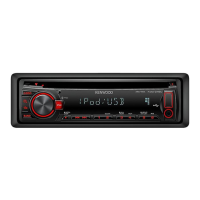
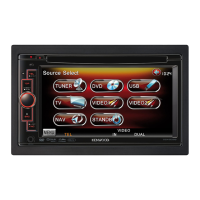
Do you have a question about the Kenwood Z919 and is the answer not in the manual?
Instructions to prevent hazardous radiation exposure from controls or adjustments.
Key safety warnings for preventing injury or fire.
Precautions to prevent damage to the unit during operation and maintenance.
How to clean the unit's panel and CD slot.
Explanation and solution for condensation forming on the CD lens.
Instructions for controlling power, standby mode, and switching operational modes.
How to adjust volume, panel angle, and set the clock time.
How to use the built-in stopwatch and timer features.
Setting alarm, using dimmer, changing display font, and adjusting sound level indicator.
How to adjust preset sound settings, bass center frequency, bass level, and bass quality factor.
How to adjust treble frequency, treble level, balance, fader, and bass extend settings.
How to save and recall custom audio configurations.
How to adjust high-pass and low-pass filter frequencies, and phase for sound output.
How to save and recall custom crossover network configurations.
How to tune into radio stations and store them using preset memory.
How to automatically store stations and use the Clean Reception System Circuit.
How to cycle through different display modes when listening to the radio.
How to assign custom names to radio stations for easier identification.
How to search and play stations by their assigned names.
How to directly tune to specific radio frequencies using the remote.
How to insert, play, pause, restart, and eject CDs.
Using fast forward, reverse, other disc modes, and searching for tracks.
Features for scanning discs/tracks and repeating playback.
Using random play, text scrolling, and direct track search.
Searching discs directly and assigning custom names for them.
How to change disc display information and playing time formats.
How to search for discs using initial characters of names or texts.
How to play MP3 files and search for specific files.
Managing folders, repeating files, and random playback for MP3s.
Searching files directly, changing display, and selecting folders for MP3 playback.
How to navigate and select folders containing MP3 files.
How to tune TV channels and store them using preset memory.
Automating channel storage and recalling preset TV stations.
How to directly tune to specific TV channels using the remote.
How to access and adjust various system functions like tone, dimmer, and display.
Optimizing sound quality using KEX and speaker selector settings.
How to install batteries and use remote volume control buttons.
Explains key buttons for tuning, playback, search, and system control.
Explains remote buttons for TV tuning and direct channel access.
Detailed steps for installing the unit in a vehicle.
Visual guide and explanation for connecting wires to the unit's terminals.
How to connect the changer control cable to the unit.
Steps for assembling the unit with accessories like rubber bushes and screws.
How to install the mounting sleeve and secure the unit in Japanese cars.
Steps for safely removing the unit from the car.
A table listing common issues, their causes, and recommended solutions.
Solutions for issues like MP3 playback errors, sound skips, and file errors.
Explanations for error codes, hold functions, and system messages.
Technical details for FM/AM tuners and CD player performance.
Technical details for audio output, power, and general unit specifications.
 General
| Brand | Kenwood |
|---|---|
| Model | Z919 |
| Category | Car Receiver |
| Language | English |


 To Next Page