Knobs & Indicator Lights (continued)
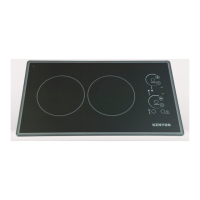
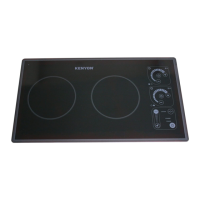
There are a series of lights that provide indications of burner operation and hot surfaces.
These lights are located adjacent to the control knobs. When the control is in the “on”
position, a red light is lit indicating which burner is on.
For your safety, we have incorporated a “HOT” indicator light. When lit, this light indicates
that some part of the glass ceramic cooktop is too warm to touch or place articles upon.
Do not place articles other than cookware on the cooking surface while this light is glowing.
Cleaning
To help ensure that the KENYON cooktop stays clean, follow these easy-care tips:
Cleanthecooktopbeforeyouuseitforthersttime.Athoroughcleaningwithour
recommended cooktop cleaner (Cerama Brite Ceramic Cooktop Cleaner) will provide a
coatingonthecooktoppriortoitsrstuse.AsampleisincludedwithyourKenyoncooktop.
Always remove food spills, grease spatters and metal rub-off from cookware. A razor blade
scraper or the equivalent works well to remove spillovers.
Clean the cooktop with a paper towel or a clean, soft cloth and a recommended cleaner.
After cleaning, always wipe the cooktop with a clean, damp cloth to avoid cooked-on
cleaner residue. Wipe the cooktop dry.
Donotuseadishtowelorspongetowipeoffthecooktop.Almmaybeleftbythe
detergent and may cause discoloration of the cooktop surface.
Avoid abrasive scouring cleaners of any kind. Also avoid using plastic, nylon or metal
cleaning pads. They may scratch or melt onto the cooktop.
Avoidchemicalcleanerssuchaschlorinebleach,ammonia,hydrouoricacidorchemical
oven cleaners. They can etch or discolor the surface.
Do not let anything that melts - plastic, aluminum foil, sugar, etc. come into contact with the
cooktop surface when it is hot. Should something melt onto the surface, immediately
move it to a cool area of the cooktop with a razor blade scraper and then remove it from
the cooktop as soon as possible.
10


 To Next Page