Ask for Help
Review program with
Rename the program at the bottom left corner and then press “Save” when finished.
The program will run automatically.
.
.
.
Go back to the “Select Lamp” page, press
Press to ensure it is the latest version.
Press to delete programs, colors, and disconnect AP700.
Press kessil@kessil.com to send an email to Customer Service Team for help.
Press to connect to Kessil's Facebook / Twitter / Youtube pages, to interact with other reefers, and to keep up to
date on our latest news!
.
.
.
.
.
1 Press “OK” to delete data.
2 Press “Cancel” to keep data.
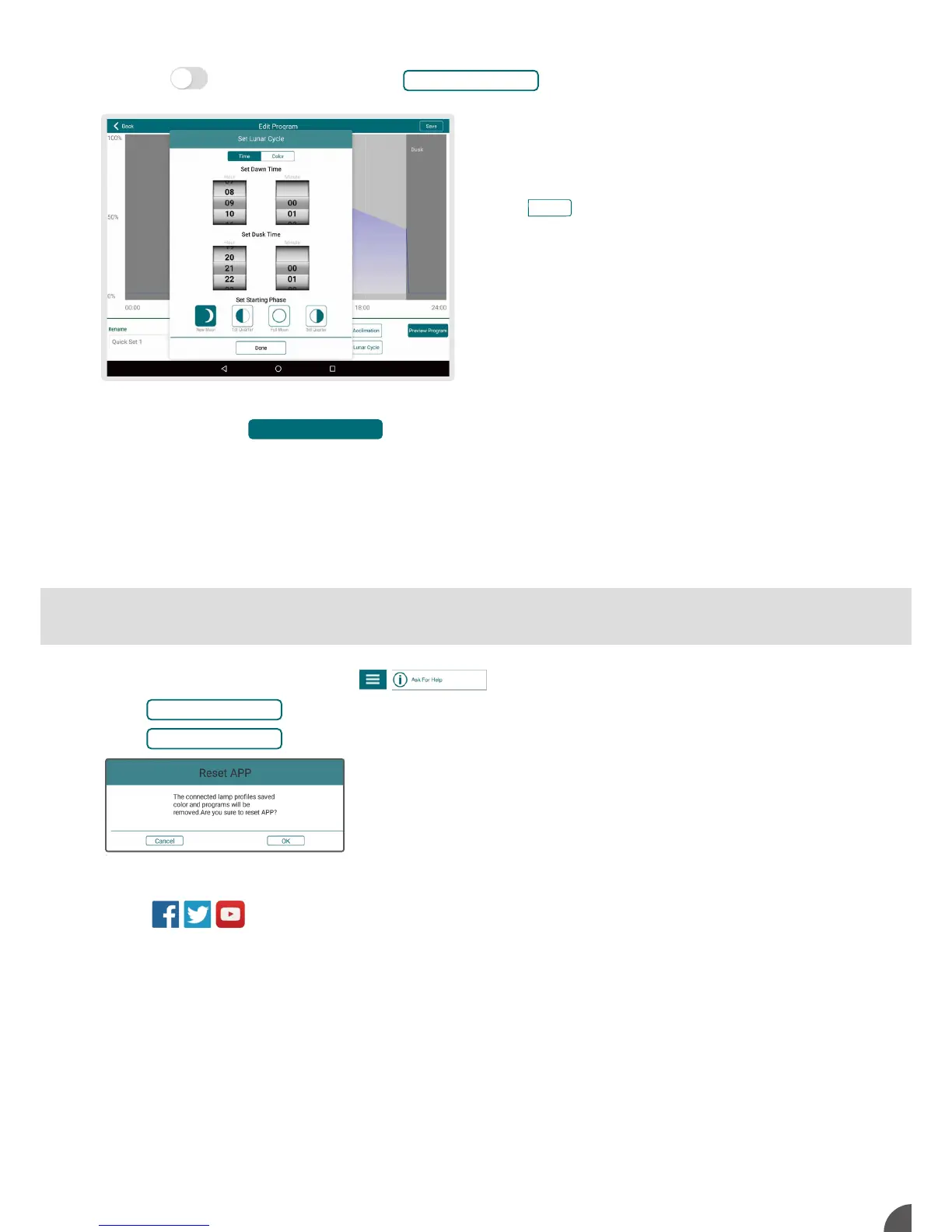
Press to the right of “Lunar Cycle” and to set ramp up/ramp down schedule or add moonlighting
feature.
Lunar Cycle decreases/increases intensity settings and
simulates moonset/moonrise.
1 Set the Dawn time and Dusk time.
3 Press to choose Blue or Red Moonlight color.
4 Turn off Lunar Cycle to edit points.
C
Check APP Version
Reset APP Data
Preview Program
Color
Set Lunar Cycle
4



 To Next Page