A
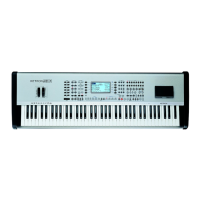
udya 4 and Audya 5 panel
4 K
ETRON • AUDYA
No
tes
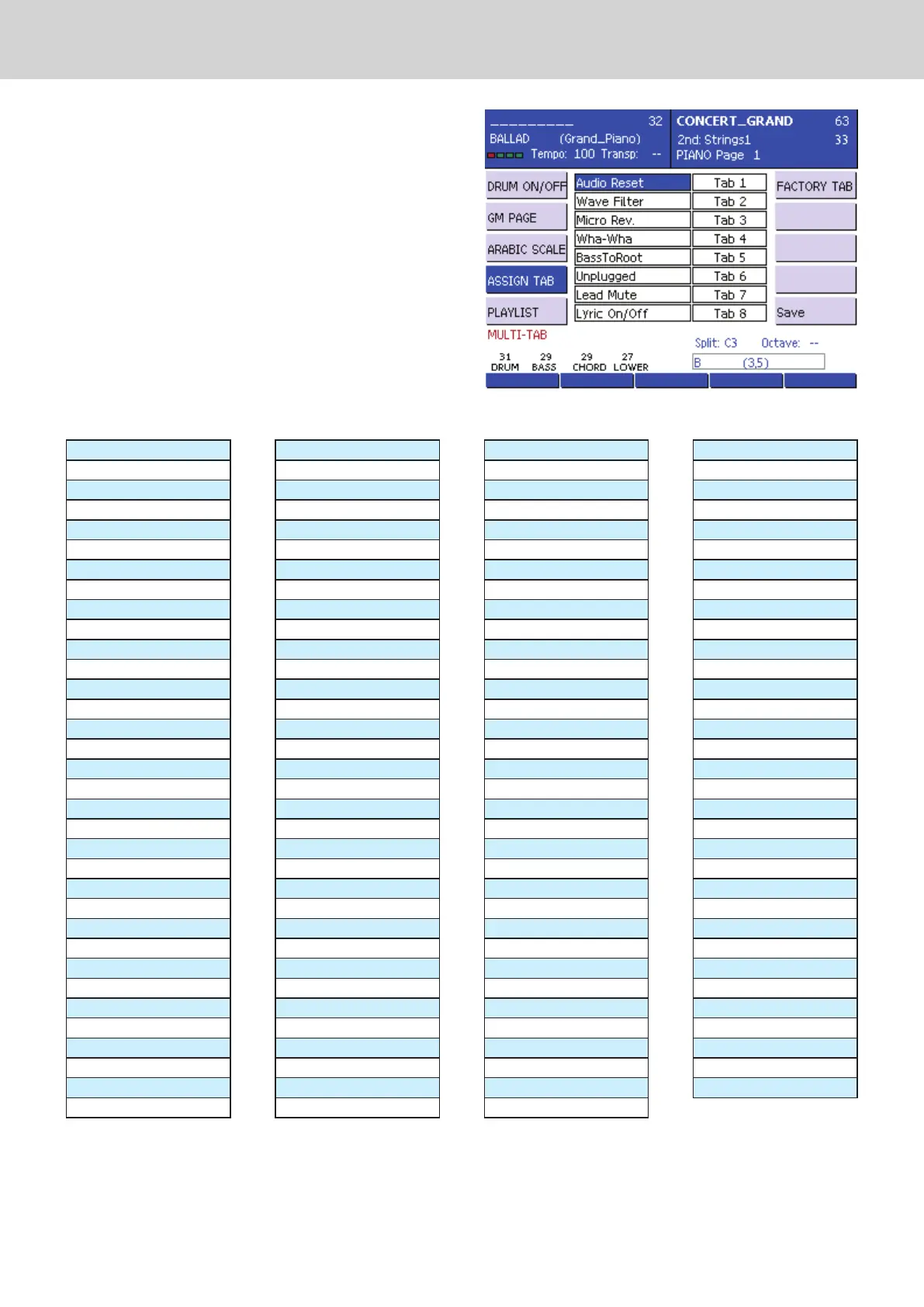
Figure 4
F5) PLA
YLIST: This mode allows you to drive the
first 16 tracks of any loaded playlist. The first
press on the button starts the corresponding track
playback, and re-selecting the same button, while
the LED is lit, the track playback is stopped.
F6) FACTORY TABS: It sets the multi-tabs factory
default.
F4) ASSIGN.TABS: (Figure 4) This mode allows to
assign functions called by each of the 16 multi-
tabs.
You can therefore customize the multi-tabs
configuration and assign the desired function to
them.
In order to make the assignment, simply select
the desired multi-tabs by pressing DATA CURSOR
(Up and Down) and scroll through the available
functions by pressing DATA CURSOR (Left and
Right) or using the dial.
The following table shows the available functions.
Audio Reset
Micro Rev.
Autocrash Fill/Break
Sustain
Soft
Sostenuto
Arr. A
Arr. B
Arr. C
Arr D
Int./End 1
Int./End 2
Int./End 3
Fill 1
Fill 2
Fill 3
Fill 4
Fill In
Break 1
Break 2
Break 3
Break 4
Break
Start Stop
FillToArr.
Key Start
Key Stop
Hold
Tempo+
Tempo-
Transp-
Transp+
Voice To Arr.
ReIntro
Auto Fill
After Fill
Inter.Gtr.
Manual Bass
Bas Mono/Poly
Swing Bass
BassToRoot
Bassist
Bass Sust.
BasToLowest
Lower Mute
Low.Off Stop
Lower1 Hold
Lower2 Hold
Pianist
PianistSustain
Accordion
Swell
Left Drum
Fade Out
Manual Drum
Crash
Play Kick1
Play Kick2
Only Kick
Drum&Bass
Kick Off
Snare Off
HiHat Off
Cymbal Off
Tom/Fx Off
Rimshot Off
Latin1 Off
Latin2 Off
Latin3 Off
ClapFx Off
minor
7th
m7th
5+
dim
6th
7th+
Lead Mute
Lyric On/Off
Midi Reset
Zoom
A.play On/Off
Loop On/Off
Text Page-
Text Page+
Cross Fade
Wha-Wha
Reverb
Chorus
Echo/Delay
Dist./Overdr.
Voicetron
Micro On/Off
Micro Talk
DryOnStop
Voc. On/Off
Voice Down
Voice Up
Regis Down
Regis Up
2nd Voice
Harmony
Double
Rotor On/Off
Rotor Slow/Fast
Arabic_1
Arabic_2
Arabic_3
Arabic_4
Arabic_5
Arabic_6
Arabic_7
Arabic_8
Arabic_9
Arabic_10
Arabic_11
Arabic_12
Arabic_13
Arabic_14
Arabic_15
Arabic_16
Right Boost
Exit
Style Stop
Pause/Count In/Res.
Program/Preset
Aftertouch
Portamento
EndOnStop
FillToEnd
Left Voice
Unplugged
Glide
Jukebox
Wave Filter.



 To Next Page