Audya 4 and Audya 5 panel
Audya 4 and Audya 5 panel
KETRON • AUDYA 3
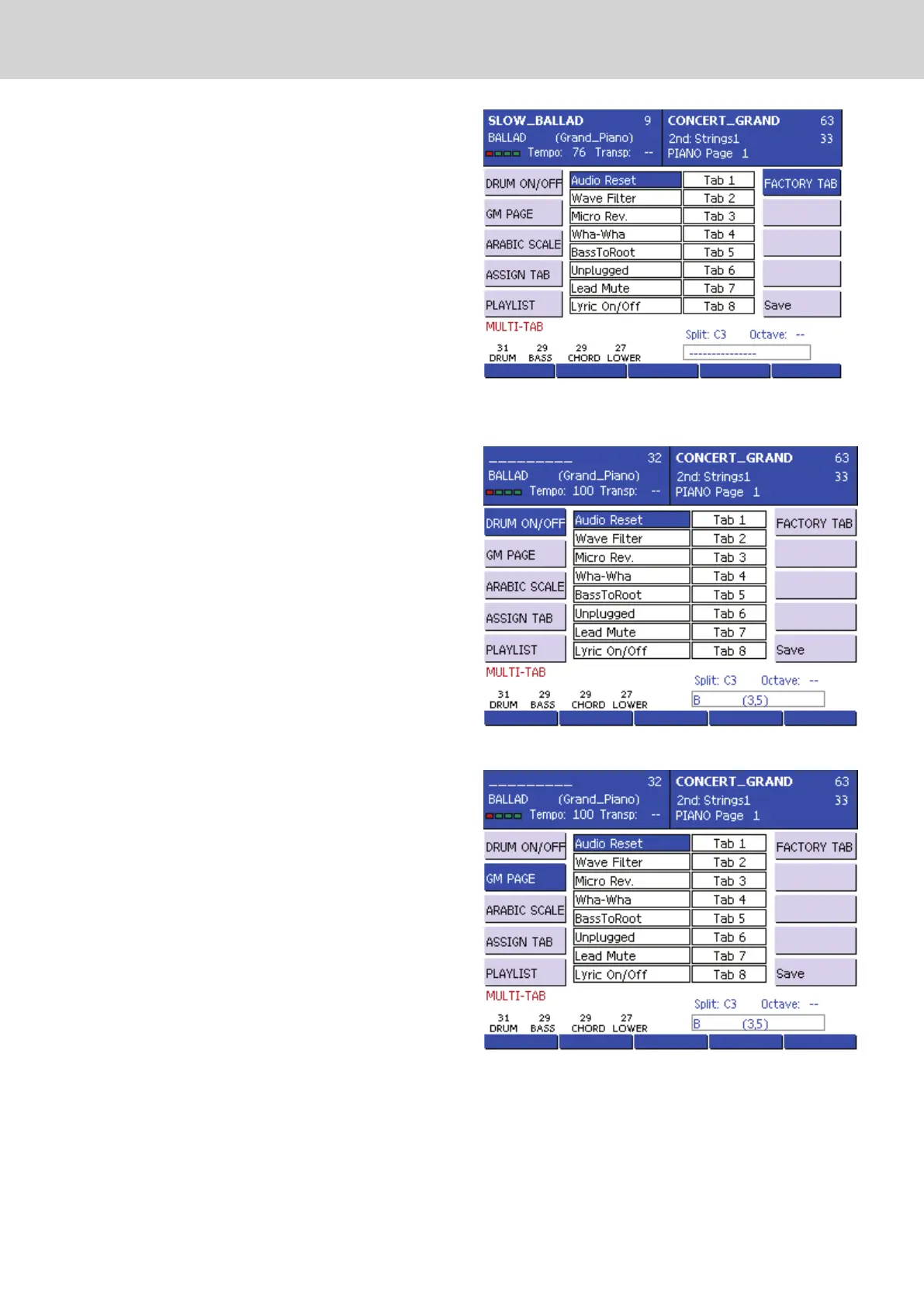
MULTI-TABS MENU
▀
By pressing the MODE button, the menu management
Multi-Tabs will open. By pressing the F1 .. F6 function keys
you can activate various modes of operation which will be
described in detail in the following section.
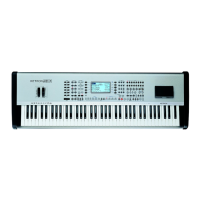
F1) DRUM ON/OFF: (Figure 1) DRUM ON/OFF mode
enables or quickly mute the percussive instrument
sections. The correspondence between the multi-tabs
and percussion group is as follows:
Tab1 Kick
Tab2 Snare (Snare, Rim Shot)
Tab3 Hi Hat
Tab4 Cymbals (Crash, Ride, Cup)
Tab5 Toms/FX
Tab6 Tamb
Tab7 Latin 1 (Congas , Bongos, Tambora)
Tab8 Latin 2 (Cowbell, Guiro, Claves)
Tab9 Latin3/ (Maracas, Cabaza, Shaker, Guira, Whistle)
Tab10 CLAP
When the LED is lit, the section is muted. •
The multi-tab #14 and #15 enable the solo function
of the percussion group of the kicks and the hi-hats.
Multi-Table #16 has the RESET function, that is, un-
mute all the percussive sections currently in this state
and restores the normal operation of the percussion
part.
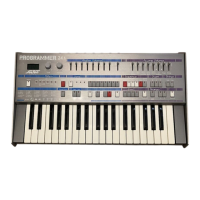
F2) GM PAGE: (Figure 2) This mode allows to access
to 16 parts of General Midi by only pressing the
corresponding multi-tab. If you use a midi file, this
mode is useful to fast access to all parameters of the
various tracks of the midi file.
For example you can change the program change of
the bass and the drums inside a midi file, by pressing
the multi-tab of the track and modify the parameters as
explained in Song Play Chapter.
F3) ARAB. SCALE: (Figure 3) By pressing multi-tab 1 to
12 you can set the alterations on the 12 notes of the
musical scale. When the LED is lit, the note of the
multi-tab is altered, when the LED is off, the note has
no alterations.
You can quickly restore the ordinary scale by pressing
the multi-tab 16 (RESET).
The amount of hundredths of a semitone about the
alteration for each individual note can be set from the
ARABIC SCALE menu on the MENU -> Keyboard
control -> Arabic page.
Figure 1
Figure 2
Figure 3



 To Next Page