SD5
79
DISK
The SD5 can be supplied with a Hard Disk and has a standard Disk drive for Floppy
Disks of 720 Kb (DD) or 1,4 MB (HD). The SD5 uses the DOS format for the Floppy,
therefore the same floppy disk can be used to exchange files from PC or Mac. The
direct connection to a PC on the back of the control panel is used to directly con-
trol the contents of the Hard Disk via PC, by means of KetronFT, a free application
that can be downloaded from the www
.ketron.it internet pages.
HOW IT WORKS AND HOW THE FILES OF THE HARD DISK ARE MANAGED
Likewise for any computer Hard Disk, the SD5 offers the possibility to create folders and to copy, rename and cancel compatible files. The Hard
Disk can store up to a maximum of 99 Folder (or files) each of which may include any type of file for a maximum of 999 files. The files are
displayed in alphabetical order and they are attributed a progressive number according to the time order in which they are created, which will
be required in some cases to load the file directly by entering the number using the numeric keypad (
SSTTYYLLEESS
push buttons) or to call-up a Folder.
GENERAL RULES
●
All the functions relative to the hard disk and to the floppy disk can be accessed by pressing the DISK push button.
●
Press this push button to use the Hard disk:
HHAARRDD ((PPAAGGEE --))
●
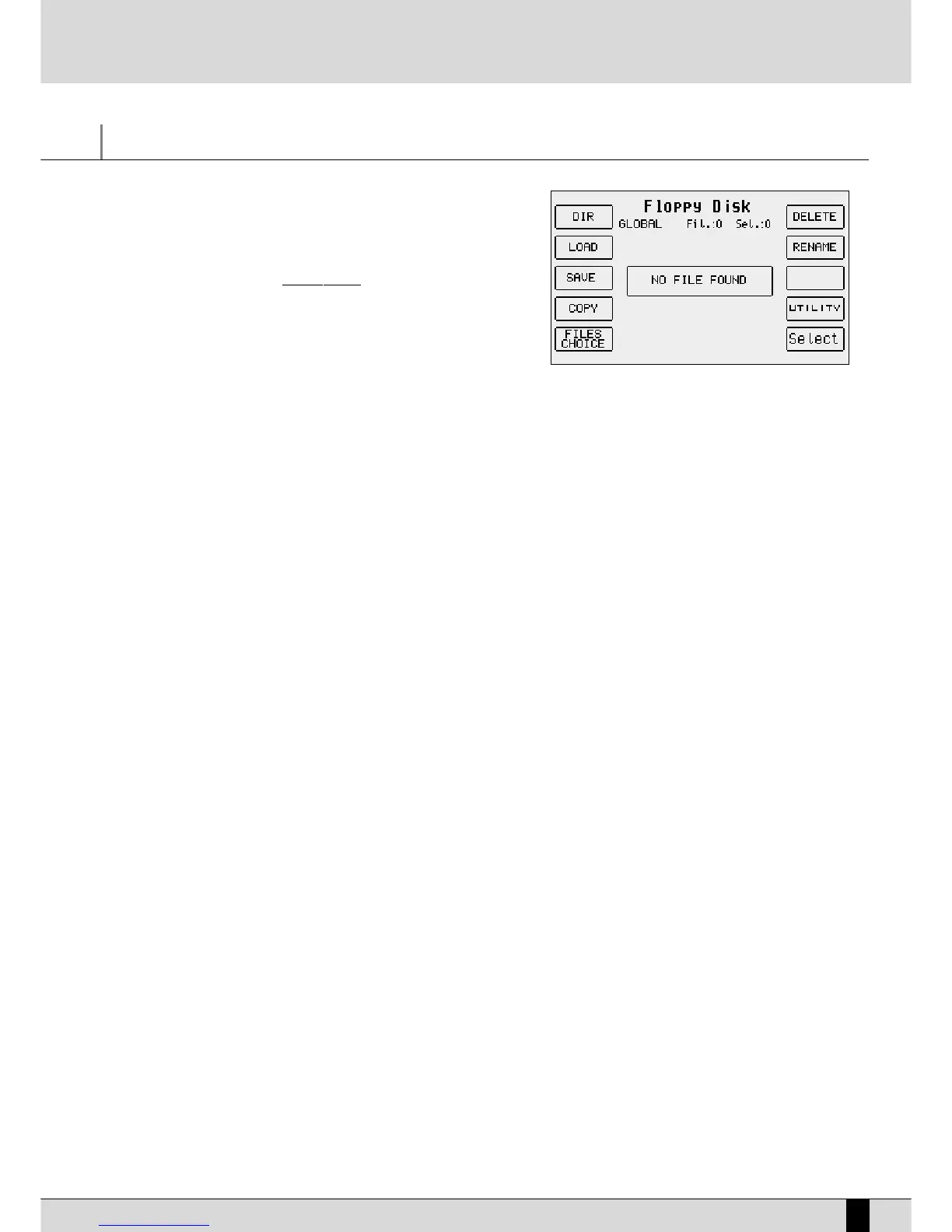
Press this push button to use the Floppy disk: FLOPPY
((PPAAGGEE ++))
●
To exit from the Disk menus press the
DDIISSKK
or the
EEXXIITT
push button.
The
DDiisskk
page shows the files or the folders according to the function selected in the middle of the display. Next to the type of disk in use (Hard
or Floppy) you will see the number and the name of the folder selected at the time between brackets. Underneath you will also see the number
of elements whether they be files or folders.
HOW TO MOVE AROUND AMONG FILES
The files within a folder are to be managed as follows:
●
The files are put in alphabetical order in the middle of the display. To scroll the list of files use the
DDAATTAA CCUURRSSOORR ((UUpp aanndd DDoowwnn))
push buttons.
●
To select a file to load into memory, copy, cancel or rename it press the
FF1100 SSeelleecctt
function push button.
●
To select following pages of files, pointed out by arrows, press the
DDAATTAA CCUURRSSOORR ((LLeefftt aanndd RRiigghhtt))
push buttons.
●
To load a file after having selected it using
FF1100 SSeelleecctt
press the
FF22 LLooaadd
function push button
●
To copy a file selected from Hard Disk to Floppy and vice versa, press the
FF44 CCooppyy
function push button.
●
To erase a file selected for good, press the
FF66 DDeelleettee
function push button.
●
To rename a file selected press the
FF77 RReennaammee
function push button.
The Folders are selected only by entering the relative number using the numeric keypad (
SSTTYYLLEESS
push buttons).
If you wish to convert a .KAR Midifile into a .MID Midifile, after having terminated the selection, press
FF33 CCoonnvveerrtt
.
THE DISK FUNCTIONS FOR THE HARD DISK
The SD5 offers some functions used to simplify the loading procedure: It can show the whole contents of a single Folder, find just one type of
file to be shown on the display when many different types of files are stored, select one or a number of files. The SD5 cannot display the whole
contents of the Hard Disk by grouping the files and Folders together but only the contents of one Folder at a time.
F1 Dir: This is used to show the whole contents of the Folder in use on the display, no matter which type of file is involved. When Global
appears on the display it means that all the files are displayed.
F2 Load: This is used to load the file found at the time in the appropriate memory if no file is selected using F10 Select. If on the other
hand one or a number of files have already been selected using
FF1100 SSeelleecctt
, only those pointed out with the '>' symbol will be
loaded. Another very handy possibility for the Folder with just a few files is that of selecting the whole contents by pressing the
DDAATTAA CCUURRSSOORR
push buttons together at the same time.
F3 Save: This calls up a page from which the type of file to be saved on the disk and on the Folder selected can be chosen. The page
DISK



 To Next Page