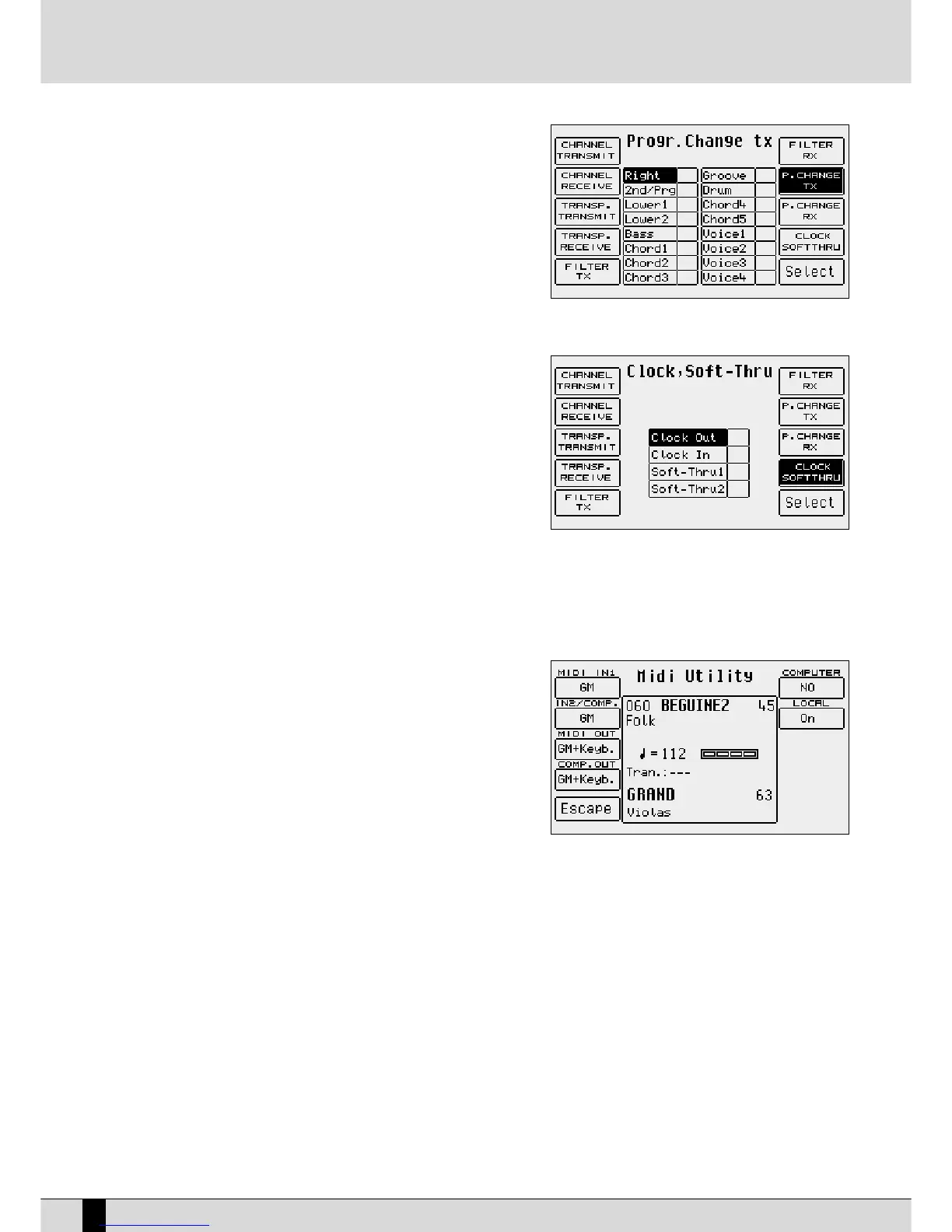
Program Change message associated with the
Voice in use is also to be transmitted to MIDI Out.
The transmission function is enabled or disabled
using the
FF1100 SSeelleecctt
push button. The
22nndd//PPrroogg
section refers to the Second Voice and to the
Program memory, processed as a Single Voice. The
Voice sections 1, 2, 3 and 4 refer to the single
Voices of a Program.
F8 Program Change Rx: The same as
FF77 PPrrooggrraamm CChhaannggee TTXX
, but dedicated
to the Program Changes received on MIDI In 2 (Keyboard).
F9 Clock SoftThru:
The SD5 can receive and transmit the MIDI Clock
that is used to synchronise the Arranger,
SSoonngg PPllaayy
and the Sequencer with other external units. The
function of the
SSTTAARRTT
push button depends on
these settings. The parameters available are selec-
ted using the
DDAATTAA CCUURRSSOORR
push buttons and are
enabled using
FF1100 SSeelleecctt
. They are:
Clock Out: When this function is enabled,
the SD5 sends the MIDI Clock to MIDI Out
and therefore it can control the tempo
values during reproduction in external
sequencers.
CClloocckk IInn::
When enabled, the reproduction
controls of the SD5 (including tempo) depend on MIDI Clock inputs received on MIDI In and not on the
push buttons on the control panel.
SSoofftt TThhrruu 11::
When enabled, the MIDI Clock received on MIDI In 1 GM is sent back to MIDI Out.
SSoofftt TThhrruu 22
: When enabled the MIDI Clock received on MIDI In 2 Keyboard is sent back to MIDI Out
F10 Utility: This is the only menu that is to be called up from
the initial page of the MIDI menu and is used to
access some settings dedicated to the MIDI ports.
The parameters (whose values of are called up by
pressing the relative function push button repea-
tedly) are:
F1 MIDI In 1: This is used to modify the ini-
tial setting of the MIDI port from GM to
Keyboard.
FF22 MMIIDDII IInn22//CCoommppuutteerr
: The same as
FF11 MMIIDDII
IInn 11
. The setting also establishes the type
of MIDI input used by the Interface
Computer.
FF33 MMIIDDII OOuutt
: This establishes which group of MIDI channels will be sent to MIDI Out.
FF44 CCoommppuutteerr OOuutt
: This establishes which group of MIDI channels will be sent to the Computer Interface.
FF55 EEssccaappee
: This returns to the initial page of the MIDI menu.
FF66 CCoommppuutteerr
: This selects the type of computer to which the SD5 is connected.
FF77 LLooccaall OOnn//OOffff
: This is a MIDI condition for which, when set as
OOffff
, all the SD5 sections are no longer
controlled by the keyboard but only by the MIDI In input.
CALLING UP THE PROGRAMS, THE ONE TOUCH MEMORIES AND THE REGISTRATIONS VIA MIDI
Program: Send the relative Program Change to the MIDI channel associated to the Right section. To assure good reception, before you send the
Program Change, ensure that the
PPRROOGGRRAAMM
push button is enabled (LED lit).
One Touch: send the relative Program Change on the MIDI channel associated to the Right section. To assure good reception, before you send
the Program Change, ensure that the
11 TTOOUUCCHH
push button is enabled (LED lit).
Registration: Send the relative Program Change on the MIDI channel associated to the Registrations. The status of the
RREEGGIISSTTRRAATTIIOONN
push but-
ton is not important.
SD5
78
MIDI



 To Next Page