EasyManua.ls Logo

Keurig Vue V600 - User Manual

Keurig Vue V600
15 pages
Print Icon
To Next Page IconTo Next Page
Loading...
Keurig
®
Vue
®
V600 Brewer
Use & Care Guide
Question and Answer IconNeed help?

Do you have a question about the Keurig Vue V600 and is the answer not in the manual?

Summary

Important Safeguards

General Safety Precautions

Essential safety instructions for operating the brewer to prevent hazards and ensure safe use.

Specific Safety Warnings

Covers short cord safety, chemical warnings, and operational precautions for safe use.

Brewer Overview

Key Brewer Components

Identifies and labels the main external parts of the Keurig ® Vue ® brewer.

Compatibility Note

Clarifies that the Keurig ® Vue ® brewer is not compatible with K-Cup ® packs.

Preparing Your Brewer

Initial Setup Steps

Guides through initial setup, including removing tape, filling the reservoir, and initial power-on.

First Brew Preparation

Instructs on performing the initial 8 oz. hot water dispense for first-time use.

Brewing Coffee, Tea, and Hot Cocoa

Choosing Vue Packs and Sizes

Steps for selecting Vue ® Packs and beverage size for coffee, tea, or hot cocoa.

Brewing Process and Handling

Details on initiating the brew, enjoying the beverage, and hot pack handling.

Adjusting for Mug Size

Guidance on adjusting the drip tray for smaller or travel mugs.

Brewing Specialty Beverages

Brewing Café Beverages

Step-by-step guide for brewing café beverages requiring two Vue ® Packs.

Brewing Over Ice

Instructions for brewing iced beverages with specific cup and pack selection.

Brewing Utilities

Dispensing Hot Water

Instructions for dispensing hot water without a Vue ® pack for cooking.

Stopping the Brewing Process

Procedure to stop the brewing process by pressing the Power Button.

Water Reservoir Management

Adding Water Indicator

Describes the touchscreen and light indicators when water supply is low.

Water Reservoir Filling Methods

Provides two methods for refilling the Water Reservoir: direct pour or removal.

Low Water During Brewing

Explains how the brewer pauses if water is low during large size brews.

Setting Time and Temperature

Accessing Settings Menu

Steps to access the brewer's settings menu via the touchscreen.

Setting the Clock

Instructions for setting the brewer's clock using the menu and + / - buttons.

Programming Auto Off Feature

How to program the brewer to automatically turn off after a set period of inactivity.

Programming Brewer Times

Setting the On Time

Procedure to program the brewer to turn on automatically at a specific time.

Setting the Off Time

Procedure to program the brewer to turn off automatically at a specific time.

Brew Temperature and Presets

Setting the Brew Temperature

Instructions to adjust the brewing temperature in 1-degree increments.

Viewing and Resetting Presets

How to review current settings and re-set options via the menu.

Brewer Cleaning and Maintenance

External and Internal Cleaning

Guides for cleaning external parts, brew head, and water reservoir.

De-Scaling and Rinsing Procedure

Steps for removing mineral deposits and rinsing the brewer.

Recycling Vue Pack Components

Plastic Cup Recycling

Guidance on recycling the Vue ® pack plastic cup and checking local regulations.

Component Separation

Steps to separate the lid, filter, and cup after brewing.

Troubleshooting Common Issues

Power and Brewing Problems

Solutions for brewer not powering on, not brewing, or brewing partial cups.

Operational and Display Issues

Addresses automatic shut off, flashing water light, and missing time display.

Warranty and Service Information

Limited One Year Warranty

Details of the one-year limited warranty covering defects in materials and workmanship.

Warranty Exclusions and Limitations

Specifies what is NOT covered by the limited warranty, including consequential damages.

Obtaining Warranty Service

Instructions on how to contact Keurig Customer Service for warranty claims.

Overview

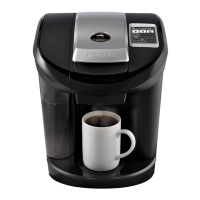
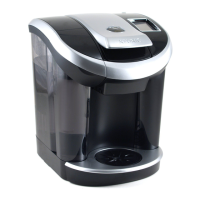
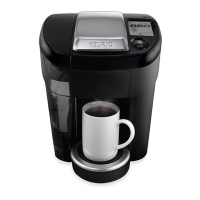
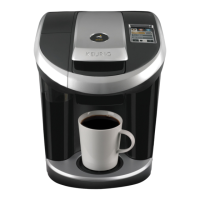
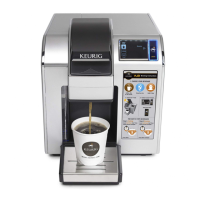
The Keurig Vue V600 Brewer is a single-serve coffee maker designed for household use, offering a personalized brewing experience with its Custom Brew Technology. This brewer allows users to control various aspects of their beverage, including strength, size, and temperature, to suit individual preferences. It is specifically designed for use with Keurig Vue packs and is not compatible with K-Cup packs.

Function Description:

The primary function of the Keurig Vue V600 Brewer is to brew a variety of hot and iced beverages, including coffee, tea, hot cocoa, and café-style drinks. The brewer features a touchscreen interface that guides users through the brewing process, displaying options for beverage type, strength, and size.

For standard coffee, tea, hot cocoa, and hot apple cider, users select a Vue pack with the "Coffee & Tea" icon, insert it into the brew head, and then choose their desired strength (regular or strong for coffee) and beverage size (ranging from 4-18 oz. for coffee, 6-12 oz. for tea/other, and 6-10 oz. for hot cocoa). The brewer then dispenses the hot beverage into the mug placed on the drip tray.

For café beverages, the process involves two steps, utilizing two different Vue packs. Users first select a Vue pack with the "Café" icon for Step 1, which prepares froth. After the froth is prepared, this pack is removed, and a second Vue pack for Step 2 is inserted. The touchscreen then displays options for coffee-based or tea-based café beverages, allowing users to select their preferred size, which is added to the existing froth.

The brewer also supports brewing over ice. For this, users fill a 16 oz. plastic cup with ice (glass cups are not recommended), insert a Vue pack with the "Brew Over Ice" icon, and select their desired beverage type and size (6-10 oz. for iced coffee/tea, 6-8 oz. for iced café).

Beyond brewing, the Keurig Vue V600 can dispense hot water for other uses, such as instant soup or oatmeal. This is achieved by lifting and lowering the handle without inserting a Vue pack, then selecting "Coffee" (without "Strong" option) and the desired cup size.

Usage Features:

The Keurig Vue V600 Brewer is designed for ease of use with several features enhancing the user experience:

  • Touchscreen Interface: A central touchscreen displays all available menu selections, including brew status, beverage categories, strength selection, and beverage size. It provides clear visual cues and prompts throughout the brewing process.
  • Adjustable Drip Tray Plate: The drip tray plate can be adjusted to accommodate different mug sizes, including smaller cups and travel mugs. For larger travel mugs, the entire drip tray can be removed.
  • Power Button: The brewer is turned on and off using a dedicated power button.
  • Handle: The handle is used to open and close the brew head, securing the Vue pack in place for brewing. It should not be lifted while brewing is in progress due to the presence of extremely hot water.
  • Water Reservoir: The water reservoir is easily accessible for refilling. The brewer indicates when the water level is low with an "Add Water" message on the touchscreen and a flashing light. Users can either pour water directly into the reservoir with the lid removed or detach the reservoir for filling.
  • Programmable Settings: The brewer allows users to set the current time and program "Auto Off" and "On Time" features. The "Auto Off" feature conserves energy by automatically turning off the brewer after a set period of inactivity. The "On Time" feature allows users to program the brewer to turn on at a specific time each morning, reducing wait time for the first brew.
  • Brew Temperature Adjustment: The brew temperature can be adjusted within a specific range (187°F – 197°F) in 1-degree increments, which can be useful at high altitudes to prevent boiling.
  • Cleansing Brew: The brewer recommends performing a cleansing brew after using certain Vue pack varieties (like hot cocoa or café beverages) to prevent residual taste or additional water dispensing in subsequent brews. This involves using an empty Vue pack cup to dispense hot water.
  • Stopping Brewing Process: The brewing process can be stopped at any time by pressing and releasing the power button, which will shut off the brewer and halt beverage flow.

Maintenance Features:

Regular maintenance is crucial for the optimal performance and longevity of the Keurig Vue V600 Brewer:

  • Cleaning External Parts: The external parts of the brewer, including the housing, should be cleaned one to two times per month with a soapy, damp, non-abrasive cloth. The brewer should never be immersed in water or other liquids.
  • Cleaning the Drip Tray: The drip tray and adjustable drip tray plate should be periodically inspected and rinsed clean. The drip tray can accumulate up to 13 oz. of overflow and should be slid forward to remove, keeping it level to avoid spilling. These parts should be cleaned with a soapy, damp, non-abrasive cloth and are not dishwasher safe.
  • Cleaning the Brew Head: The brew head can be removed for thorough cleaning. Users lift the handle, grip and press buttons on both sides of the brew head to tilt it down, and then pull it toward them to remove. It should be cleaned with a soapy, damp, non-abrasive cloth and rinsed thoroughly. The brew head is not dishwasher safe. After cleaning, it should be slid gently back into place until a click is heard.
  • Cleaning the Water Reservoir and Lid: The water reservoir and its lid should not be placed in the dishwasher. They should be cleaned with a soapy, damp, non-abrasive cloth and rinsed thoroughly. It's important not to dry the inside of the reservoir with a cloth, as lint may remain. The reservoir must be rinsed thoroughly after cleaning to ensure no cleaning solutions contaminate the water supply.
  • De-Scaling: To prevent calcium deposits (scale) from hindering brewer performance, de-scaling should be performed every three to six months, or more often if deposits build up faster. The de-scaling process involves using at least 48 oz. of undiluted white vinegar. The water reservoir is emptied, and "Auto Off" and "On/Off Time" settings are disabled. Vinegar is poured into the reservoir, and 8 oz. of hot vinegar is dispensed into a mug using an empty Vue pack cup. This process is repeated until "Add Water" is indicated. The brewer is then left to stand for at least 4 hours while still on. After this, the remaining vinegar is discarded, the reservoir is rinsed, and the empty Vue pack cup is removed.
  • Rinsing After De-Scaling: After de-scaling, the water reservoir should be filled with fresh water, and cleansing brews should be run until "Add Water" is indicated to ensure no residual vinegar taste. Additional cleansing brews may be needed if any taste persists.

The Keurig Vue V600 Brewer is a versatile and user-friendly appliance designed to provide a customized beverage experience with straightforward operation and maintenance routines.

Keurig Vue V600 Specifications

General IconGeneral
ModelVue V600
Product TypeCoffee Maker
TypeSingle Serve
ColorBlack
Brew TimeUnder 1 minute
ProgrammableYes
Adjustable Brew StrengthYes
Adjustable TemperatureYes
Display TypeLCD
Voltage120V
Power1500W
Auto OffYes
Removable Drip TrayYes
Brew Sizes6, 8, 10, 12 oz
Warranty1 year limited

Related product manuals