12
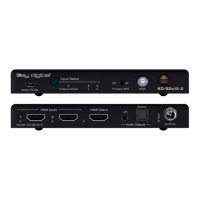
Forced HPD Troubleshooting Tool
» When ON, Hot Plug Detection voltage is fixed on to the connected display
» Standard HPD behavior when set to OFF position
Auto Sensing
» ON » Unit will automatically select a newly detected active source. If current source is disconnected
or becomes inactive, auto sensing will sequentially advance to an active input/source
» OFF » Unit is in normal mode and regular switching functionality will occur
» IF Auto sensing has been set via any method other than the front toggle switch,
it will be
automatically disabled when the KD-Pro2x1X/4x1X is manually controlled by the front panel button, IR,
RS-232, TCP/IP, or USB control. If fixed Auto Sensing is required, please set via the front toggle switch
IR Sensor
» Used to collect line-of-sight IR from remote control
» Receives signals from a 90° angle at up to 30ft away.
» Mount an IR emitter from Compass Control Pro or to control by another professional control system


 To Next Page