5
3
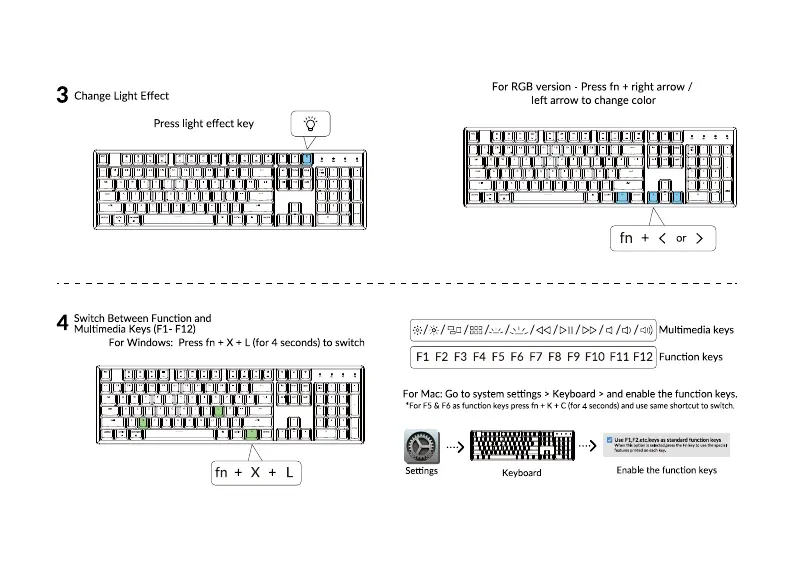
ChangeLight Effect
Presslight effect key
witch Between Function and
Multimedia Keys (Fl F12)
For Windows: Press fn + X + L (for 4 seconds) to switch
me ea
For RGBversion Pressfn + right arrow /
left arrow to changecolor
fn + <
or >
/ggg / 4)) Mu timedia keys
Fl F2 F3 F4 F5 F6 F7 F8 F9 FIO Fli F12 Function keys
For Mac: Go to system settings > Keyboard > and enable the function keys.
•For F5 F6asfunction keys pressfn K C (for 4 seconds)amduse sameshortcutto switch.
Settings
Keyboard
Enable the function keys
5



 To Next Page