6
Quick Start Guide
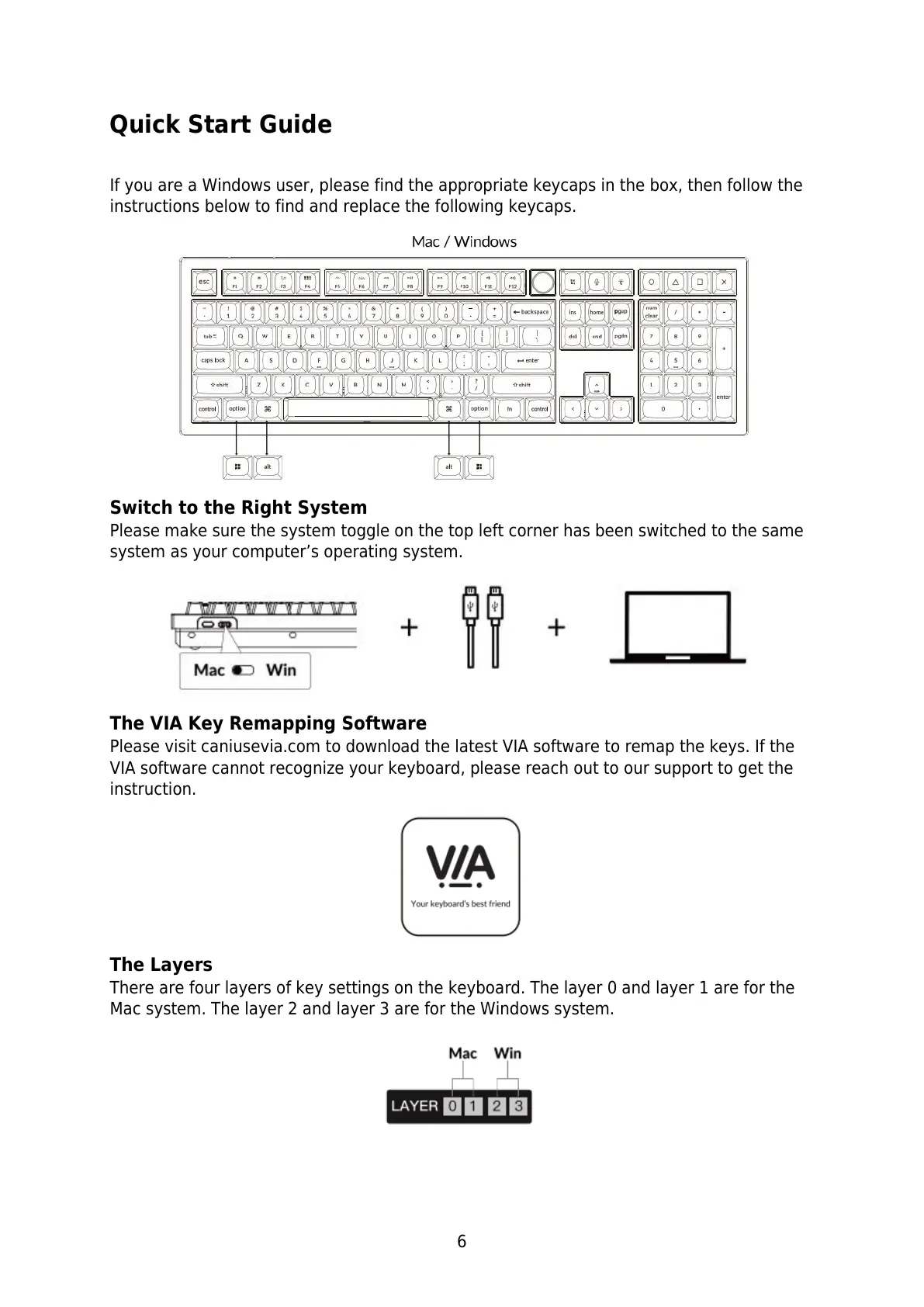
If you are a Windows user, please find the appropriate keycaps in the box, then follow the
instructions below to find and replace the following keycaps.
Switch to the Right System
Please make sure the system toggle on the top left corner has been switched to the same
system as your computer’s operating system.
The VIA Key Remapping Software
Please visit caniusevia.com to download the latest VIA software to remap the keys. If the
VIA software cannot recognize your keyboard, please reach out to our support to get the
instruction.
The Layers
There are four layers of key settings on the keyboard. The layer 0 and layer 1 are for the
Mac system. The layer 2 and layer 3 are for the Windows system.


 To Next Page