Zhejiang Chaoji Electric Tech.Co.,Ltd
浙江超级电气科技有限公司
Zhejiang Chaoji Electric Technology Co.,Ltd
* For safety reasons, display can’t get into MENU when riding.
* Display will quit MENU when start riding.
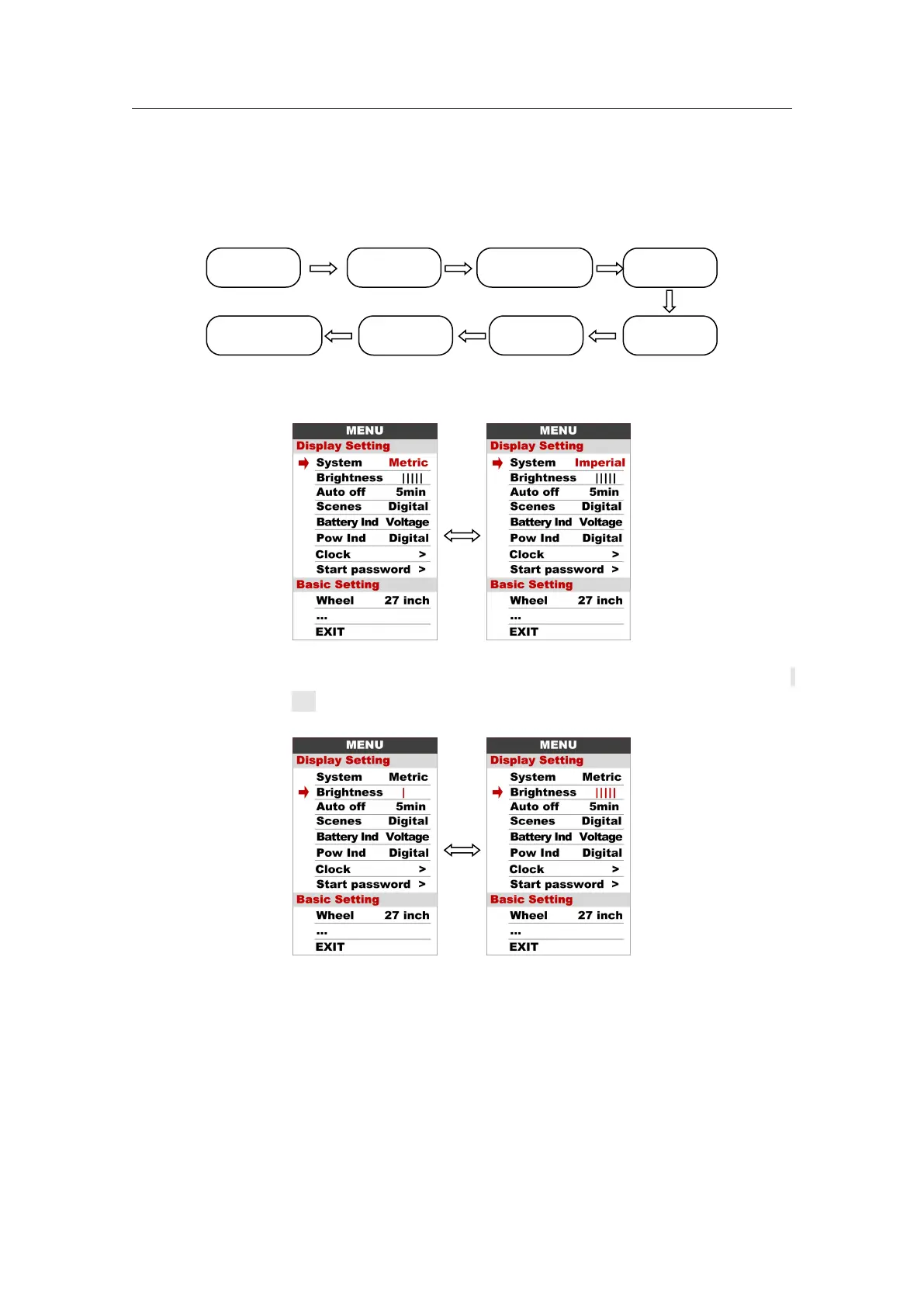
The order of parameters are as follow.
8.1 System : Press Up / Down button to switch between Metric / Imperial.
8.2 Brightness : Press Up / Down button to change the brightness of the backlight,
is darkness, is brightness
8.3 Auto off : Press UP/DOWN button to change the auto power off time, from 1 to 9,
the number represent time (minutes) to shutdown, default value is 5 minutes.



 To Next Page