Zhejiang Chaoji Electric Tech.Co.,Ltd
浙江超级电气科技有限公司
Zhejiang Chaoji Electric Technology Co.,Ltd
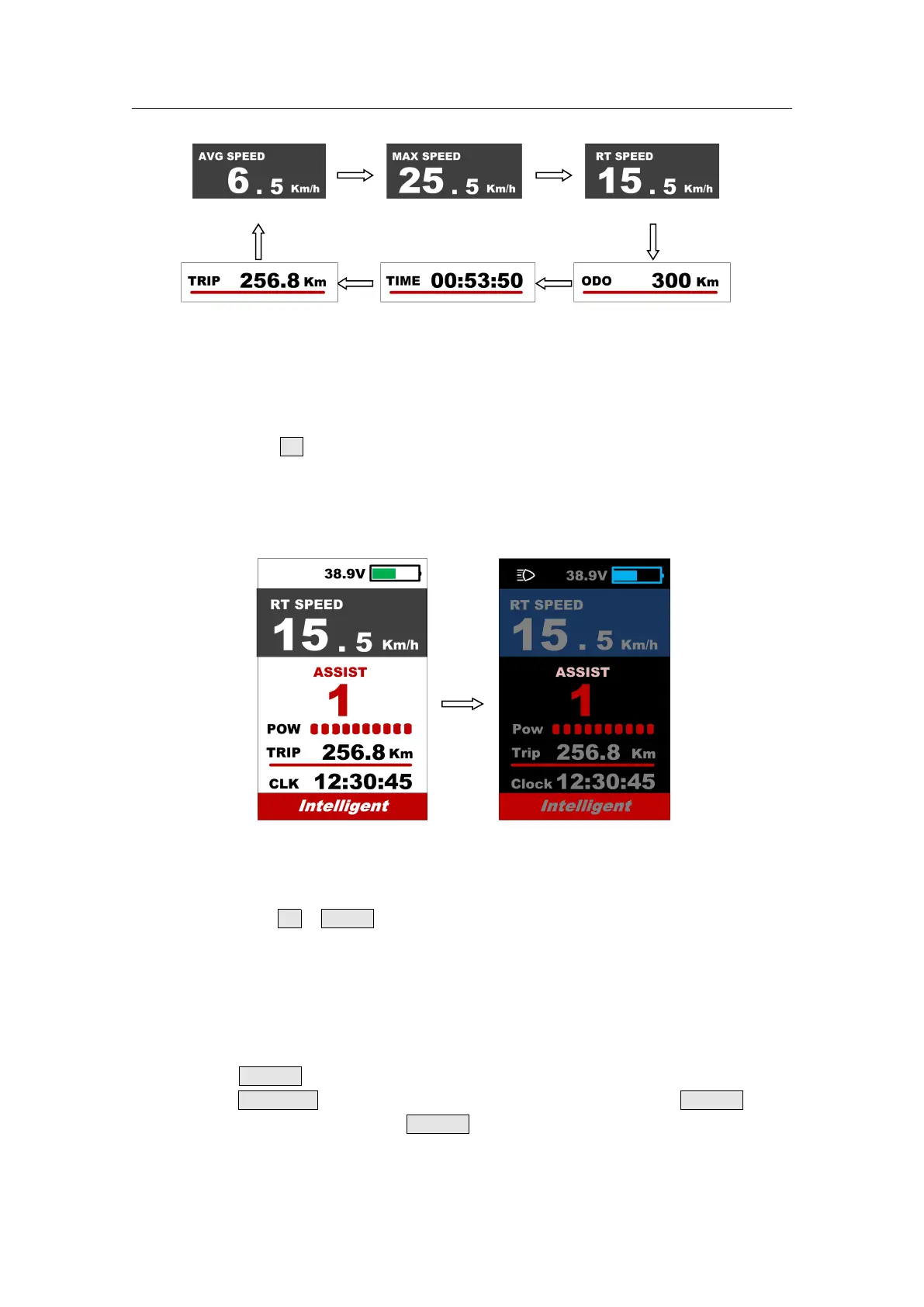
**If there is no operation for 5 seconds, display will return Speed (Real-Time) display automatically.
7.4 Headlight/backlight On/Off
Press and hold UP button for 1 second can turn on/off the headlight, and the scree will
switch to the corresponding mode.
*The motor does not work when the battery voltage is low, Display still can keep the headlight on for a
while when E-bike is in riding.
Daytime mode night mode
Press and hold UP & DOWN buttons together for 1 second can reset several temporary
data, temporary data include AVG Speed / MAX Speed / Trip / Time.
* These temporary data can’t be erased by power off.
Double press POWER button (press interval less than 0.3 second) can get into setting
menus, press UP/DOWN buttons to change the parameter setting, press POWER button
can switch to next item. Double press POWER button will exit from menu.
* Display will automatically quit menu when there is no operation for 30 seconds.



 To Next Page