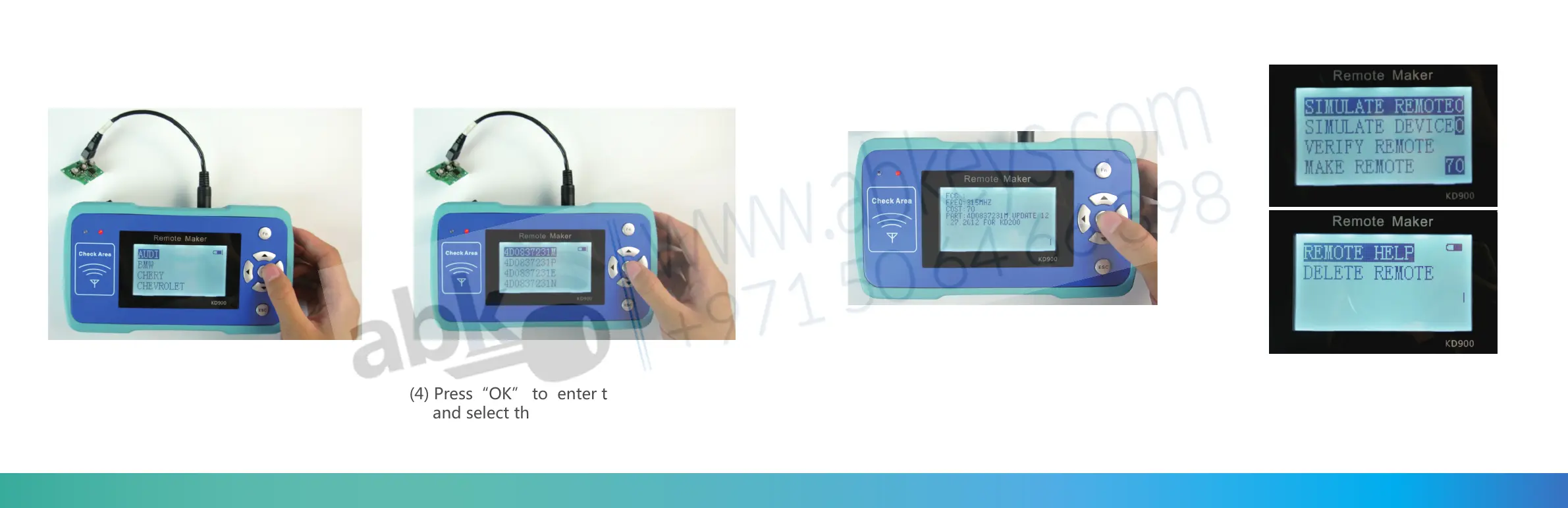
(3) Press “OK” to the car brand list ,
choose the car brand you need.
(4) Press“OK” to enter the car remote list,
and select the remote you want to make
(5) Press”OK”to check the remote information,
you can check the frequency and cost on the
screen and also the remote detail.
(6) Press OK to enter the remote make
screen , there are 6 selections on the
screen.
26 27


 To Next Page