3.Smart Match(Developing):
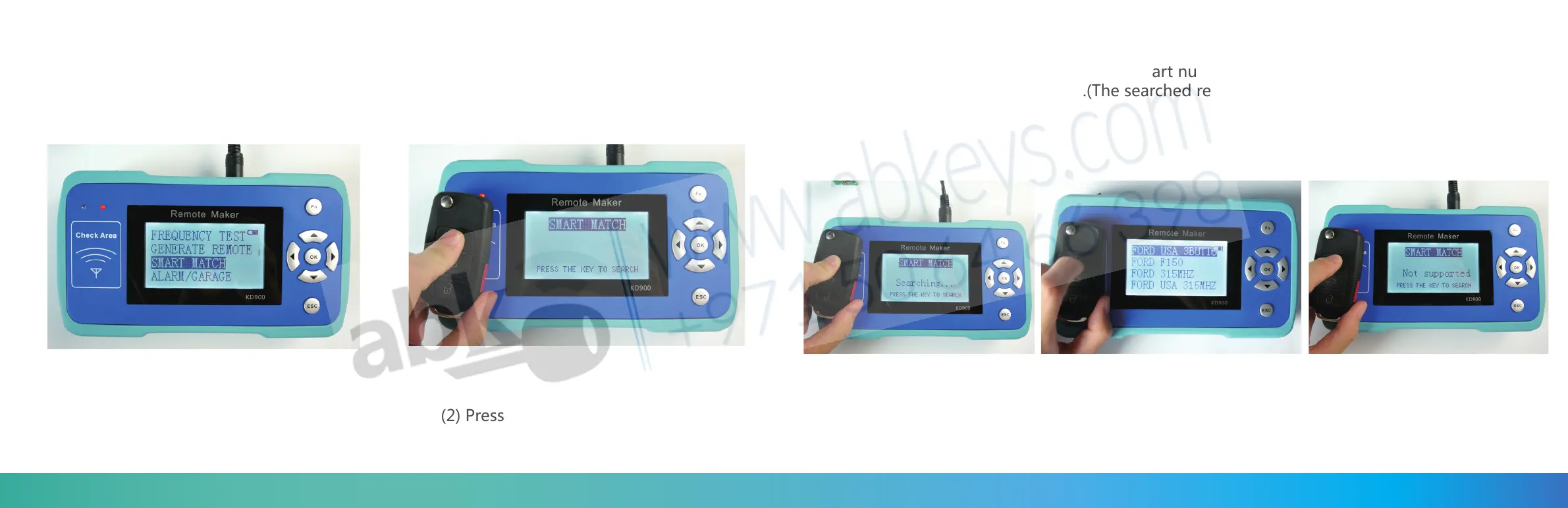
(1) Choose the “SMART MATCH”
on the main menu
(2) Press “OK” to start the function
Put the remote on Check Area.
(3) Press any button of the remote, the machine will search the remote for you. If successful
the screen will show the corresponding part number for your choose , if cannot find the
screen will show Not Supported.(The searched result is not 100% correct, it's only for
reference.)
(Please note: only support ASK modulation modes at present.)
36 37


 To Next Page