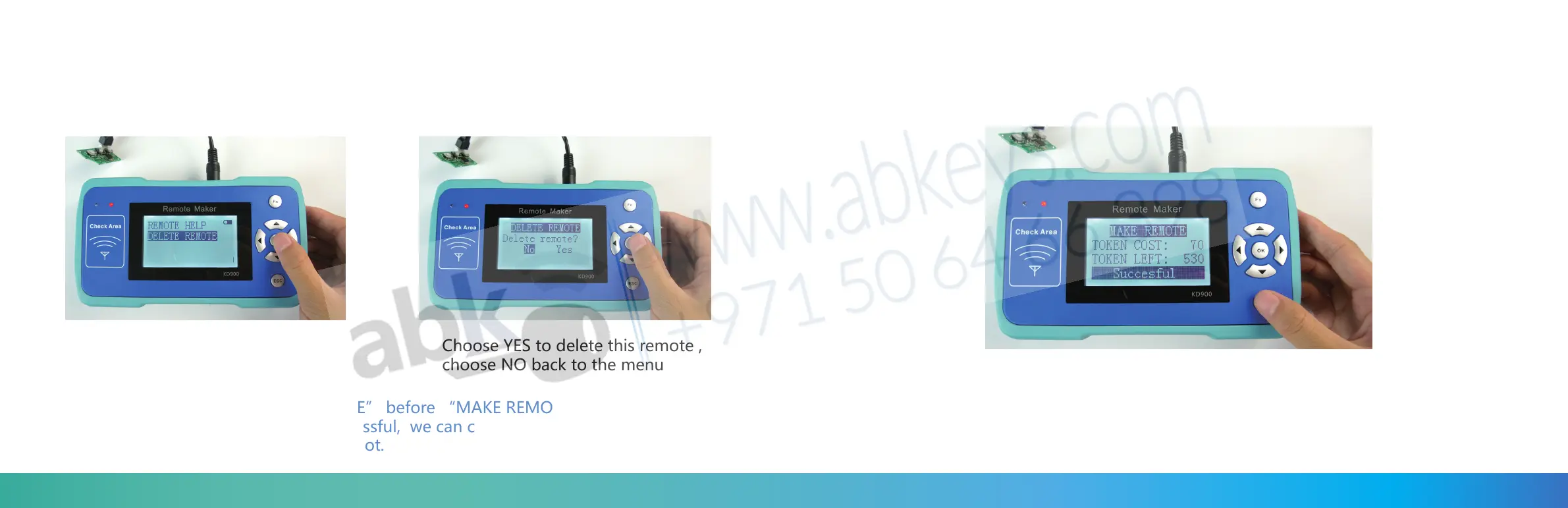
DELETE REMOTE – to delete the remote from machine , if you do not need or do not want to
find this remote in the machine you can delete it , but when you update on line ,it will come
back to the machine.
Press OK
Choose YES to delete this remote ,
choose NO back to the menu
We strongly suggest “SIMULATE REMOTE” before “MAKE REMOTE” . Select “SIMULATE
REMOTE”and press OK, then will be successful, we can check the simulated remote’s
frequency to see whether it works well or not.
(7) MAKE REMOTE
Choose “MAKE REMOTE” and press “OK” the screen will show Successful and how
many tokens will cost , and how many tokens left in the machine
34 35


 To Next Page