WARNING
08
1.When operating the dehumidifier, please do not set the humidity higher than ambient
humidity.
2.When indicating light illuminates, please pour the water out of the tank and put it back.
Then the product will resume working.
3.When the product shuts down, please wait at least 3 minutes before restarting the unit to
prevent damaging the compressor.
4.If the dehumidifier can’t start (the indicating light does not illuminate) or the dehumidifier
shuts down unreasonably, please make sure whether the plug is connected firmly to the
power supply. If the plug and power supply are in normal condition, please wait for 10
minutes before restarting the unit (because it takes 10 minutes to reposition). If the unit still
does not start after 10 minutes, please ask your local distributor service station to repair it.
5.When the dehumidifier is operating, it’s a normal situation that the working compressor
may cause some heat and bring the ambient temperature up.
6.When the product is defrosting, the related indicating light will illuminate. The compressor
stops while defrosting but the motor keeps running.
7.The unit shows the ambient humidity when it’s operating. If the ambient humidity is higher
than RH95%, the display shows “HI”; if the ambient humidity is lower than RH35%, the
display shows “LO”.
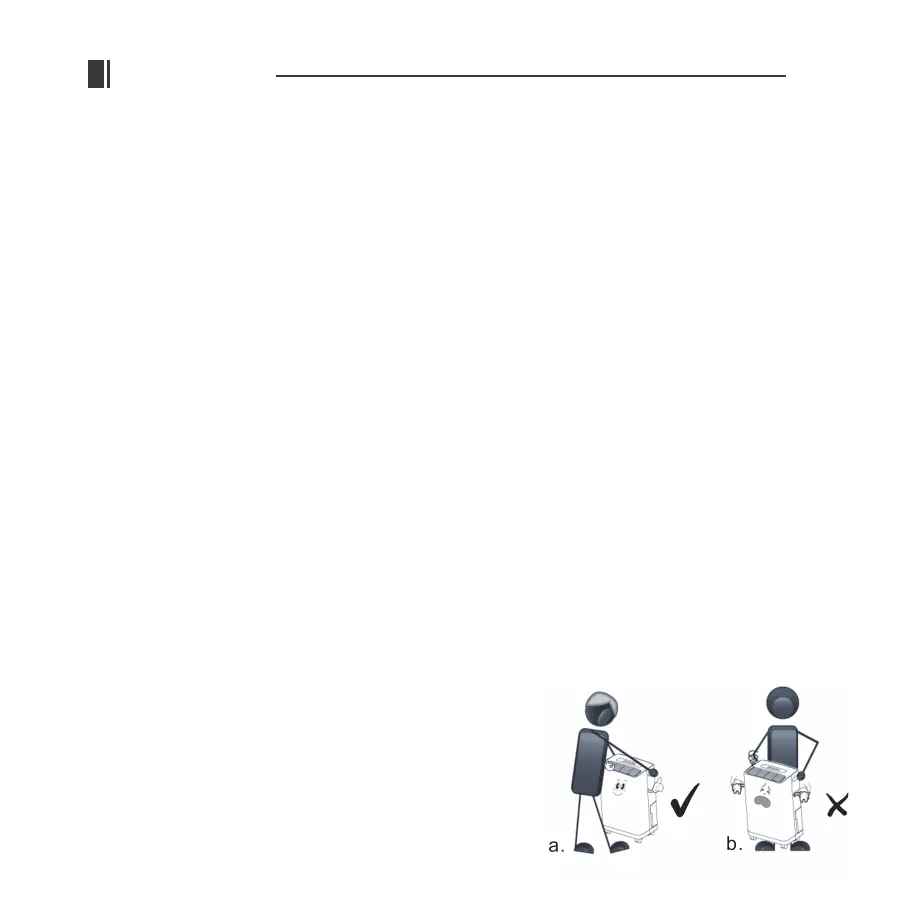
8.Please face the front of the unit to move the machine.
(as Fig a)


 To Next Page