Keysight B2900B Series
Precision Source/Measure Unit
Quick Reference
Preparing the Instrument for Use
To position the instrument:
1. Grab the handle by the sides and pull outward.
2. Rotate the handle.
3. Position the instrument.
To turn the instrument ON:
1. Connect the power cord from AC input connector to an AC power outlet at your site.
2. Press the line switch.
To set the power line cycle:
1. Press the More > System > PLC function keys.
2. Press the 50 Hz or 60 Hz key to specify the power line cycle at the site.
To connect the device under test (DUT), optional:
1. B2900 terminals use banana
jacks. Prepare test leads
that use banana plugs.
2. Connect the test leads as
shown in the figures.
For using 4-wire connection, set the Sensing Type to 4-WIRE on the Output Connection dialog box. With the
default setting, it is set to 2-WIRE.
The dialog box is opened by pressing the Config > Source > Connection function keys.
Latest Information
To get the latest firmware, software, manuals, and
support information, go to www.keysight.com.
You can then search them by product number.
2-wire connection
High Sense
High Force
Low Force
Low Sense
DUT
4-wire connection
High Force
Low Force
DUT
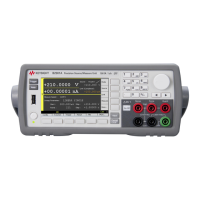
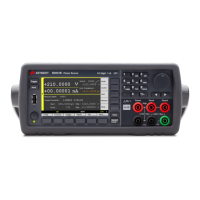
B2901BL/B2910BL
B2901B/B2902B
B2911B/B2912B

 Need help?
 General






 To Next Page