36 Keysight N2791A/N2891A High-Voltage Differential Probes User Guide
Offset Zero Calibration Procedure
Offset Zero Calibration Procedure
The N2791A/N2891A differential probe can be adjusted for zeroing out the
probe’s offset voltage using the trimmer tool supplied with the probe.
Follow this procedure to perform the offset zero calibration.
1 Connect the N2791A/N2891A probe to channel 1 of the scope. Turn on
the probe power. You may use the USB power code or batteries to
power the probe. Select the probe attenuation ratio to 10:1 (for
N2791A) or 100:1 (for N2891A).
2 Short the + and - probe inputs together with the hook tips.
3 Turn on power to the oscilloscope and the probe, and leave them on for
> 30 minutes so they can stabilize.
4Press [Default Setup] and [Auto Scale] on the oscilloscope.
5 Press the channel 1 button, then press the Probe softkey, and then set
the units to Volt and the probe attenuation to 10:1 (for N2791A) or
100:1 (for N2891A).
6 Set the scope to DC coupled mode and the scope offset to 0 Volt.
7 Set the oscilloscope to Averaging mode (x8 or higher) or
high-resolution mode to reduce oscilloscope noise.
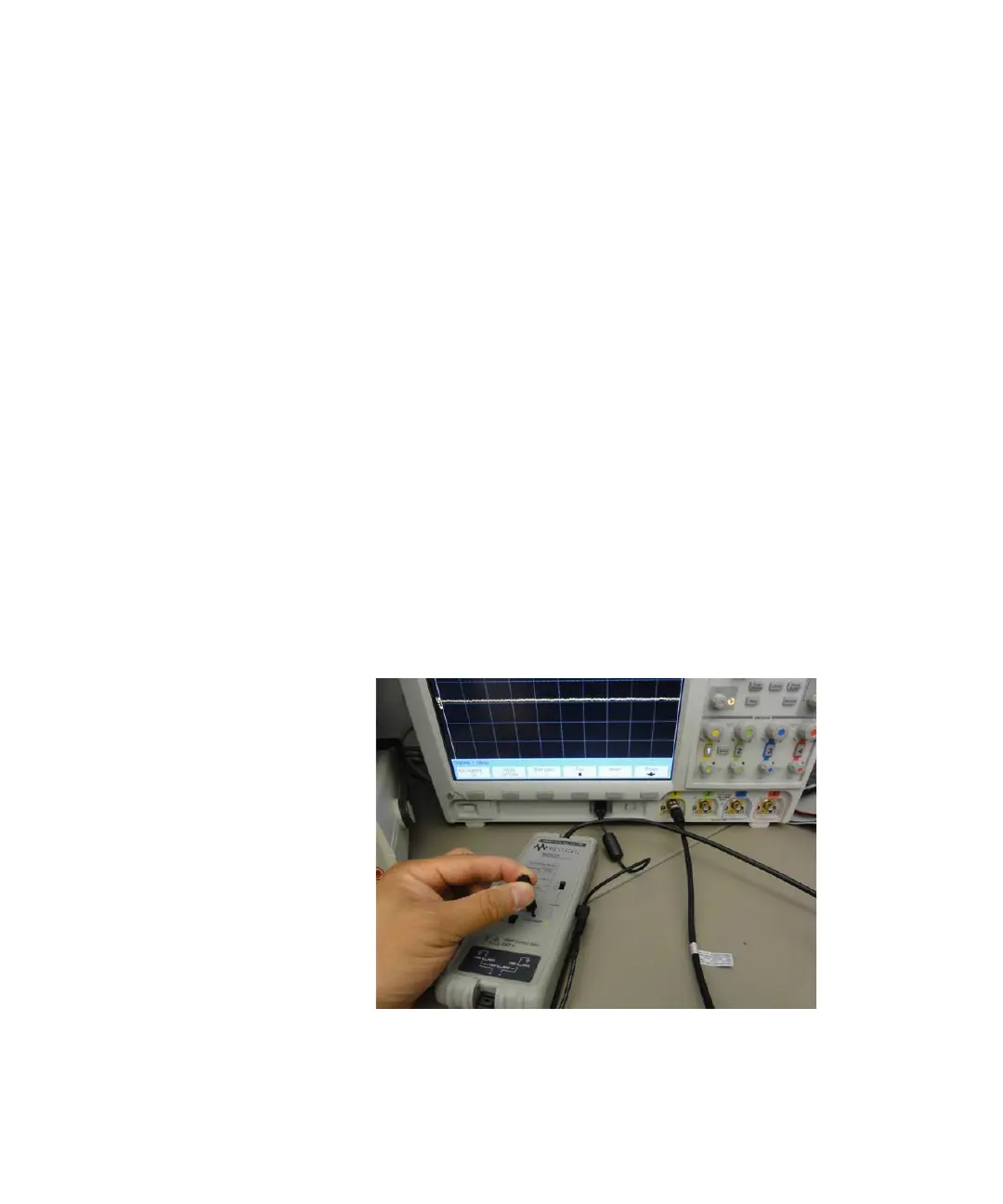
8 Using the trimmer tool that comes with the probe, adjust the probe
offset voltage to 0 volts
.


 To Next Page