EasyManua.ls Logo

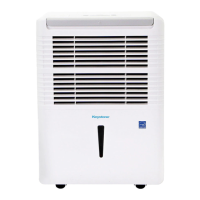
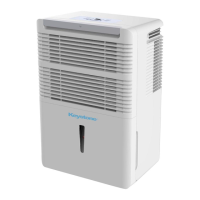
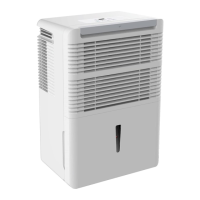
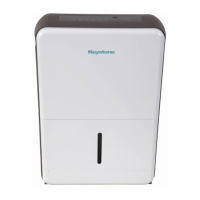
Keystone KSTAD354D - User Manual

Keystone KSTAD354D
30 pages
Print Icon
To Next Page IconTo Next Page
Loading...
Before operating this product, please read the
instructions carefully and save this manual for
future use.
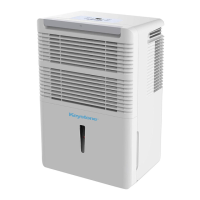
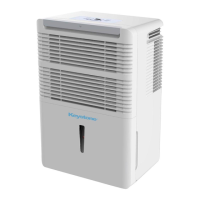
DEHUMIDIFIER
Model:
KSTAD354D
Question and Answer IconNeed help?

Do you have a question about the Keystone KSTAD354D and is the answer not in the manual?

Summary

SOCIABLE REMARK

Product Disposal Information

Information on proper product disposal, especially in European countries.

SAFETY PRECAUTIONS

General Safety Warnings

Essential safety warnings and cautions to prevent injury and damage.

Electrical Safety Information

Grounding and Power Cord Safety

Guidelines for safe electrical connection, grounding, and cord usage.

CONTROL PADS ON THE DEHUMIDIFIER

Control Panel Overview

Overview of the control panel buttons and indicator lights.

Operation Button Functions

Detailed functions of specific control buttons like Continue, Filter, Fan, Power, Timer.

Humidity and Timer Adjustment

Using Up/Down pads to set humidity levels and timer settings.

CONTROL PAD FEATURES

Display and Error Codes

Understanding the unit's display and troubleshooting error codes.

Additional Features Explained

Explanations of features like bucket full indicator, auto defrost, and filter check.

Timer and Auto-Restart Functions

How to program auto start/stop timer and auto-restart features.

IDENTIFICATION OF PARTS

Front Panel Components

Identification of parts on the front of the dehumidifier unit.

Rear Panel Components

Identification of parts on the rear of the dehumidifier unit.

Included Accessories

List and identification of accessories provided with the dehumidifier.

OPERATING THE UNIT

Positioning the Unit

Guidelines for optimal placement and environment for dehumidifier operation.

Initial Unit Operation

Instructions for first-time use, operating environment, and basic setup.

OPERATING THE UNIT - Water Removal

Removing Collected Water

Methods for emptying the water bucket and continuous draining setup.

CARE AND MAINTENANCE

Cleaning the Unit and Bucket

Instructions for cleaning the dehumidifier's exterior and water bucket.

Air Filter Maintenance

Procedure for cleaning and reinstalling the air filter.

Long-Term Storage Procedures

Steps for preparing and storing the dehumidifier when not in use.

TROUBLESHOOTING TIPS

Unit Power and Drying Issues

Diagnosing problems like unit not starting or poor drying performance.

Noise and Frost Troubleshooting

Addressing loud noises, coil frosting, and water leaks.

Display Error Code Resolution

Interpreting and resolving error codes (ES, AS, P2, EC) shown on the display.

PRODUCT WARRANTY DETAILS

Warranty Coverage and Period

Details on warranty periods and coverage for parts and labor.

Consumer Responsibilities and Exclusions

Lists consumer duties and situations not covered by the warranty.

Obtaining Service

Instructions on how to contact Midea for warranty service and support.

Summary

SOCIABLE REMARK

Product Disposal Information

Information on proper product disposal, especially in European countries.

SAFETY PRECAUTIONS

General Safety Warnings

Essential safety warnings and cautions to prevent injury and damage.

Electrical Safety Information

Grounding and Power Cord Safety

Guidelines for safe electrical connection, grounding, and cord usage.

CONTROL PADS ON THE DEHUMIDIFIER

Control Panel Overview

Overview of the control panel buttons and indicator lights.

Operation Button Functions

Detailed functions of specific control buttons like Continue, Filter, Fan, Power, Timer.

Humidity and Timer Adjustment

Using Up/Down pads to set humidity levels and timer settings.

CONTROL PAD FEATURES

Display and Error Codes

Understanding the unit's display and troubleshooting error codes.

Additional Features Explained

Explanations of features like bucket full indicator, auto defrost, and filter check.

Timer and Auto-Restart Functions

How to program auto start/stop timer and auto-restart features.

IDENTIFICATION OF PARTS

Front Panel Components

Identification of parts on the front of the dehumidifier unit.

Rear Panel Components

Identification of parts on the rear of the dehumidifier unit.

Included Accessories

List and identification of accessories provided with the dehumidifier.

OPERATING THE UNIT

Positioning the Unit

Guidelines for optimal placement and environment for dehumidifier operation.

Initial Unit Operation

Instructions for first-time use, operating environment, and basic setup.

OPERATING THE UNIT - Water Removal

Removing Collected Water

Methods for emptying the water bucket and continuous draining setup.

CARE AND MAINTENANCE

Cleaning the Unit and Bucket

Instructions for cleaning the dehumidifier's exterior and water bucket.

Air Filter Maintenance

Procedure for cleaning and reinstalling the air filter.

Long-Term Storage Procedures

Steps for preparing and storing the dehumidifier when not in use.

TROUBLESHOOTING TIPS

Unit Power and Drying Issues

Diagnosing problems like unit not starting or poor drying performance.

Noise and Frost Troubleshooting

Addressing loud noises, coil frosting, and water leaks.

Display Error Code Resolution

Interpreting and resolving error codes (ES, AS, P2, EC) shown on the display.

PRODUCT WARRANTY DETAILS

Warranty Coverage and Period

Details on warranty periods and coverage for parts and labor.

Consumer Responsibilities and Exclusions

Lists consumer duties and situations not covered by the warranty.

Obtaining Service

Instructions on how to contact Midea for warranty service and support.

Keystone KSTAD354D Specifications

General IconGeneral
ModelKSTAD354D
Dehumidification Capacity35 pints per day
Energy Star RatedYes
Noise Level51 dB
Auto RestartYes
Continuous Drain OptionYes
Operating Temperature41°F - 95°F
Power Supply115V / 60Hz

Related product manuals