EasyManua.ls Logo

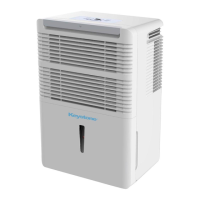
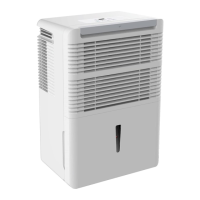
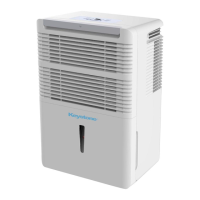
Keystone KSTAD706PB - User Manual

Keystone KSTAD706PB
33 pages
Print Icon
To Next Page IconTo Next Page
Loading...
Before operating this product, please read the
instructions carefully and save this manual for
future use.
DE
HU
M
IDIFIER
Model:
KSTAD706PB
Question and Answer IconNeed help?

Do you have a question about the Keystone KSTAD706PB and is the answer not in the manual?

Summary

Safety Precautions

Warning and Caution Symbols

Explains the meaning of warning and caution symbols used in the manual for user safety.

General Safety Guidelines

Provides essential safety rules for operating the dehumidifier, covering electrical and operational hazards.

Electrical Information

Control Panel Operations

Control Pad Overview

Details the various control pads on the dehumidifier, including Pump, Filter, Fan, Power, and Humidity/Timer settings.

Timer and Display Functions

Explains the timer settings, display indicators, and error codes for the dehumidifier's operation.

Other Operational Features

Describes additional features like bucket full indicator, auto shut-off, auto defrost, and auto-restart.

Detailed Timer Setting

Provides a step-by-step guide on how to set the auto start and auto stop timer functions.

Identification of Parts

Front and Rear Components

Illustrates and labels the various parts of the dehumidifier, including control panel, grilles, and outlets.

Included Accessories

Lists and shows the accessories provided with the dehumidifier, such as drain hoses and screws.

Operating the Unit

Unit Positioning Guidelines

Advises on the optimal placement of the dehumidifier for effective operation and safety.

Initial Unit Usage

Provides instructions for the first-time operation and general usage tips for the dehumidifier.

Removing Collected Water

Bucket Water Removal

Explains the procedure for removing water from the collection bucket, including indicator lights.

Continuous Draining Setup

Details how to set up continuous drainage using a drain hose and adaptor.

Pump Draining Operation

Pump Draining Procedure

Guides on using the pump to drain water to a floor drain or facility, including hose setup.

Pump Operation Troubleshooting

Addresses issues with pump operation, such as error lights, filter cleaning, and hose blockages.

Care and Maintenance

Cleaning the Grille and Case

Instructions for cleaning the exterior of the dehumidifier using mild detergent and water.

Cleaning the Water Bucket

Details on how to clean the collection bucket to prevent mold and bacteria growth.

Cleaning the Air Filter

Guidance on removing and cleaning the air filter regularly for optimal performance.

Long-Term Storage Preparation

Steps for preparing the unit for storage, including cleaning and proper storage conditions.

Troubleshooting Tips

Unit Not Starting Issues

Checks to perform if the dehumidifier does not start, including power and bucket position.

Poor Air Drying Performance

Troubleshooting steps for when the dehumidifier is not drying the air effectively.

Noise and Frost Issues

Addresses common problems like loud noises during operation and frost on coils.

Water Leaks and Error Codes

Solutions for water leaks and explanations for displayed error codes (ES, AS, P2, etc.).

Air Conditioner Warranty

Warranty Coverage Details

Outlines the full one-year and limited second-to-fifth year warranty coverage for parts and labor.

Consumer Responsibilities

Lists the responsibilities of the consumer, including proper use, installation, and maintenance.

Warranty Exclusions

Specifies conditions and damages that are not covered by the product warranty.

Service and Support

Provides instructions on how to obtain warranty service and contact customer support.

Summary

Safety Precautions

Warning and Caution Symbols

Explains the meaning of warning and caution symbols used in the manual for user safety.

General Safety Guidelines

Provides essential safety rules for operating the dehumidifier, covering electrical and operational hazards.

Electrical Information

Control Panel Operations

Control Pad Overview

Details the various control pads on the dehumidifier, including Pump, Filter, Fan, Power, and Humidity/Timer settings.

Timer and Display Functions

Explains the timer settings, display indicators, and error codes for the dehumidifier's operation.

Other Operational Features

Describes additional features like bucket full indicator, auto shut-off, auto defrost, and auto-restart.

Detailed Timer Setting

Provides a step-by-step guide on how to set the auto start and auto stop timer functions.

Identification of Parts

Front and Rear Components

Illustrates and labels the various parts of the dehumidifier, including control panel, grilles, and outlets.

Included Accessories

Lists and shows the accessories provided with the dehumidifier, such as drain hoses and screws.

Operating the Unit

Unit Positioning Guidelines

Advises on the optimal placement of the dehumidifier for effective operation and safety.

Initial Unit Usage

Provides instructions for the first-time operation and general usage tips for the dehumidifier.

Removing Collected Water

Bucket Water Removal

Explains the procedure for removing water from the collection bucket, including indicator lights.

Continuous Draining Setup

Details how to set up continuous drainage using a drain hose and adaptor.

Pump Draining Operation

Pump Draining Procedure

Guides on using the pump to drain water to a floor drain or facility, including hose setup.

Pump Operation Troubleshooting

Addresses issues with pump operation, such as error lights, filter cleaning, and hose blockages.

Care and Maintenance

Cleaning the Grille and Case

Instructions for cleaning the exterior of the dehumidifier using mild detergent and water.

Cleaning the Water Bucket

Details on how to clean the collection bucket to prevent mold and bacteria growth.

Cleaning the Air Filter

Guidance on removing and cleaning the air filter regularly for optimal performance.

Long-Term Storage Preparation

Steps for preparing the unit for storage, including cleaning and proper storage conditions.

Troubleshooting Tips

Unit Not Starting Issues

Checks to perform if the dehumidifier does not start, including power and bucket position.

Poor Air Drying Performance

Troubleshooting steps for when the dehumidifier is not drying the air effectively.

Noise and Frost Issues

Addresses common problems like loud noises during operation and frost on coils.

Water Leaks and Error Codes

Solutions for water leaks and explanations for displayed error codes (ES, AS, P2, etc.).

Air Conditioner Warranty

Warranty Coverage Details

Outlines the full one-year and limited second-to-fifth year warranty coverage for parts and labor.

Consumer Responsibilities

Lists the responsibilities of the consumer, including proper use, installation, and maintenance.

Warranty Exclusions

Specifies conditions and damages that are not covered by the product warranty.

Service and Support

Provides instructions on how to obtain warranty service and contact customer support.

Keystone KSTAD706PB Specifications

General IconGeneral
ModelKSTAD706PB
Energy Star CertifiedYes
Noise Level51 dB
Filter TypeWashable filter
Continuous Drain OptionYes
Operating Temperature41°F - 95°F
Capacity70 Pint
Coverage Area4, 500 sq. ft.

Related product manuals