EasyManua.ls Logo

Keystone KSTAD507A - User Manual

Keystone KSTAD507A
29 pages
Print Icon
To Next Page IconTo Next Page
Loading...
Before operating this product, please read the
instructions carefully and save this manual for
future use.
DE
HU
M
IDIFIER
Model:
KSTAD507A
KSTAD707A

Questions and Answers

  • H
    Heidi CombsAug 1, 2025
    Why is my Keystone Dehumidifier not drying the air properly?
    • D
      Dylan KellerAug 2, 2025
      If your Keystone Dehumidifier isn't drying the air adequately, several factors could be at play. Ensure sufficient time has passed for moisture removal and that curtains, blinds, or furniture aren't obstructing the unit's front or back. Verify that all doors and windows are securely closed and that the humidity control is set appropriately low. Also, make sure that the air filter is clean, and the unit is upright on a level floor. Finally, low room temperature (below 41°F) or the presence of a kerosene heater may affect performance.
  • D
    Daniel FrenchAug 11, 2025
    How to troubleshoot a Keystone Dehumidifier that won't start?
    • J
      Jacqueline BassAug 11, 2025
      If your Keystone Dehumidifier isn't starting, ensure the plug is fully inserted into the outlet. Check your house's fuse or circuit breaker. The dehumidifier might have reached its preset level, or the bucket could be full or not correctly positioned.
  • D
    Daniel WalkerAug 22, 2025
    What to do if there is water on the floor near my Keystone Dehumidifier?
    • D
      Derrick DillonAug 22, 2025
      If you find water on the floor near your Keystone Dehumidifier, check if the hose connection is loose. Also, if you're using the bucket to collect water, ensure the back drain plug is properly installed.

Summary

Sociable Remark

Disposal Guidelines

Information on product disposal for European countries.

Safety Precautions

General Safety Warnings

Important warnings and cautions for safe operation and to prevent injury.

Electrical Information

Details on grounding, power cords, and electrical safety.

Control Pads on the Dehumidifier

Control Panel Overview

Explanation of the buttons and indicators on the control panel.

Display and Error Codes

Description of the unit's display, error codes, and protection codes.

Other Features

Details on special functions like Auto Shut Off and Auto Defrost.

Setting the Timer

Instructions for setting the auto start and auto stop timer functions.

Identification of Parts

Unit Components

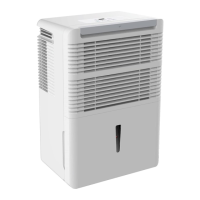
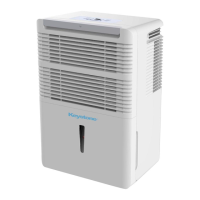
Identification of front and rear parts of the dehumidifier.

Included Accessories

List of accessories provided with the unit, stored in the bucket.

Operating the Unit

Positioning the Unit

Guidelines for optimal placement and setup of the dehumidifier.

Using the Unit

Instructions for initial operation and general usage of the dehumidifier.

Removing Collected Water

Methods for emptying the water bucket and continuous draining options.

Care and Maintenance

Cleaning Procedures

Steps for cleaning the grille, case, bucket, and air filter.

Long-Term Storage

Instructions for storing the unit when not in use for extended periods.

Troubleshooting Tips

Common Problems and Solutions

A guide to diagnose and resolve common issues with the dehumidifier.

Keystone KSTAD507A Specifications

General IconGeneral
TypeDehumidifier
Water Tank Capacity1.6 Gallons
Energy Star RatedYes
Noise Level51 dB
Humidity RemovalYes
Voltage115V
ColorWhite
FilterWashable
Moisture Removal Capacity50 pints per day
Coverage Area3000 sq ft
Operating Temperature41°F to 95°F
Capacity50 pints

Related product manuals