Features of your vehicle
1204
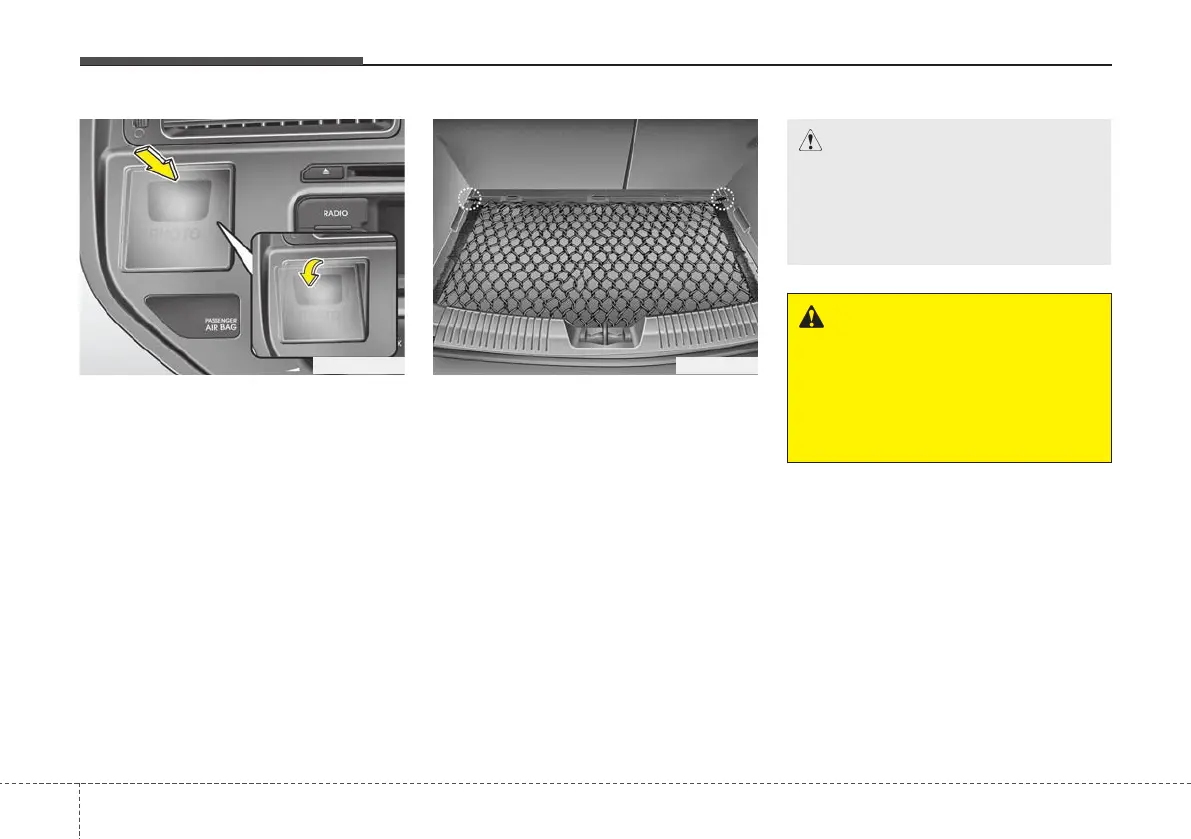
Photo frame (if equipped)
If you want to insert the photo in the
frame,
1. Press the cover and the photo frame
will come out.
2. Insert the photo into the slit at the top
of the photo frame.
3. Push the cover to fix the photo frame
in it's original place.
The information card is in the photo
frame.
If you want to resize your digital picture to
fit the photo frame, access the QR code
or web address on the information card.
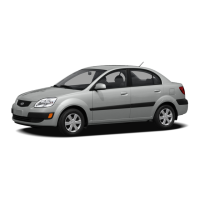
Luggage net holder
(if equipped)
To keep items from shifting in the cargo
area, you can use the 4 holders located in
the cargo area to attach the luggage net.
If necessary, contact your authorised KIA
dealer to obtain a luggage net.
CAUTION
To prevent damage to the goods or
the vehicle, care should be taken
when carrying fragile or bulky
objects in the luggage compart-
ment.
WARNING
Avoid eye injury. DO NOT over-
stretch the luggage net, ALWAYS
keep your face and body out of the
luggage net’s recoil path. DO NOT
use when the strap has visible
signs of wear or damage.
OUB041147OUB041144R



 To Next Page