Remove remote battery door, connect battery (included) with plug pressing the battery inside and
replace the battery door. If not used for long periods of time, remove the battery to prevent
damage to the transmitter.
Fan control :
Low speed
Medium speed
High speed
To turn off the fan
This remote has a memory function. The remote stores the fan speed when the fan is turned off.
When the fan is turned on again, it starts with the most recent setting.
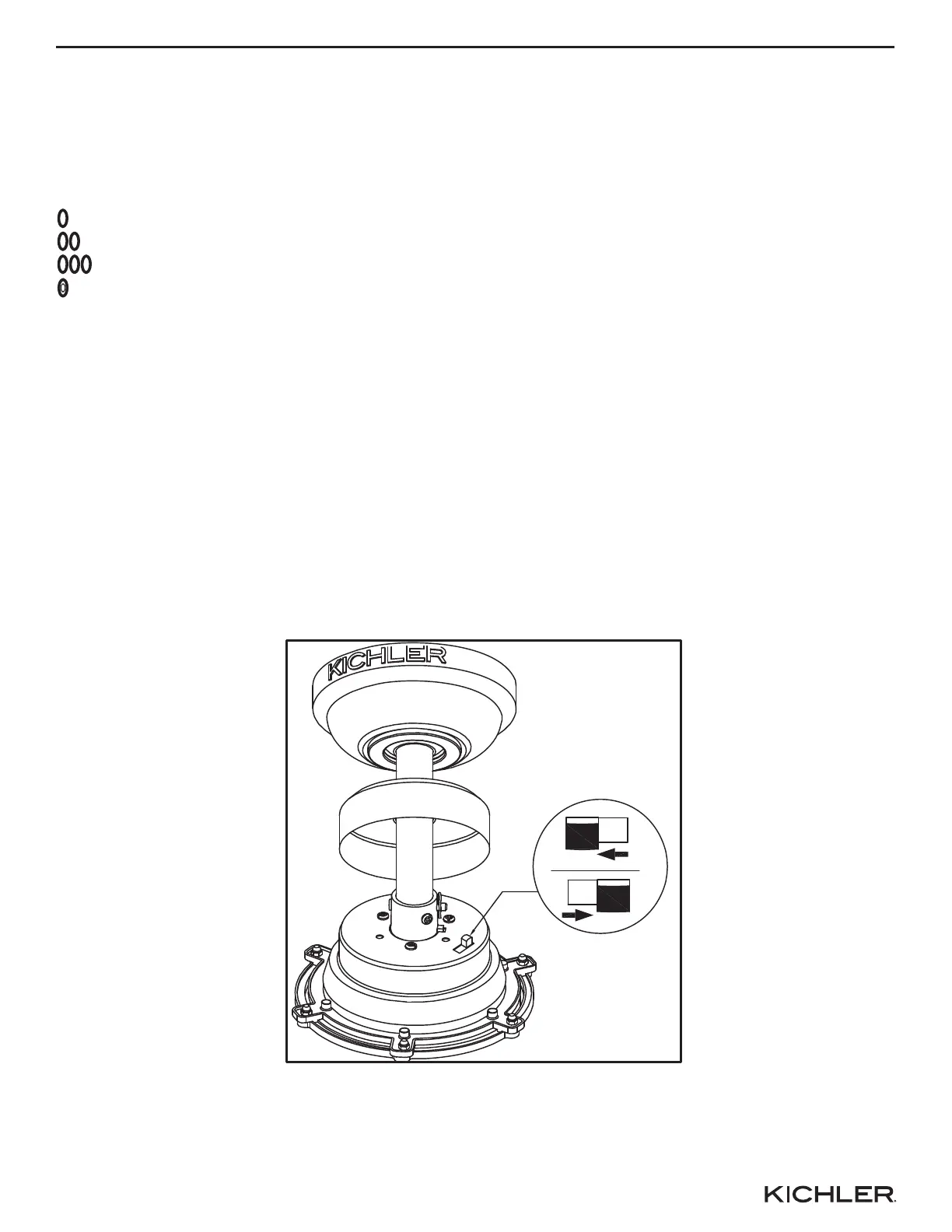
Use the fan reversing switch found on the motor assembly to optimize your fan for seasonal
performance.
Note: Wait for fan to stop before reversing the switch.
• In warmer weather, counterclockwise movement of the fan will result in downward airflow
creating a wind chill effect. Push switch left.
• In cooler weather, clockwise movement of the fan will result in upward airflow that can help move
stagnant hot air off the ceiling area. Push switch right.
12 13 14
OPERATION
Reverse
Switch





 To Next Page