11
WIRELESS PHONE CHARGING
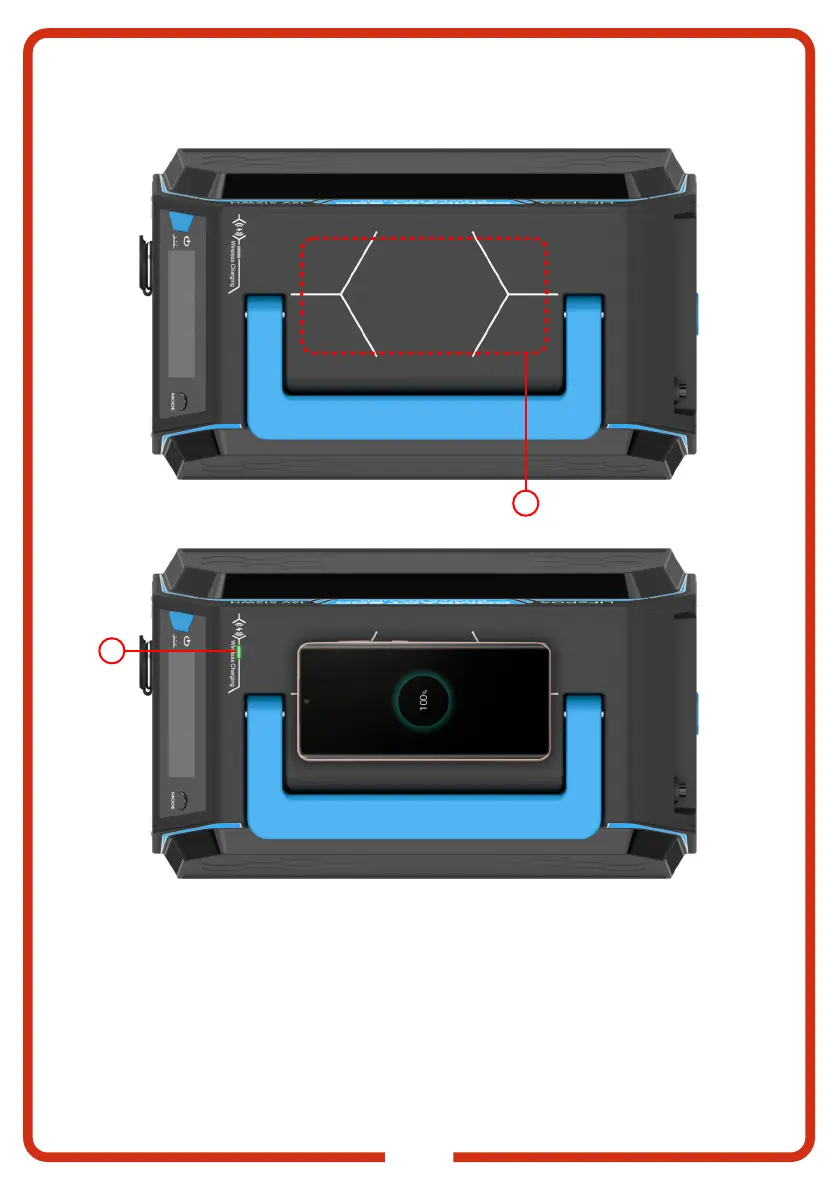
The KickAss COMPACT 600 Lithium Power Station can be used to charge wireless charging enabled
mobile devices. To start charging, ensure phone is located in the wireless charging zone on top of the
KickAss COMPACT 600 Lithium Power Station. Press the DC charging button and ensure the DC
LED back-light is blue. When charging, the green Wireless Charge LED will be displayed. If the
mobile phone is positioned incorrectly or there is an issue with charging, the red Wireless Charge
LED will be displayed. To clear, reposition mobile phone to the designated charging area on the
KickAss COMPACT 600 Lithium Power Station.
22
23



 To Next Page