3
Input Status:
Audio input status is indicated with one of three colored LEDs, located next to the
SOURCE/PAIRING button. These LEDs will change color with the source:
Bluetooth - Blue FM Radio - Red Auxiliary Input - Green
Status Indicators
The KICKER BF400 uses light indicators to acknowledge changes in settings, modes,
and input response. If no action can be taken, such as decreasing volume when at minimum,
or pressing FWD/BACK while in AUX mode, there will be no response.
Battery Status:
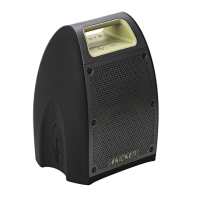
Battery status is indicated with 5 white LEDs on top of the BF400, above the PLAY/PAUSE
button. These LEDs will also indicate Double-Kick mode (see Page 4). To show current battery
status, press any button while the BF400 is powered on. Status display will end after
5 seconds. Remember to charge the BF400 for 6 hours before first use. Charging is complete
when Battery LEDs stop counting and turn off.
{
BATTERY STATUS LEDs (1-5)
All Solid >80%
4 Solid 60%–80%
3 Solid 40%–60%
2 Solid 20%-40%
1 Solid <20%
1 Blinking <10%
Counting Up Battery Charging
AUX
}
LED status indicators:
• illuminated when the BF400 is powered on
• solid when input source is set
• flashes blue when in Bluetooth pairing mode
• blinks when receiving commands
• breathes slowly when audio is paused or muted


 To Next Page