Need help?
Do you have a question about the Kicker KRC Series and is the answer not in the manual?
Details on connecting the KRC15 remote using specific cables and adapters for KMC10/KMC20.
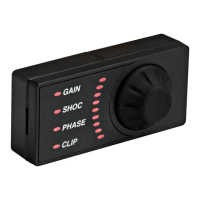
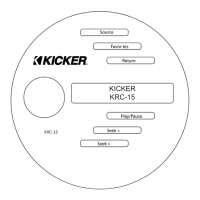
Overview of the KRC15 remote's buttons and their basic operational functions.
Instructions for operating various audio sources including FM, AM, WX, USB, Aux, Bluetooth, and SiriusXM.
Guide to managing favorite stations and adjusting audio parameters like Bass, Mid, and Treble.
Configuration of Subwoofer level, Equalizer, and navigating source-specific menus.
Steps for activating a SiriusXM subscription and initial radio setup.
Solutions for common problems like no power or unresponsive buttons.
Troubleshooting antenna faults, tuner communication, and subscription update messages.
Guidance on resolving issues related to unavailable, unsubscribed, or locked SiriusXM channels.
Information on optional accessories like the PXIRCX remote and connection cables (KRCEXT25, KRCY1).
Details on the one-year limited warranty for KICKER products and accessories.
 General
| Brand | Kicker |
|---|---|
| Model | KRC Series |
| Category | Remote Control |
| Language | English |

 To Next Page