EasyManua.ls Logo

Kidde K5CO - User Manual

Kidde K5CO
22 pages
Print Icon
To Next Page IconTo Next Page
Loading...
1
User and Installer Guide
Battery Carbon Monoxide Alarms
Quick Start Instructions
included at the back of
this User Guide
BS EN 50291-1:2018
LICENSE NO. KM 738897
P
E
A
K
L
E
V
E
L
Alarm Operate
Fault
Move to Fresh Air
Carbon Monoxide Alarm
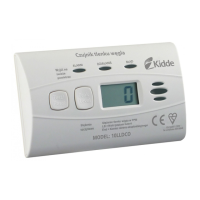
PPM of CO displayed
Lb= Low Battery
End= End of Unit Life
MODEL: K5DCO
Alarm
Move to
Fresh Air
Operate
Fault
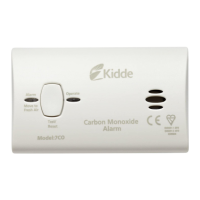
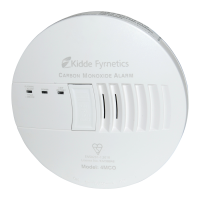
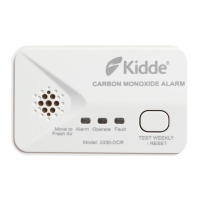
Carbon M onox ide Al arm
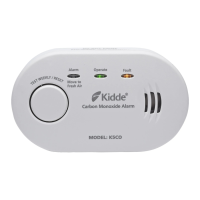
Model: K5CO
Model: K5DCO
P/N: K5CO-7201-01
T
E
S
T
W
E
E
K
L
Y
/
R
E
S
E
T
T
E
S
T
W
E
E
K
L
Y
/
R
E
S
E
T
MODEL: K5DCO

Questions and Answers

  • M
    Melissa JonesJul 29, 2025
    What to do if my Kidde K5CO indicates a low battery?
    • M
      Mrs. Vanessa FitzgeraldJul 29, 2025
      If your Kidde Security System indicates a low battery, push the test button once to silence the alarm for 24 hours. Note that 30 days after the low battery indication begins, replace the batteries as soon as possible.
  • D
    Donna HaynesAug 4, 2025
    What to do if my Kidde Security System has a stuck button?
    • W
      Wanda BanksAug 4, 2025
      If the button on your Kidde Security System is stuck, try pushing it to dislodge it. If the button remains stuck, remove and dispose of the unit, and replace it as soon as possible.
  • S
    Sue BoothAug 9, 2025
    What does it mean if my Kidde K5CO Security System is in fault mode and how to fix it?
    • N
      Nathan NelsonAug 9, 2025
      If your Kidde Security System is in fault mode, clean your alarm. You can also try to reset the unit by pushing the test button once.
  • L
    lcarterAug 15, 2025
    What to do if my Kidde Security System indicates end of unit life?
    • J
      Joshua SanchezAug 15, 2025
      If your Kidde Security System indicates the end of its unit life, push the button once to silence it for 24 hours. Note that 30 days after the end of unit life indication begins, remove and dispose of the unit, and replace it as soon as possible.
  • G
    Grant MartinAug 22, 2025
    What to do if my Kidde K5CO Security System has an MCU failure?
    • S
      Shannon LaneAug 22, 2025
      If your Kidde Security System experiences an MCU failure, replace the alarm.

Summary

User and Installer Guide

What to Do When the Alarm Sounds

Alarm Pattern and Display

Details the audible beeps and visual LED/display signals during a CO alarm event.

Emergency Response Steps

Provides a step-by-step guide on immediate actions to take during a CO alarm.

Alarm Indicators

Operational Modes and Indicators

Explains visual and audible indicators for normal, test, and alarm states.

Troubleshooting Guide

Common Trouble Conditions

Lists and explains common issues like low battery, fault mode, and end of unit life.

Product Information

Limitations and Warnings

Critical Safety Warnings

Highlights critical safety advice regarding product use and limitations.

Installation Guidelines

Recommended Locations

Specifies ideal placement for CO alarms within a home.

Installation and Activation

Operation and Testing

Battery Management

Quick Start Instructions

Kidde K5CO Specifications

General IconGeneral
TypeCarbon Monoxide Alarm
Power SourceBattery Operated
SensorElectrochemical
Alarm Output85 dB
Operating Humidity10% to 95% relative humidity (non-condensing)
CertificationsUL 2034

Related product manuals