EasyManua.ls Logo

Kidde 2030-DCR - User Manual

Kidde 2030-DCR
26 pages
Print Icon
To Next Page IconTo Next Page
Loading...
1
Quick Start Instructions included
at the back of this User Guide
EN 50291-1:2018
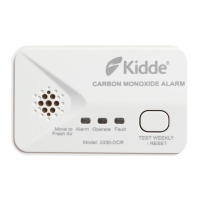
Fault
Operate
Alarm
Move to
Fresh Air
TEST WEEKLY
/ RESET
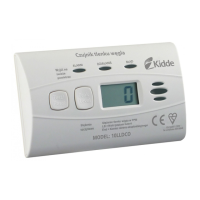
Model: 2030-DCR
CARBON MONOXIDE ALARM
Battery Carbon Monoxide Alarm
User and Installer Guide
Model: 2030-DCR
P/N: 2030-7202-01
2030-7202-01_2030-DCR_UG_54x96_TUV_80%.indd 12030-7202-01_2030-DCR_UG_54x96_TUV_80%.indd 1 22-1-7 3:1722-1-7 下午3:17

Questions and Answers

  • V
    vegalouisAug 6, 2025
    What to do if my Kidde Security System says 'Low Battery'?
    • T
      Todd HermanAug 6, 2025
      If your Kidde Security System indicates a low battery, you can push the test button once to silence the notification for 24 hours. Keep in mind that 30 days after the low battery notification begins, it cannot be silenced. Replace the batteries as soon as possible.
  • R
    Ricky SmithAug 15, 2025
    What to do if my Kidde 2030-DCR indicates 'End of Unit Life'?
    • J
      Joseph MillerAug 15, 2025
      When the 'End of Unit Life' notification appears on your Kidde Security System, the notification will continue for at least 30 days. You can push the button once to silence it for 24 hours; however, 7 days after the 'End of Unit Life' notification begins, it cannot be silenced. You should remove, dispose of the unit, and replace it as soon as possible.
  • E
    Elizabeth WiseAug 26, 2025
    What to do if my Kidde 2030-DCR Security System displays 'MCU Failure'?
    • N
      nicole11Aug 26, 2025
      If your Kidde Security System indicates an MCU Failure, replace the alarm.

Summary

Carbon Monoxide Alarm Response

Alarm Indicators Overview

Troubleshooting Common Issues

Product Introduction and Specifications

CO Alarm Limitations and Warnings

Recommended CO Alarm Placement

Unsuitable CO Alarm Locations

Alarm Installation and Activation

Wall Mounting Installation

Step-by-step guide for securely mounting the alarm to a wall using the provided hardware.

Free-Standing Placement

Instructions for positioning the alarm on a flat surface in an upright orientation.

Operation and Testing Procedures

Nuisance Alarm Recognition

Battery Management and Replacement

Battery Replacement Steps

Clear instructions on how to remove the old batteries and install new ones correctly.

Carbon Monoxide Information

Cleaning and Maintenance

Service and Warranty Information

Quick Start Installation Guide

Kidde 2030-DCR Specifications

General IconGeneral
BrandKidde
Model2030-DCR
CategorySecurity System
LanguageEnglish

Related product manuals