Kieback&Peter GmbH & Co. KG
Tempelhofer Weg 50, 12347 Berlin/Germany
Telefon: +49 30 60095-0, Telefax: +49 30 60095-164
www.kieback-peter.de, info@kieback-peter.com
2.60-10-210-01-EN | 2020-12-11
DDC4200e
Product Description
J
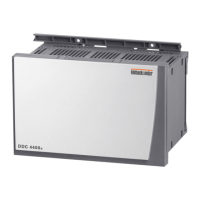
DDC4200e Controller with Operator Function
Application
Color touchscreen with BACnet communication
■ Standalone station with operator function for closed-loop and
open-loop control, optimizing and monitoring functions
■ Built-in touchscreen for intuitive, user-defined operation via plant
structures which can be individually created
■ Customizable plain text for every parameter
■ Direct connection of the input and output signals
■ 12 DDC closed-loop control plants for ventilation or 24 DDC
closed-loop control plants for heating, can be expanded with
software objects
■ PLC functions, free and as fixed macros (hardware objects)
■ Software objects for increasing energy efficiency and energy optimization
■ Communication
– Via TCP/IP, Ethernet cable (min. Cat5, 10/100 Mbit) to enable use
of the existing infrastructure
– Built-in remote control via PC with browser without additional software or mobile end devices
– Native BACnet in accordance with DIN EN ISO 16484-5, BACnet IP and BACnet MS/TP
– Up to 99 DDC4000 automation stations with bidirectional data exchange
– Access to the entire DDC4000 automation system from every connected automation station (remote con-
trol) without additional devices
■ 2 buses (CAN-based), configurable for switch cabinet bus or fieldbus for connecting fieldbus modules (FBM/
FBU or RBW4xxx) or switch cabinet bus modules BMD/BMA or SBM
■ Error message memory, event logging with date and time, incoming and outgoing messages are saved
■ Forwards messages to printers, fax, GSM-SMS and e-mail.
■ Trend value memory for max. 100.000 trend points.
■ Configuration using modern, effective object structure, considerably reducing project planning time.
■ Embedded Linux operating system for proven, stable use
■ Backward-compatible with Kieback&Peter DDC3000 automation system
■ Constant system monitoring of the bus communication and all connected DDC components, bidirectional data
exchange possible.
Content Page
Important Information on Product Safety ...............................................................................................................2
Item........................................................................................................................................................................3
Technical Data.....................................................................................................................................................3
Dimensions ..........................................................................................................................................................6
Installation Dimensions........................................................................................................................................6
Accessories (included in delivery) .......................................................................................................................6
Accessories (not included in delivery) .................................................................................................................6
Connection.............................................................................................................................................................7
Installation..............................................................................................................................................................9
Mounting ..............................................................................................................................................................10

 Need help?
 General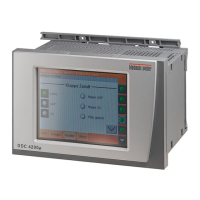

 To Next Page