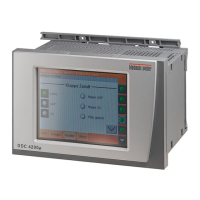
DDC4200e
Product Description
J
Page 7 / 10
2.60-10-210-01-EN | 2020-12-11
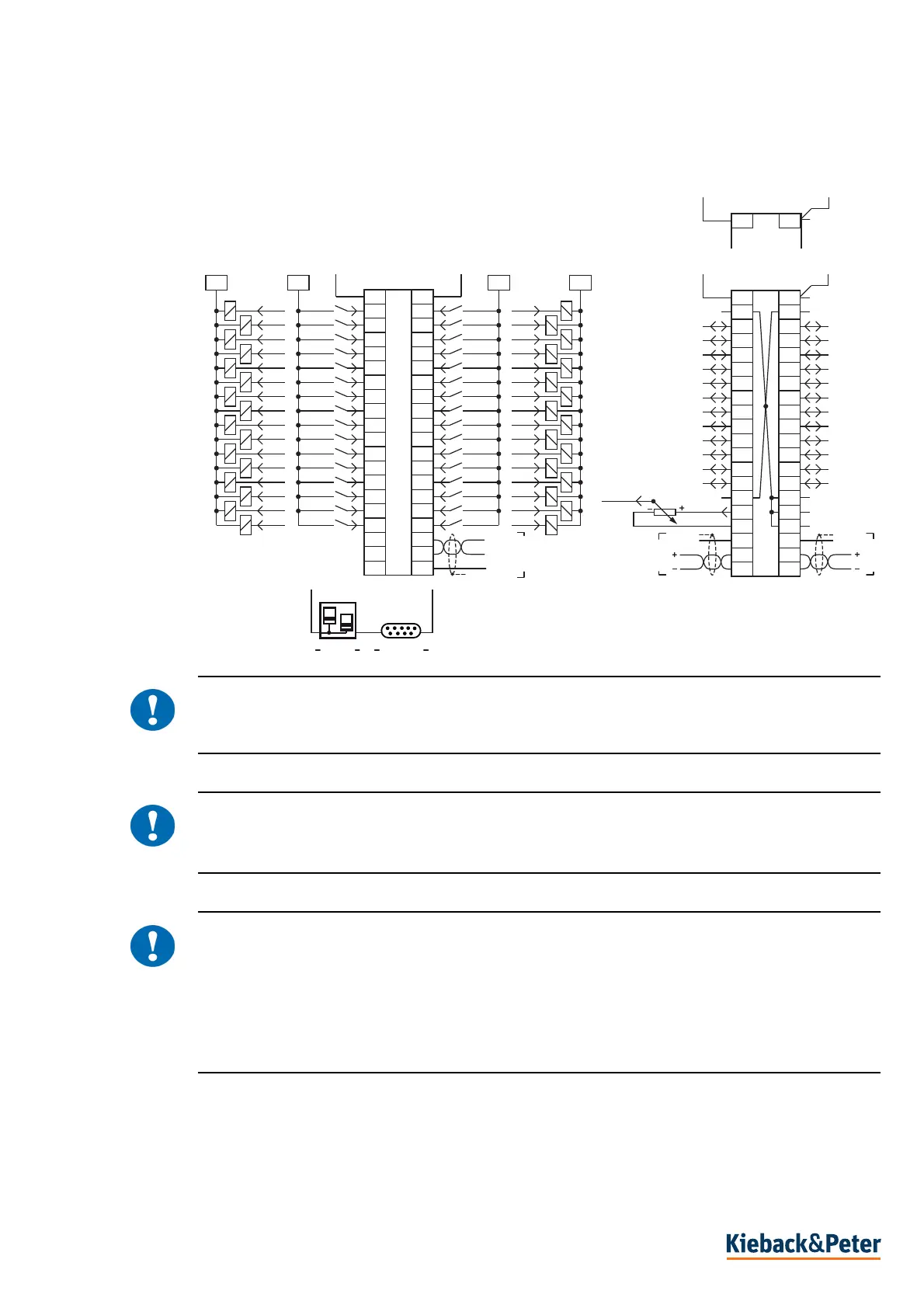
Connection
!
CAUTION
Always use separate power supply units for supplying power to the controller (terminals “1” and “21”)
and the binary inputs and outputs (terminals “41” and “61”).
!
CAUTION
Ensure that no third persons can access your data during data transfer.
Only use secure solutions when connecting to public networks (VPN).
!
CAUTION
Use secure passwords to protect your data, devices and plants from unauthorized access. A secure
password consists of lowercase and uppercase letters, numbers and special characters. It must also
be long enough.
Change the passwords directly after transfer of the plant, commissioning of the device or importing
software. Change the passwords at regular intervals. Use different passwords.
You are responsible for the security of your data and/or plant.
RJ45
RS232
1
2
3
4
5
6
7
8
9
10
11
12
13
14
15
16
17
18
19
20
21
22
23
24
25
26
27
28
29
30
31
32
33
34
35
36
37
38
39
40
B1/Y1
B2/Y2
B3/Y3
B4/Y4
B5/Y5
B6/Y6
B7/Y7
B8/Y8
B9/Y9
B10/Y10
B11/Y11
B12/Y12
B GND
B GND
B GND
B GND
B GND
B GND
Y GND
B13/Y13
B14/Y14
B15/Y15
B16/Y16
B17/Y17
B18/Y18
B19//Y19
B20/Y20
B21/Y21
B22/Y22
B23/Y23
B24/Y24
+10V/50mA
GND
CAN2
GND
CAN1
41
42
43
44
45
46
47
48
49
50
51
52
53
54
55
56
57
58
59
60
61
62
63
64
65
66
67
68
69
70
71
72
73
74
75
76
77
78
79
80
k1
k2
k3
k4
k5
k6
k7
k8
k9
k10
k11
k12
k13
k14
k15
k16
k17
k18
k19
k20
k21
k22
k23
k24
k25
k26
k27
k28
k29
k30
K17
K18
K19
K20
K21
K22
K23
K24
K25
K26
K27
K28
K29
K30
k31K31
k32K32
6161 41
K1
K2
K3
K4
K5
K6
K7
K8
K9
K10
K11
K12
K13
K14
K15
K16
41
+24VDC
0VDC
24VAC
0VAC
B1..B24
121
+24/12VDC
0VDC
Y GND
A (-)
B (+)
GND
RS485


 To Next Page
 Loading...