EasyManua.ls Logo

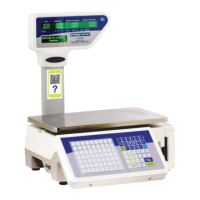
Kilotech Integrator LE.3k - User Manual

Kilotech Integrator LE.3k
30 pages
Print Icon
To Next Page IconTo Next Page
Loading...
LE.3k
Service Manual
Contents subject to change without notice
LE.3k SERVICE MANUAL E 08032017

Other manuals for Kilotech Integrator LE.3k

Question and Answer IconNeed help?

Do you have a question about the Kilotech Integrator LE.3k and is the answer not in the manual?

Summary

Backup Data to USB Flash Disk

Factory Restore Procedure

Firmware Update Guide

Weight Calibration

Enter Privilege Mode for Calibration

Steps to enter privilege mode for scale calibration.

Set Calibration Parameters

Adjusting calibration parameters, including weight sensor range.

Scale Menu Structure

Change PLU Price on Scale

Configure Label Formats

Adjust Print Settings

Printer Sensor Calibration

Spec Settings Overview

Printing Speed Setting (Spec 20)

Controls print speed from 0 (fastest) to 99 (slowest).

Ethernet Type Setting (Spec 50)

Configures wired (0) or Wi-Fi (1) network connection.

Scale IP Address Configuration (Spec 150-152)

Configures the IP address segments for the scale.

Date Format Setting (Spec 104)

Defines the format for displaying dates.

Advanced Spec Settings

Minimum Weight for Printing (Spec 217)

Defines minimum weight for printing.

Prepack Mode Re-arm Configuration (Spec 234)

Configures prepack mode re-arm settings.

Admin and User Specifications

Item Label Print Format (Spec 0)

Defines item print format for labels.

Item Label Barcode Format (Spec 1)

Defines item barcode format for labels.

Sum Label Print Format (Spec 5)

Defines sum print format for labels.

Print Speed Decrease Setting (Spec 20)

Adjusts print speed for darker print.

Network and Connectivity Settings

RS232 Baud Rate Setting (Spec 41)

Configures RS232 baud rate.

Ethernet Connection Setup (Spec 43)

Configures Ethernet connection mode.

Ethernet Type Selection (Spec 50)

Selects Ethernet type (Wired/Wireless).

Wi-Fi Security Mode (Spec 51)

Sets Wi-Fi security mode.

Sales and PLU Management Settings

No Weigh Sale for PLU (Spec 71)

Allows or forbids sale of PLUs without weight.

Manual Weight Entry Configuration (Spec 77)

Enables or disables manual weight entry.

Auto Mode Settings (Spec 78)

Configures auto mode settings for special sale.

PLU and Functionality Settings

PLU Fast-Prog Configuration (Spec 83)

Configures Fast-Prog for PLU price and name modification.

By-Weight T-Sale PLU Number (Spec 93)

Configures PLU numbers for by-weight T-Sale.

By-Count T-Sale PLU Number (Spec 94)

Configures PLU numbers for by-count T-Sale.

Discount and Tax Settings

Manual Discount Limits (Spec 111-112)

Sets the lower and upper limits for manual discounts.

Global Tax Sort Option (Spec 116)

Defines global tax sorting modes.

Scanner Checkout Behavior (Spec 119)

Controls how scanner checkout handles redundant info.

User Interaction Settings

Salesman Login Configuration (Spec 135)

Configures salesman login modes and permissions.

Stock Amendment Unit Mode (Spec 142)

Configures unit mode for stock amendments.

Network IP and DNS Configuration

Ethernet IP Address Settings (Spec 150)

Configures the first Ethernet IP address.

Gateway IP Address Settings (Spec 158)

Configures the first Gateway IP address.

IP Mask Settings (Spec 162)

Configures the first IP mask.

Primary DNS Server Settings (Spec 170)

Configures the first primary DNS server.

Display and Price Settings

PLU Info Display on Dot Matrix (Spec 190)

Configures PLU info display on dot matrix screen.

Idle Mode Display Configuration (Spec 192)

Configures idle mode display options.

Idle Mode Data Source Selection (Spec 193)

Selects data source for idle mode display.

Weight Unit Price Conversion (Spec 228)

Configures price conversion for different weight units.

PLU and Discount Management

Password Hold Functionality (Spec 247)

Manages password hold functionality.

PLU Storage Mode Selection (Spec 249)

Selects PLU storage mode (bytes).

Unit Price Discount Menu (Spec 251)

Configures discount menu for unit price.

Operational Mode Settings

Default Working Mode (Spec 277)

Configures default working mode.

Salesman Authorization Setup (Spec 280)

Configures salesman authorization.

Item Service Fee Configuration (Spec 300)

Configures item service fee collection.

Fee and Display Settings

Total Service Fee Input Method (Spec 302)

Configures input method for total service fee.

Special Unit Settings (Spec 484)

Configures special unit settings.

Error Code Reference

Kilotech Integrator LE.3k Specifications

General IconGeneral
Capacity3 kg
Readability0.1 g
Platform Size160 x 160 mm
InterfaceRS-232
Weighing Unitsg, oz
CalibrationExternal calibration
PowerAC adapter

Related product manuals