Installing or Removing driver bit/socket bit
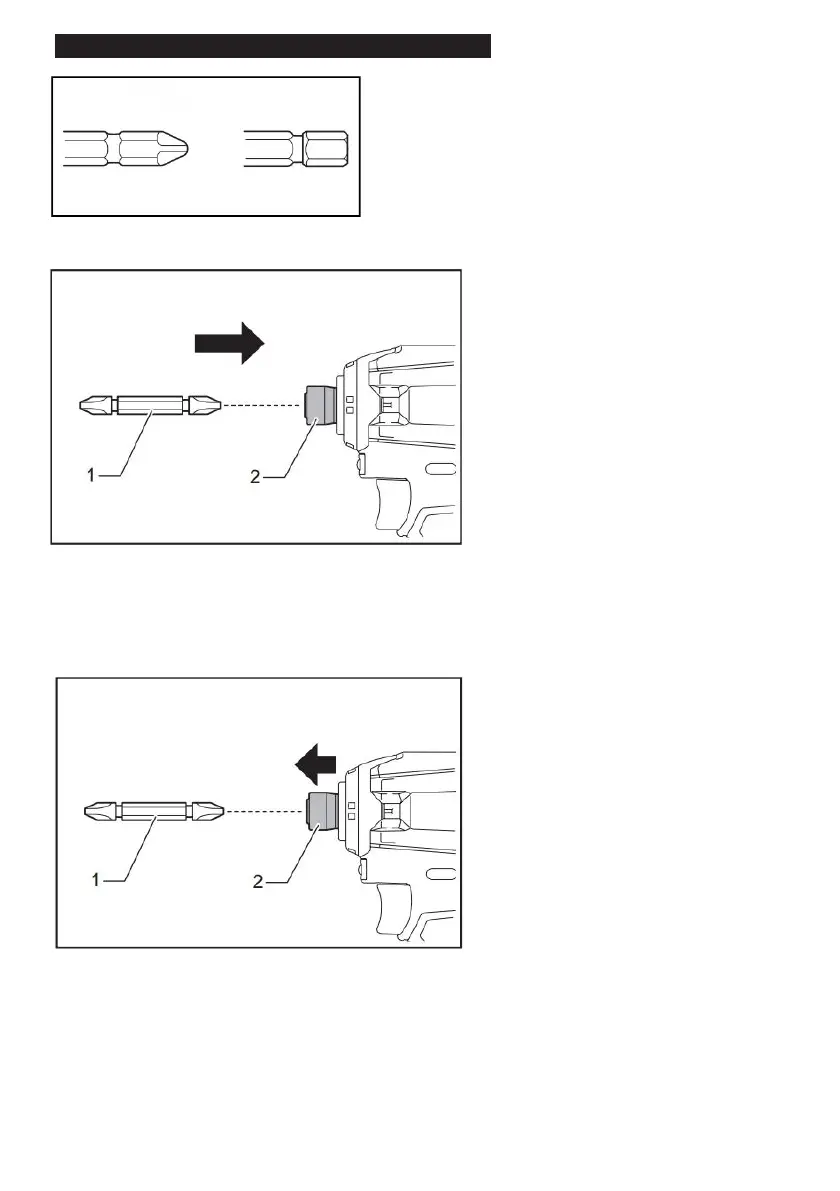
Use the driver bit/socket bit shown in the figure.
1. Driver bit 2. Sleeve
To install the driver bit, pull the sleeve in the oppsite direction to the arrow, insert the
bit into the sleeve as far as it will go, then release the sleeve, make sure it is tightened.
1. Driver bit 2. Sleeve
To remove the driver bit, pull the sleeve in the direction of the arrow and pull the driver
bit out.


 To Next Page