IP KVM Matrix Extender User Manual
17
3. Extender Configuration
3.1 Use of UI Interface
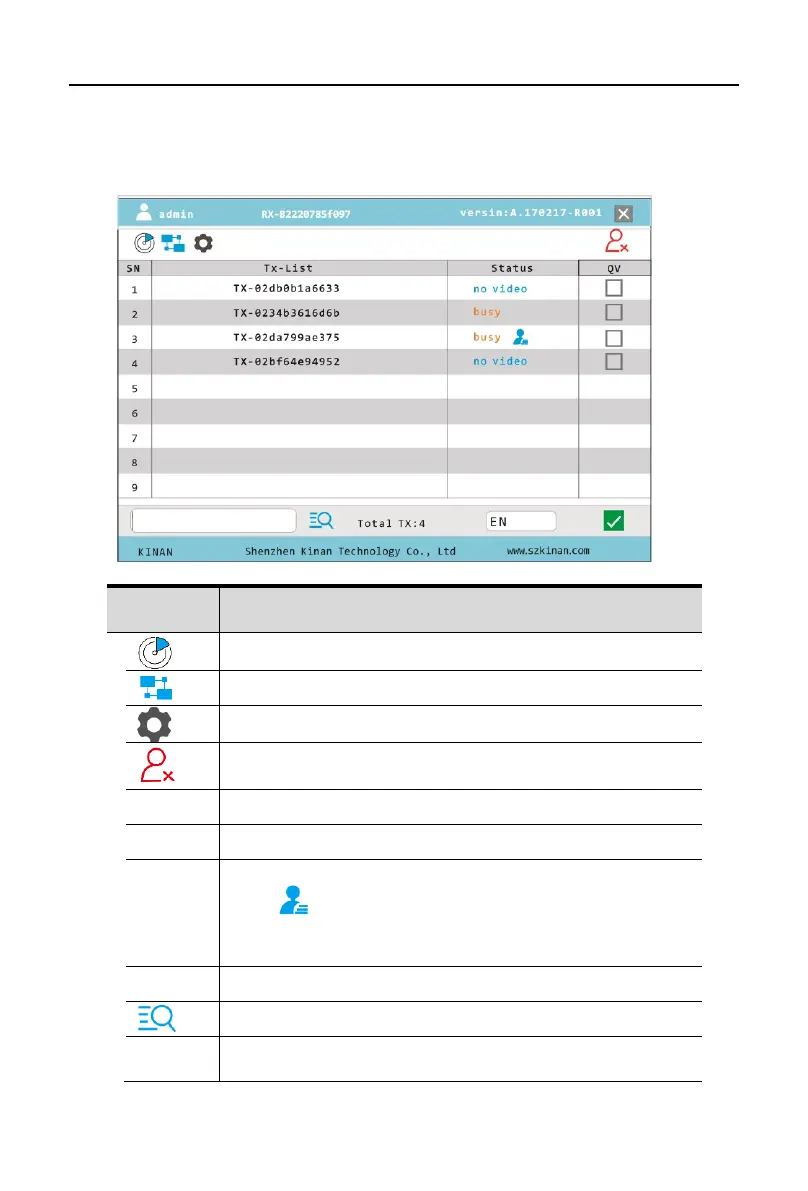
Press the left [Ctrl] key on the keyboard 3 times continuously, then the main UI interface
will display.
The list of matched transmitter and receiver
Click 【Equipment setting】-【User Setting Pass】to logout user
account
Number of connected device
Busy: Matched
Busy :The tx has been connected
No video: The input video of TX is not available
Connect : Can be connected
Find the devices in the list
EN: English version
CN: Chinese version


 To Next Page