IP KVM Matrix Extender User Manual
19
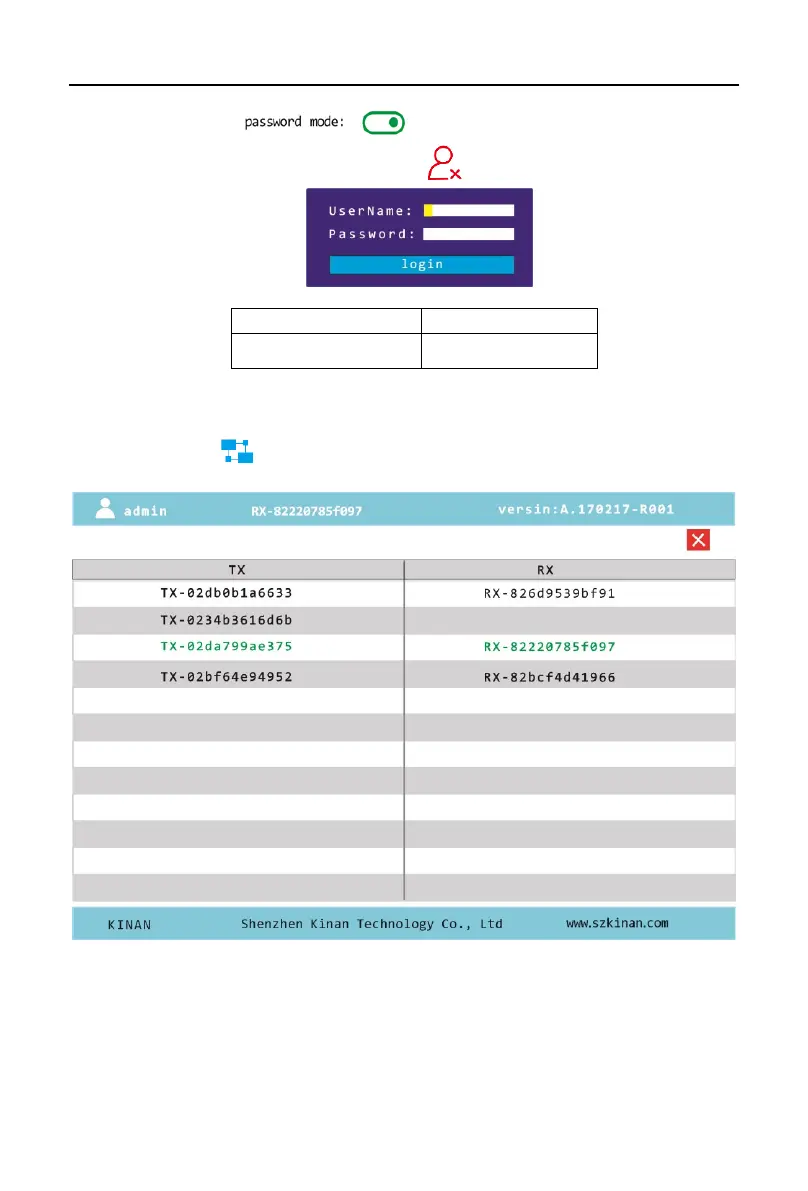
【User Login Interface】
This model was set as (See User Setting on Page 16),the login
interface will only appear after clicking the icron
【The list of matched TX/RX】
Click function key【 】, then the following menu will appear:
The device name in the TX list and the RX list: it means that the TX and RX are matched
successfully, and the device name in green is the connected device of this machine.


 To Next Page
 Loading...