13
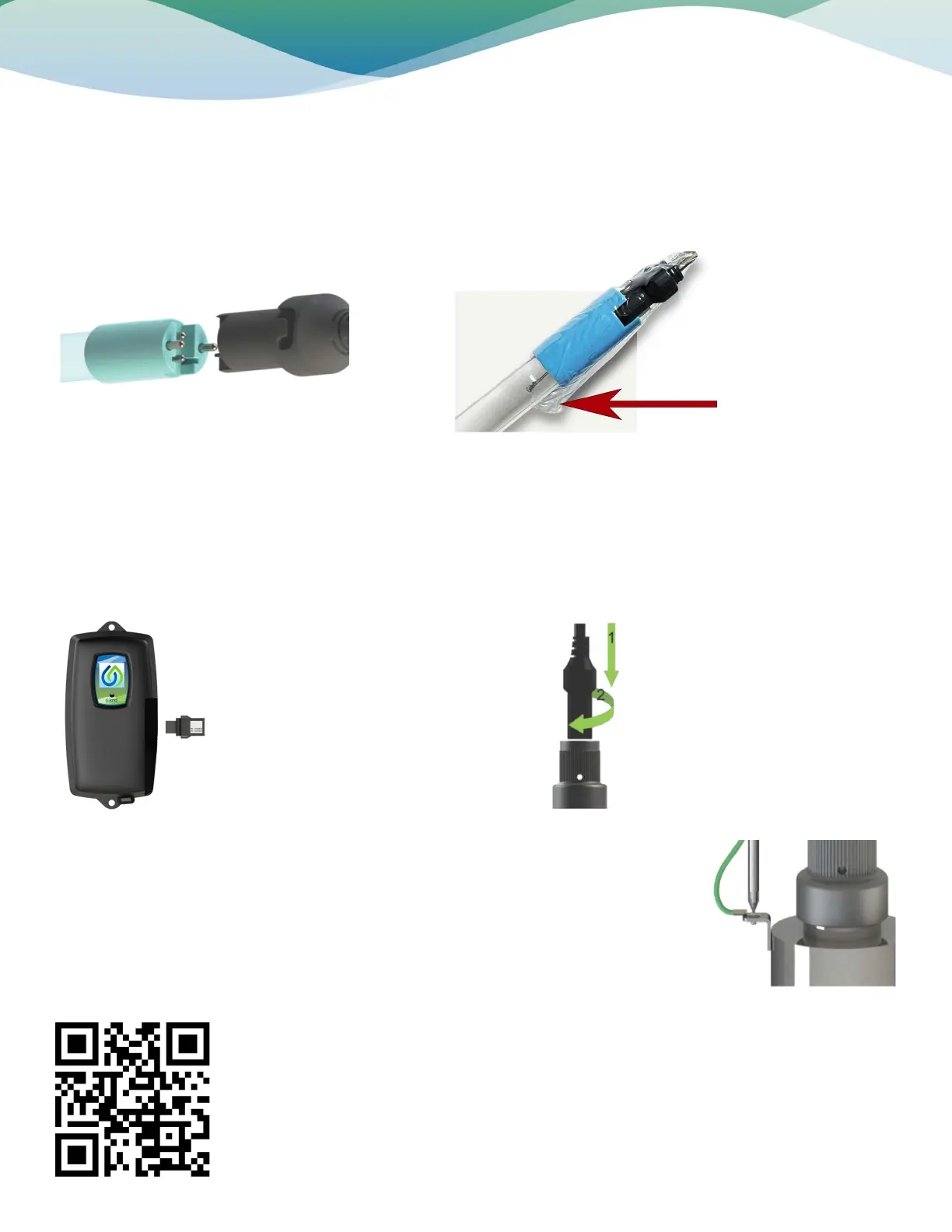
Step 8: Always hold UV lamps by their ceramic ends, not by the lamp quartz. Remove the lamp from its packaging. Again, the use of
cotton gloves is recommended. Remove the lamp key from the lamp’s connector and set it aside for the next step. Be careful to not
touch the key’s exposed contacts. Insert the UV lamp into the chamber, being careful not to drop it.
Installation
Step 9: Install the lamp key into the controller. The key always comes packaged with the lamp and sits on the connector. With the
key removed from the lamp, orient it so the label is upright and facing you. The key will plug into the lamp key port on the right side
of the controller (Figure 5).
Step 10: Plug the lamp connector into the lamp. Note the keying for proper alignment. Insert the lamp connector into the gland nut
and turn the connector approximately ¼ turn to lock the connector to the gland nut as in Figure 6.
Step 11: Tighten the captive ground screw to the ground lug on the UV chamber to ensure
proper grounding.
Step 12: Your system is now ready to be plugged into the appropriate GFCI protected outlet.
Once plugged in the system will go into its warm up and calibration.
Step 13: Your UV installation is now complete.
Lamp Connection
Figure 5. Lamp
Key Installation
Figure 6. Lamp
Connector Installation
For the full manufacturers Installation &
Operation manual please use this QR code.
Lamp Key
Carefully remove plastic
wrapping around UV lamp
and remove the lamp key.


 To Previous Page
 Loading...