EasyManua.ls Logo

King Industrial KC-10GC - User Manual

King Industrial KC-10GC
14 pages
Print Icon
To Next Page IconTo Next Page
Loading...
INSTRUCTION MANUAL
MODEL: KC-10GC
COPYRIGHT © 2008 ALL RIGHTS RESERVED BY KING CANADA TOOLS INC.
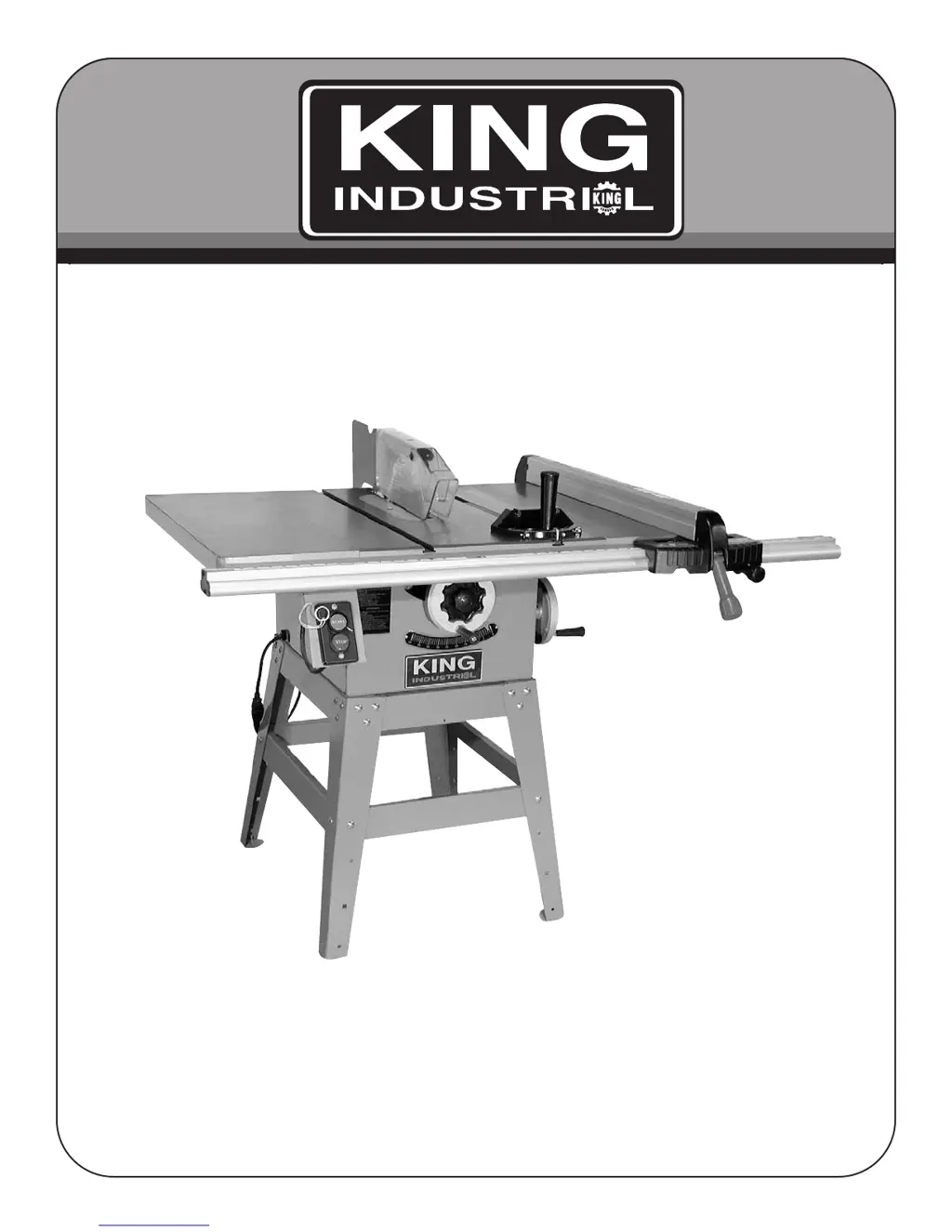
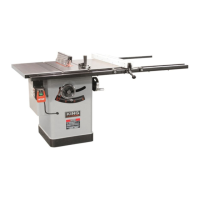
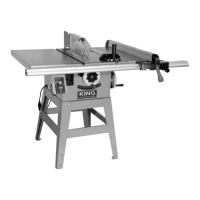
10” RIGHT TILT TABLE SAW
*KC-10GC is shown here with optional “TRU-RIP” rip fence system model KRF-1025.

Other manuals for King Industrial KC-10GC

Questions and Answers

  • A
    angelajordanAug 14, 2025
    Why my King Industrial KC-10GC Saw will not start?
    • J
      Justin MartinAug 14, 2025
      If your King Industrial Saw won't start, there are several potential causes: * The saw might not be plugged in. Ensure it is properly connected to a power source. * A fuse may have blown or a circuit breaker tripped. Replace the fuse or reset the circuit breaker. * The cord could be damaged. In this case, have it replaced by a certified electrician. * The overload relay might not be set. Try pushing the overload reset button.
  • R
    Richard NicholsonAug 17, 2025
    Why does the overload keep tripping on my King Industrial KC-10GC?
    • D
      Dr. Jennifer WilsonAug 17, 2025
      If the overload on your King Industrial Saw is kicking out frequently, consider these possibilities: 1. The extension cord may be too light or too long. Replace it with an adequate size cord. 2. You might be feeding stock too fast. Try feeding the stock more slowly. 3. The blade could be in poor condition (dull, warped, or gummed). Clean or replace the blade. 4. The blade might be binding due to a misaligned rip fence. Check and adjust the rip fence. 5. Warped wood can cause the blade to bind. Select another piece of wood. 6. There might be low house current. Contact your electrical company to resolve this.
  • S
    Sarah RodriguezAug 21, 2025
    How to improve cut quality on my King Industrial KC-10GC Saw?
    • C
      Christopher BrownAug 21, 2025
      If your King Industrial Saw is making unsatisfactory cuts, here are some things to check: * The blade may be dull. Replace it with a sharp one. * The blade could be mounted backward. Turn it around to the correct orientation. * There might be gum or pitch on the blade. Remove the blade and clean it with turpentine and steel wool. * You could be using the incorrect blade for the material. Change to the appropriate blade for the task. * Gum or pitch on the table might be causing erratic feed. Clean the table with turpentine and steel wool.
  • A
    Amy MillerAug 27, 2025
    Why does my King Industrial KC-10GC blade not reach full speed?
    • J
      James TaylorAug 27, 2025
      If the blade on your King Industrial Saw isn't reaching full speed, consider the following: * The extension cord may be too light or too long. Replace it with an adequate size cord. * There might be low house current. Contact your electric company. * The motor might not be wired for the correct voltage. Refer to the motor nameplate for correct wiring instructions.
  • U
    ulopezAug 31, 2025
    How to adjust 45 and 90 degree cuts on King Industrial KC-10GC?
    • P
      petercallahanAug 31, 2025
      If your King Industrial Saw isn't making accurate 45° and 90° rip cuts, it could be due to: * The positive stop not being adjusted properly. Check the blade with a square and adjust the positive stop. * The tilt angle pointer not being set correctly. Check the blade with a square and adjust the pointer to zero.
  • N
    nmartinSep 3, 2025
    What to do if material pinches blade when ripping on King Industrial KC-10GC?
    • J
      John WilliamsSep 3, 2025
      If material pinches the blade when ripping on your King Industrial Saw, it could be due to: * The rip fence not being aligned with the blade. Check and adjust the rip fence. * Warped wood. Select another piece of wood that is not warped.
  • K
    Karen SnyderSep 6, 2025
    Why doesn't the blade raise or tilt freely on my King Industrial Saw?
    • P
      pettyangelaSep 6, 2025
      If the blade on your King Industrial Saw doesn't raise or tilt freely, consider these possibilities: * There might be too much tension in the raising mechanism. Adjust the raising worm and arbor bracket. * Sawdust or dirt could be in the raising or tilting mechanisms. Brush or blow out any loose dust or dirt.
  • M
    Matthew CurtisSep 9, 2025
    Why does material bind on the splitter of my King Industrial Saw?
    • C
      Clayton TorresSep 10, 2025
      If the material binds on the splitter of your King Industrial Saw, it's likely because the splitter is not aligned correctly with the blade. Check and align the splitter with the blade.
  • B
    Brian FinleyNov 23, 2025
    What to do if my King Industrial Saw vibrates excessively?
    • S
      Summer BentleyNov 23, 2025
      Excessive vibration in your King Industrial Saw can stem from several issues: 1. The saw might not be securely mounted to the stand. Tighten all mounting hardware. 2. The stand could be on an uneven floor. Reposition it on a flat, level surface, and fasten it to the floor if necessary. 3. The saw blade might be damaged. Replace the blade. 4. The V-belt could be bad. Replace the belt. 5. The V-belt may not be tensioned properly. Adjust the belt tension by moving the motor and/or motor bracket. 6. The pulley could be bent. Replace the pulley. 7. The motor might be improperly mounted. Check and adjust the motor mounting. 8. There could be excessive play in the raising mechanism. Adjust the worm and arbor bracket. 9. Loose hardware can cause vibration. Tighten all nuts, bolts, and se...

Summary

Warranty Information

2-Year Limited Warranty Coverage

Details the 2-year limited warranty for the table saw and other King Industrial Machinery.

Proof of Purchase and Servicing

Instructions to retain dated proof of purchase for warranty and servicing purposes.

Replacement Parts and Limited Tool Warranty

Information on obtaining parts and warranty exclusions like misuse or lack of maintenance.

Parts Diagram and List Reference

Directs users to the King Canada website for updated parts diagrams and lists.

General Safety Instructions

Power Tool Safety Guidelines

Comprehensive safety rules covering tool knowledge, grounding, guards, work area, and personal protection.

Specific Safety, Specifications, and Contents

Specific Safety Instructions for Table Saw

Detailed safety precautions for operating the table saw, including guards, work handling, and kickback avoidance.

Table Saw Technical Specifications

Technical details of the table saw, including motor, blade size, cutting capacity, and speed.

Assembly

Assembly Tools and Preparation

Lists tools provided and required, and general assembly preparation steps.

Assembling the Saw Stand

Step-by-step instructions for assembling the saw's support stand.

Mounting the Saw to the Stand

Guidance on securely attaching the saw cabinet to the assembled stand.

Alternative Mounting and Securing

Instructions for mounting on wood stands/benches and securing the unit to the floor.

Assembling Handwheels and Lock Knobs

How to attach the raising and tilting handwheels and lock knobs.

Assembly (Continued)

Assembling Extension Wings

Instructions for attaching table extension wings and ensuring proper leveling.

Assembling and Installing the Saw Blade

Steps for removing the arbor nut, flange, and mounting the saw blade.

Installing the Table Insert

Guidance on placing and leveling the table insert for flush surface alignment.

Assembly (Continued)

Motor and Guard Bracket Assembly

Steps for assembling the motor, its mounting plate, and the guard bracket.

Motor Bracket and Mounting

Instructions for attaching the motor assembly to its bracket and posts.

Assembly (Continued)

Belt and Pulley Cover Assembly

Instructions for installing the V-belt, pulleys, and belt cover.

Blade Guard and Splitter Assembly

Steps for assembling and aligning the blade guard, splitter, and mounting bracket.

Installing the Power Switch

Guidance on mounting the power switch to the extension wing for proper clearance.

Electrical Connections and Adjustments

Electrical Connections and Grounding

Detailed instructions for connecting the saw to power, including voltage and wire gauge requirements.

Miter Gauge Operation and Adjustments

How to use and adjust the miter gauge for accurate cuts at specific angles.

Adjustments

Blade Raising and Tilting Mechanism

How to adjust the blade height and tilt angle using handwheels and lock knobs.

Adjusting for Wear in Raising Mechanism

Procedures to compensate for wear in the blade raising worm and bracket.

Adjusting 45° and 90° Positive Stops

Steps to set and check the positive stops for 90° and 45° blade angles.

Operations

Removing and Installing Saw Blade

Instructions for safely removing and replacing the saw blade.

Crosscutting Procedures

How to perform crosscuts using the miter gauge and safety tips.

Ripping Procedures

Guide to ripping operations using the rip fence and safety precautions.

Operations (Continued)

Ripping Safety and Fence Modifications

Tips for ripping narrow stock, using push sticks, and adding fence wood-facing.

Using the Moulding Cutterhead

Instructions for installing and using the accessory moulding cutterhead for shaping workpieces.

Operations (Continued)

Moulding Cutterhead Operation Details

Further guidance on moulding operations, including fence facing and avoiding bevel positions.

Using the Accessory Dado Head

How to install and use the dado head set for cutting grooves and joints.

Troubleshooting Common Issues

Saw Start, Overload, and Feed Problems

Solutions for saws not starting, frequent overloads, and feeding stock too fast.

Cutting Accuracy and Blade Binding

Troubleshooting tips for inaccurate cuts, material pinching the blade, or binding on the splitter.

Cut Quality, Speed, and Vibration

Addresses issues with cut quality, blade speed, motor vibration, and belt problems.

Blade Movement and Mechanism Adjustments

Solutions for problems with the blade not raising/tilting freely or excessive mechanism play.

King Industrial KC-10GC Specifications

General IconGeneral
BrandKing Industrial
ModelKC-10GC
CategorySaw
LanguageEnglish

Related product manuals